About this lesson
The film writes one prompt in six parts on GPT Image 2.5 Sunburst, a game prop with a line of stenciled text, and generates it. Then it changes only the light and generates again, and ends with Prompt Spark turning a few words into a first draft to edit. The models and settings in this lesson are as of November 2026.
See moreSee less
- Whatever your prompt leaves out, the model invents, so write image prompts that leave nothing important to chance.
- Write six parts in order: subject, composition, style, light, text, constraints, with exclusions last.
- About 100 words is usually enough; to change a result, edit one part and keep the rest word for word.
Step by step with an agent, through the Scenario MCP (6 steps)Hide the steps
Connect the Scenario MCP
Connect your agent and sign in once at mcp.scenario.com. Then tell it which Scenario team and project to use, so every file lands there.
Give the agent the files
Nothing to upload: the prop is made from the prompt alone, with no reference.
Brief the agent
The six-part prompt, with its labeled lines kept as they are.
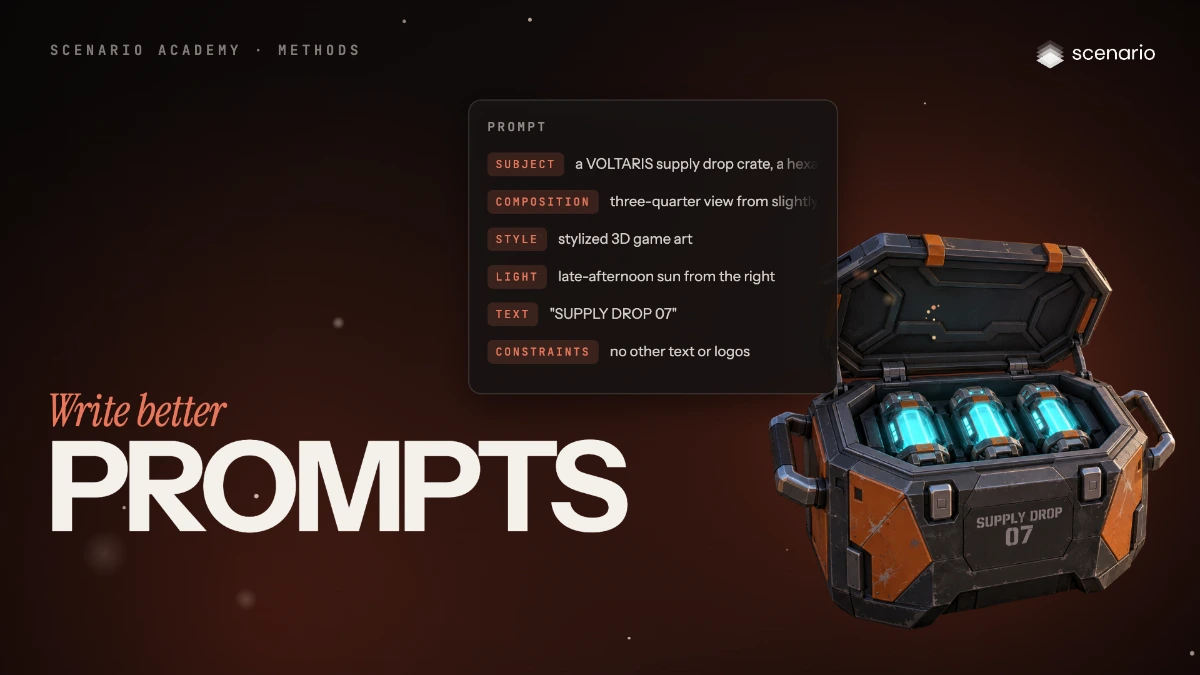
PromptUse GPT Image 2.5 Sunburst (model_openai-gpt-image-2-5-sunburst): width 2048, height 1152, numOutputs 1. No reference. Quote the cost with a dry run first and wait for my go. Prompt, word for word: Subject: a VOLTARIS supply drop crate, a hexagonal armored crate in matte gunmetal with burnt-orange side panels, its lid open on three glowing cyan power cells, a chunky handle on each side, on a scuffed steel landing pad. Composition: three-quarter view from slightly above, the crate in the left half of the frame, open sky and floating islands on the right. Style: stylized 3D game art, like the best free-to-play hero shooters. Light: late-afternoon sun from the right, a cool cyan glow from the power cells, long soft shadows across the pad. Text: stenciled in white on the front panel, the words "SUPPLY DROP 07". Constraints: no other text or logos, no characters, no weapons.Change one part
Only the Light line changes, so you know what made the difference.
PromptRun the same prompt again with the same settings, but replace the Light line with this one, word for word, and keep every other line exactly as it was: Light: cold blue moonlight from above, a strong cyan glow from the power cells, deep shadows across the pad. Quote the cost with a dry run first and wait for my go. Then show me the two results side by side.Check and redo
Accept when every part of the prompt is in the image and the text reads exactly "SUPPLY DROP 07". Reject a missing or changed part, misspelled or extra text, or a mixed style, and rewrite only the part that didn't land.
PromptFor each result, go through the six parts and tell me which landed and which didn't, and whether the front panel reads exactly SUPPLY DROP 07 with no other text or logos. Don't rerun anything without a new quote.File the results and report
PromptCreate a collection called "VOLTARIS supply crate" and add both results to it. Report the model, the settings, every asset ID and the total cost spent.
Step by step in the web app (9 steps)Hide the steps
Write the subject
Create › Images › GPT Image 2.5 Sunburst. Start the Prompt box with what's in the picture: material, color, how many. Labels such as Subject: are optional but keep a long prompt easy to edit.
Write the composition
The camera angle and where things sit; ask for empty space here if a title goes on later.
Name one style
One style only: two styles fight and the model averages them.
Describe the light
Its source, direction and color, and what the shadows do.
Add the text, in quotes
Only if the image needs it: the exact words in quotes, where they go and how they look.
Say what must not appear
End with a plain sentence of exclusions, since most models have no negative prompt field. The whole prompt is about a hundred words.
PromptSubject: a VOLTARIS supply drop crate, a hexagonal armored crate in matte gunmetal with burnt-orange side panels, its lid open on three glowing cyan power cells, a chunky handle on each side, on a scuffed steel landing pad. Composition: three-quarter view from slightly above, the crate in the left half of the frame, open sky and floating islands on the right. Style: stylized 3D game art, like the best free-to-play hero shooters. Light: late-afternoon sun from the right, a cool cyan glow from the power cells, long soft shadows across the pad. Text: stenciled in white on the front panel, the words "SUPPLY DROP 07". Constraints: no other text or logos, no characters, no weapons.Generate and check
Settings: Image Count 1, Dimensions 2048 × 1152. The cost shows on Generate. Tick every part of the prompt in the image, and check the text against the quotes.
Change one part at a time
Select the Light line, replace it and keep every other part word for word, then generate again.
PromptLight: cold blue moonlight from above, a strong cyan glow from the power cells, deep shadows across the pad.Get a head start with Prompt Spark
Type a few words and click Prompt Spark, the sparkle button under the box. Edit its draft to match your brief before you generate.