

Make your first 3D model from text
Open 3D, choose a text to 3D model, set texture, PBR and face limit, write the prompt, generate, inspect the model in the viewer and download it.
- Guide
- Step 1 Learn
Run it in ScenarioTripo P2 Text to 3D Meshy 7.1 - Text-to-3D
On this page5 sections
This lesson makes a 3D model from a text prompt, from the Create menu to the download.
Open 3D and choose a model
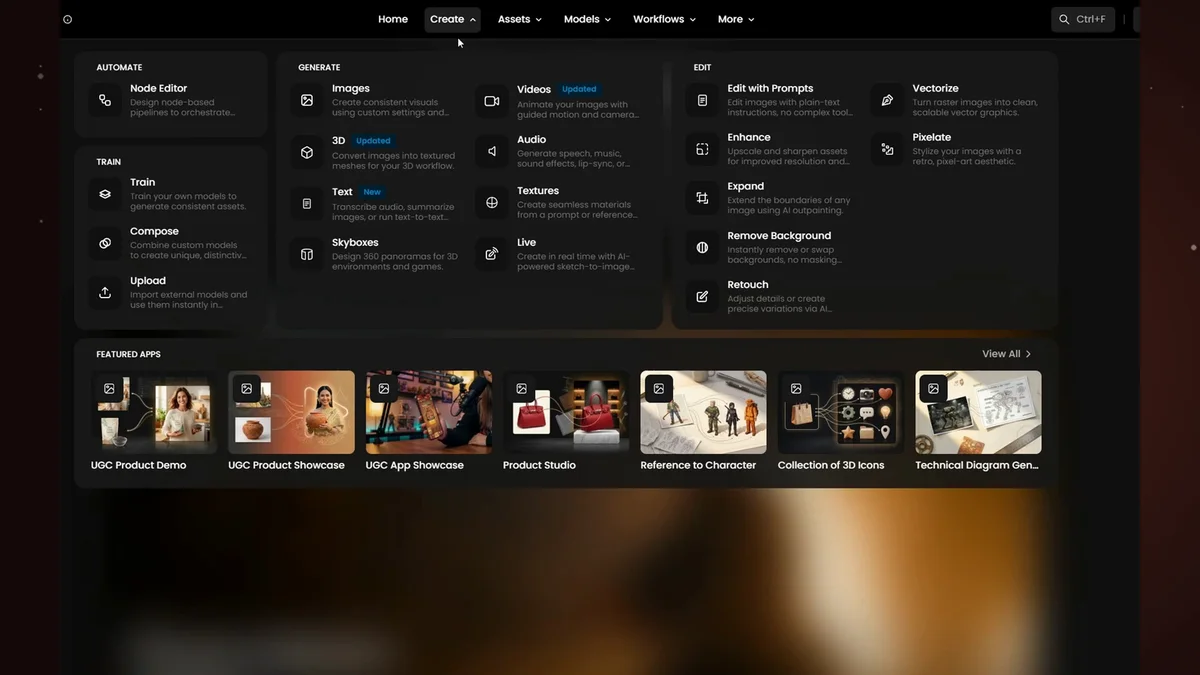
From the top menu, choose Create, then 3D.
The model at the top decides which settings you see. Here, Meshy shows its own options, like Topology and Texture Resolution. The top bar is the model selector: click it to browse the models, and choose the one you want.
The settings
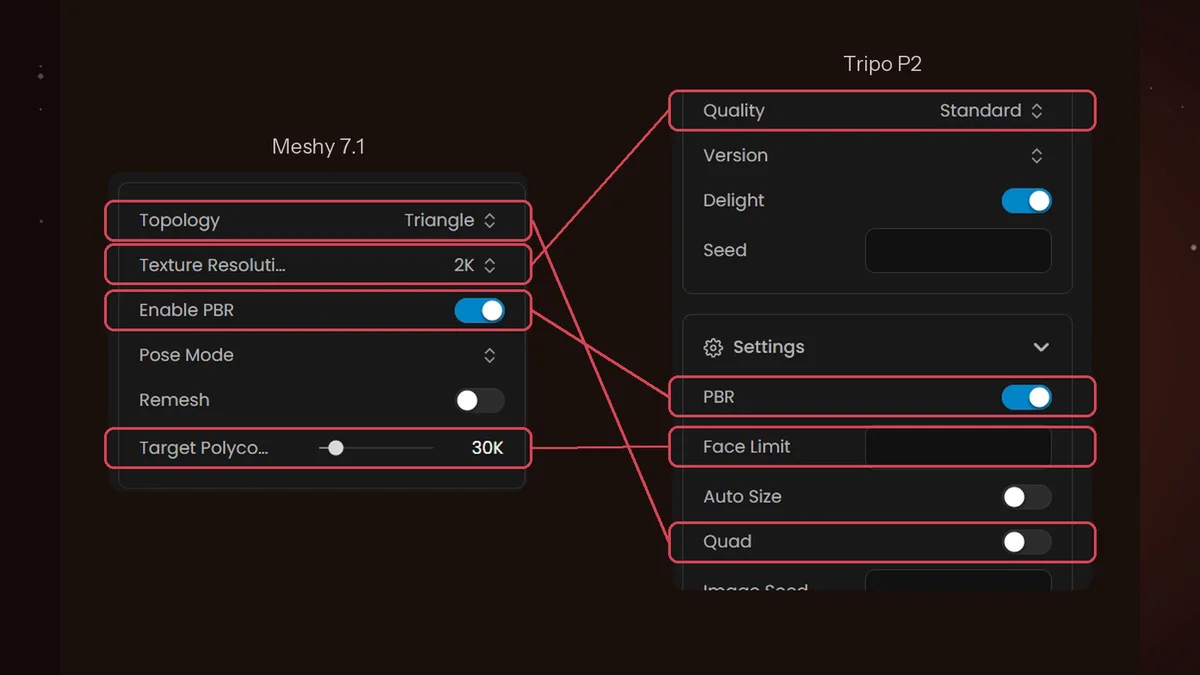
Switch to Tripo P2 Text to 3D. Many of its settings repeat across other 3D models.
The same idea can have a different name:
- Target Polycount in Meshy is Face Limit in Tripo.
- Texture Resolution becomes Quality.
- Enable PBR is just PBR.
- Meshy's Topology, triangle or quad, is a single Quad switch.
Texture turns color on or off, and PBR adds the material maps that make surfaces look real under any light. Face limit caps the polygon count: keep it low for light game assets, and raise it when you need more detail.
Write the prompt
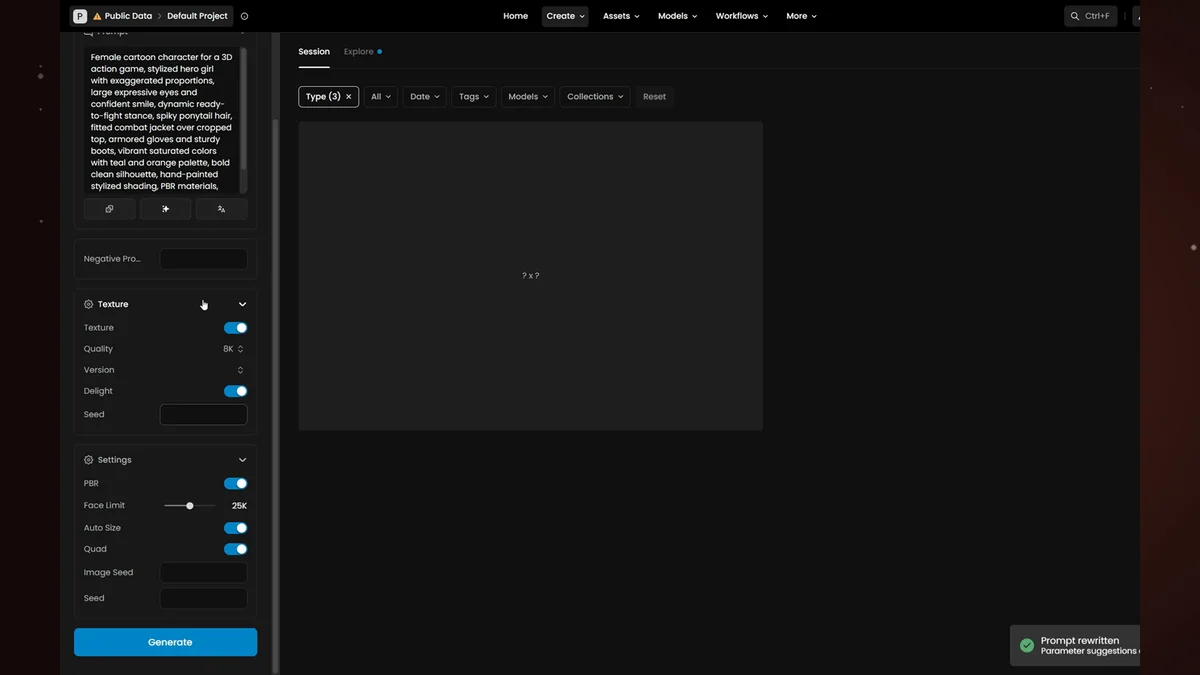
- Prompt. Describe the subject, the look and the materials, and keep it specific.
- Prompt tools rewrite it into a richer prompt. They also suggest settings, and applying them is optional. Here, the suggestions raise the texture quality, set a face limit and turn on quad topology.
- Seed lets you reproduce a result later. Leave it empty while you explore.
Generate and inspect
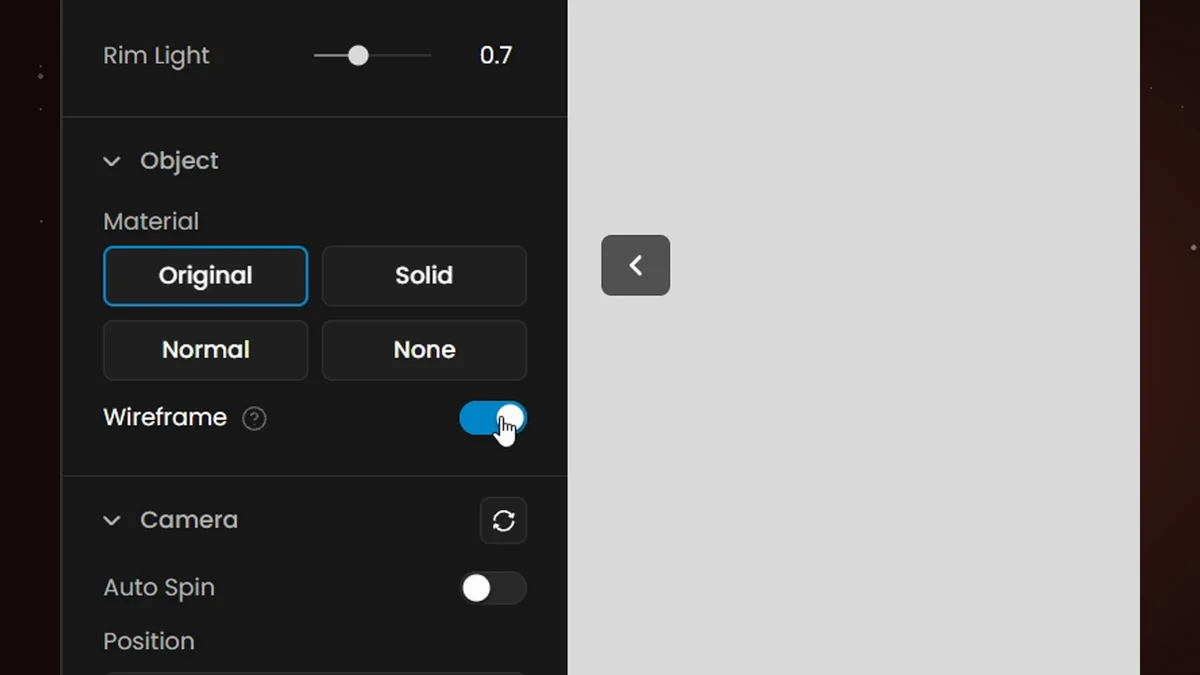
Click Generate. You can keep working while the model builds.
In the viewer, the panel on the left shows the wireframe, or switches the texture to solid. The panel on the right shows the generation details: the triangle count, the settings used and the prompt. Switch back to the original material when you are done.
Download
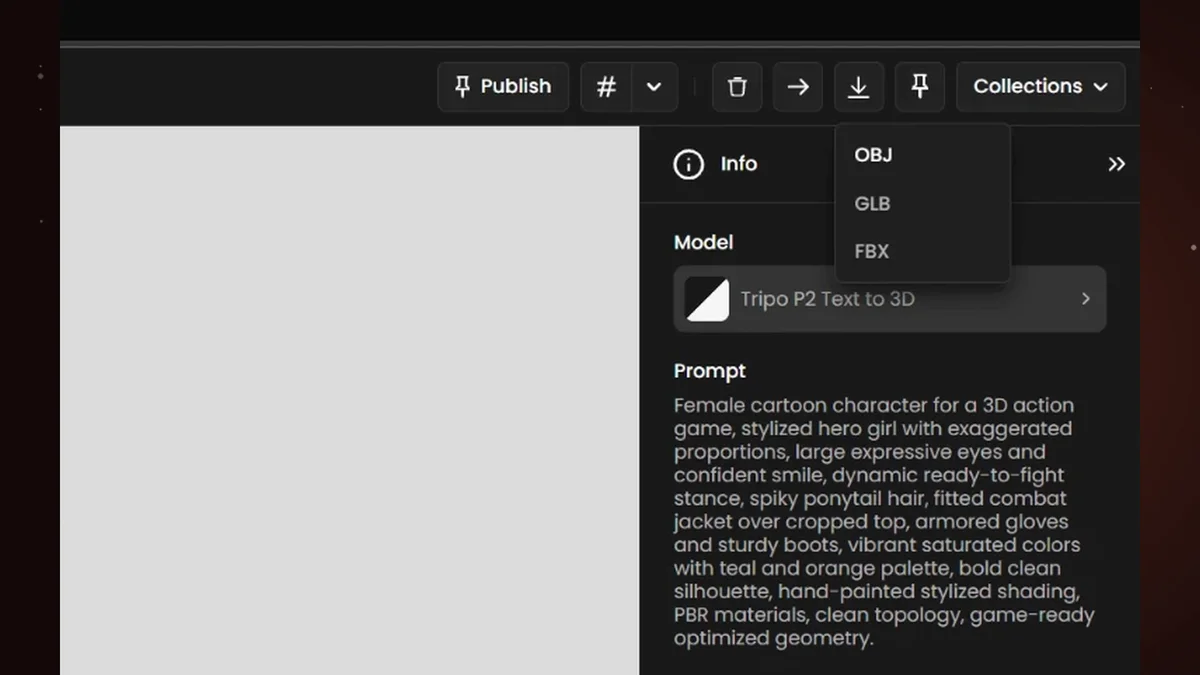
To use the model elsewhere, open the download menu in the toolbar, and choose OBJ, GLB or FBX, depending on where the model is going.