

Rig and animate your 3D model
Rigging and animation for a 3D character: compare the rigging models (Rodin, Cartwheel, Uthana, Tripo, Meshy), rig with Rodin Hyper3D Rigging, then generate motion from text or from a video.
- Guide
- Step 1 Learn
Run it in ScenarioCartwheel Video to Motion Uthana Character Rigging Meshy Rigging
On this page5 sections
This lesson adds a skeleton to a 3D model, and makes it move.
Rigging models
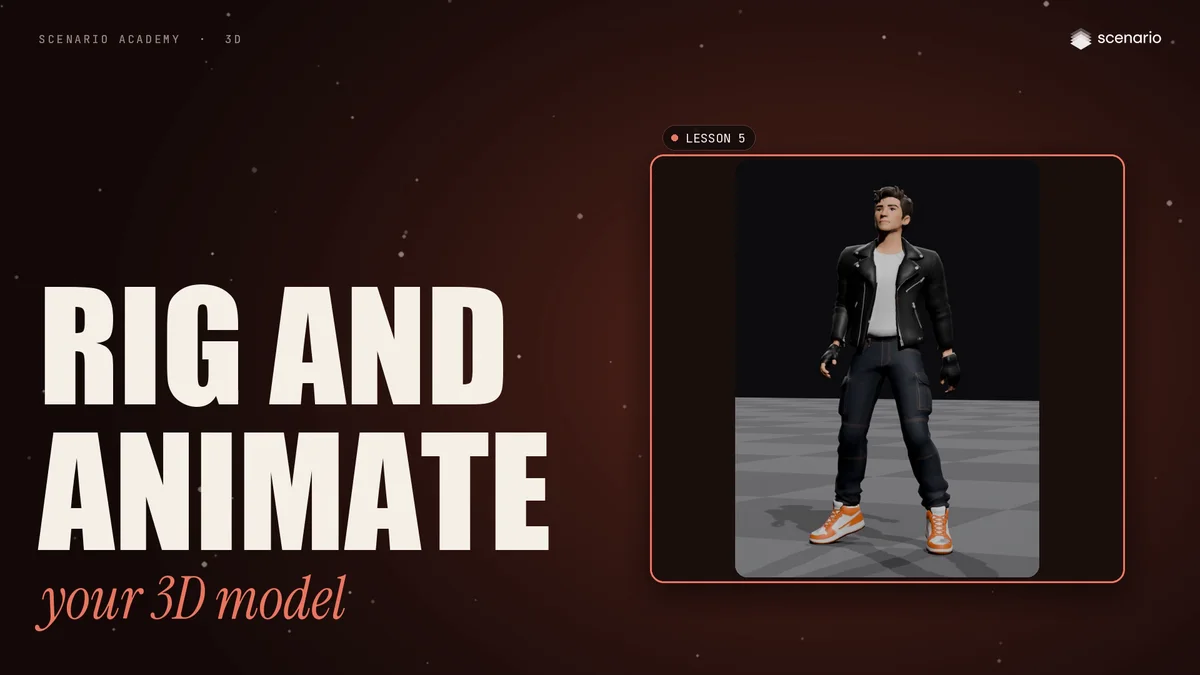
Rigging builds the skeleton and binds it to the mesh. Once the model is rigged, you can animate it.
Open Create, then 3D. In the model bar, filter by 3D input and search for rig: Rodin Hyper3D Rigging, Cartwheel, Uthana, Tripo and Meshy.
The settings are similar. Every rigger needs a 3D model. Then, depending on the model, you pick an animation to apply, set the character height, say if it faces front, or add an image.
Rodin Hyper3D Rigging
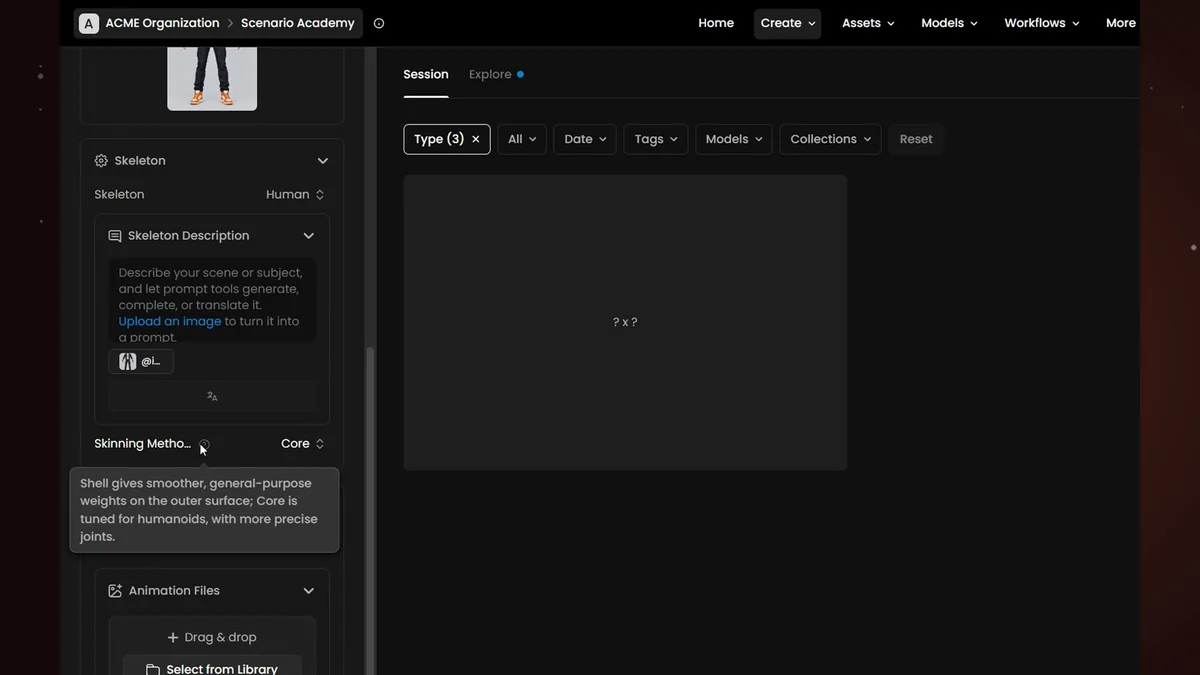
Rodin Hyper3D Rigging has the most options.
- Inputs. The model to rig, and a reference image of the character. The image helps pick the skeleton, and the textures are regenerated from it.
- Skeleton. Auto reads the image, or pick a fixed type like Human. Custom lets you describe an unusual skeleton in a few words.
- Skinning method sets how the mesh follows the bones: Shell is general purpose, Core is tuned for humanoids.
- Animations. Pick up to ten stock animations made for the skeleton, here happy idle, or add your own FBX files.
- Material sets how the textures are exported, here PBR. Output Format is GLB, FBX or USDZ.
Click Generate.
The rigged character
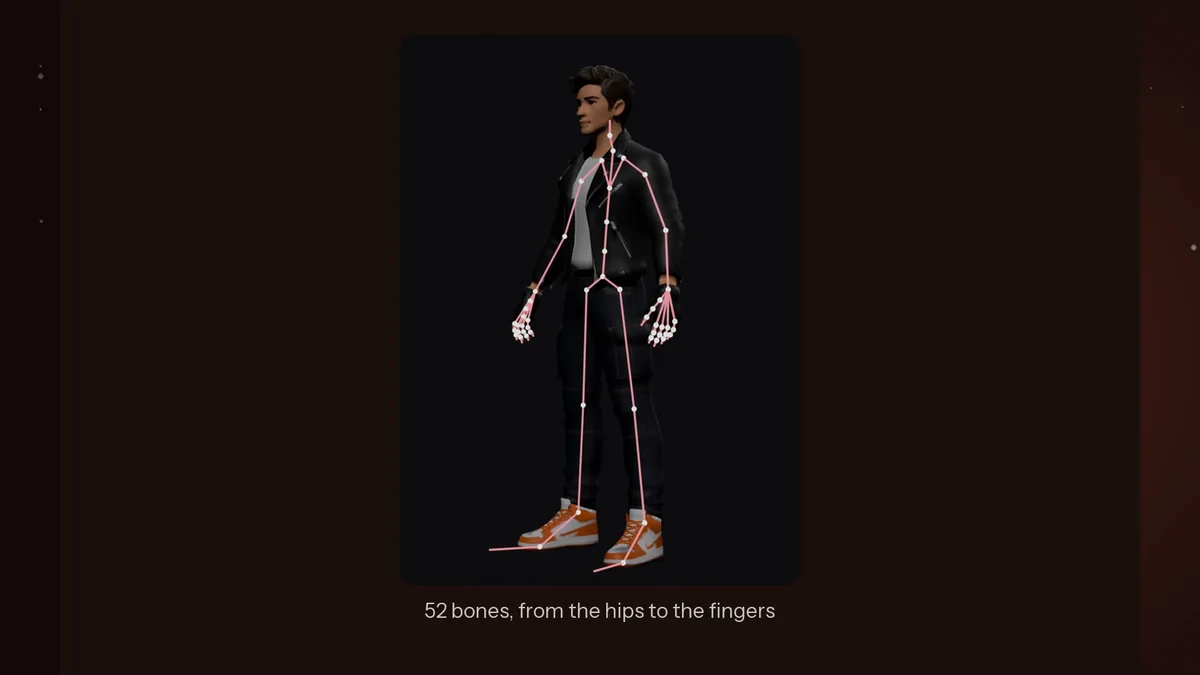
The character is rigged, and the idle animation plays right away in the viewer. The panel on the right lists the skeleton, the skinning and the animation used.
The skeleton has 52 bones, from the hips and the spine down to the fingers. Add more animations, and each one is baked into the same file as its own clip: here, idle, walking, running, dancing and boxing.
Text to Motion
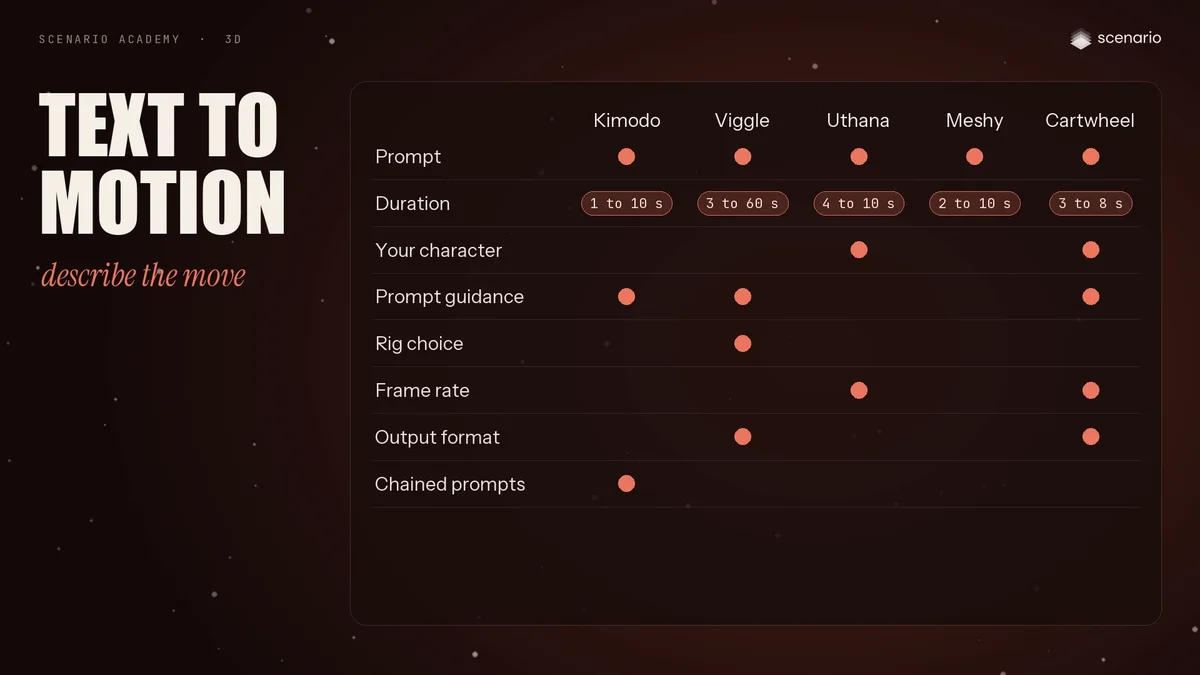
Text to Motion models turn a description into a skeletal animation: NVIDIA Kimodo, Viggle, Uthana, Meshy and Cartwheel.
They all take a prompt and a duration. Depending on the model, you can apply the motion to your own character, guide how closely it follows the prompt, pick the rig, or set the frame rate. Kimodo chains prompts, here a jab, a cross and a hook, then a dodge and an uppercut. Cartwheel adds face and hand poses.
Video to Motion
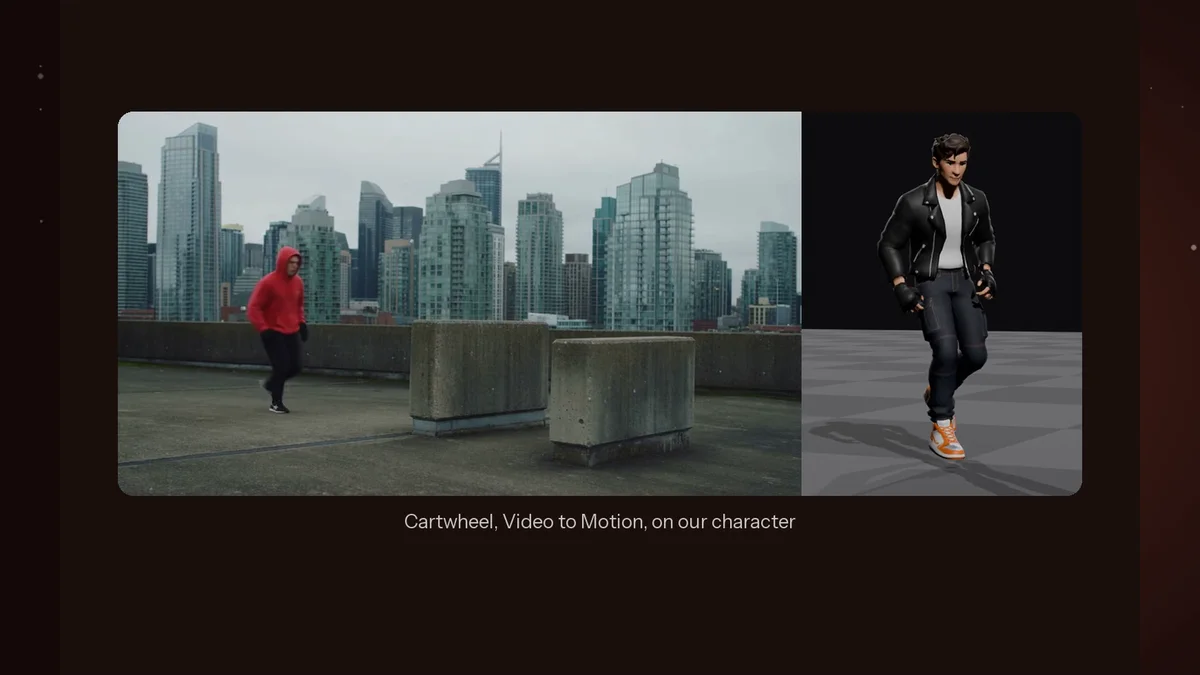
Video to Motion goes the other way: film a person, and the model captures the performance as 3D animation. Viggle, Uthana and Cartwheel offer it.
All three take a video and set the frame rate. Uthana and Cartwheel can apply the motion to your own character. Viggle lets you pick the rig and smooth the result, and Cartwheel can track up to four people, with facial capture. Here, Cartwheel applies the movement straight to our character, rigged in the same step.