About this lesson
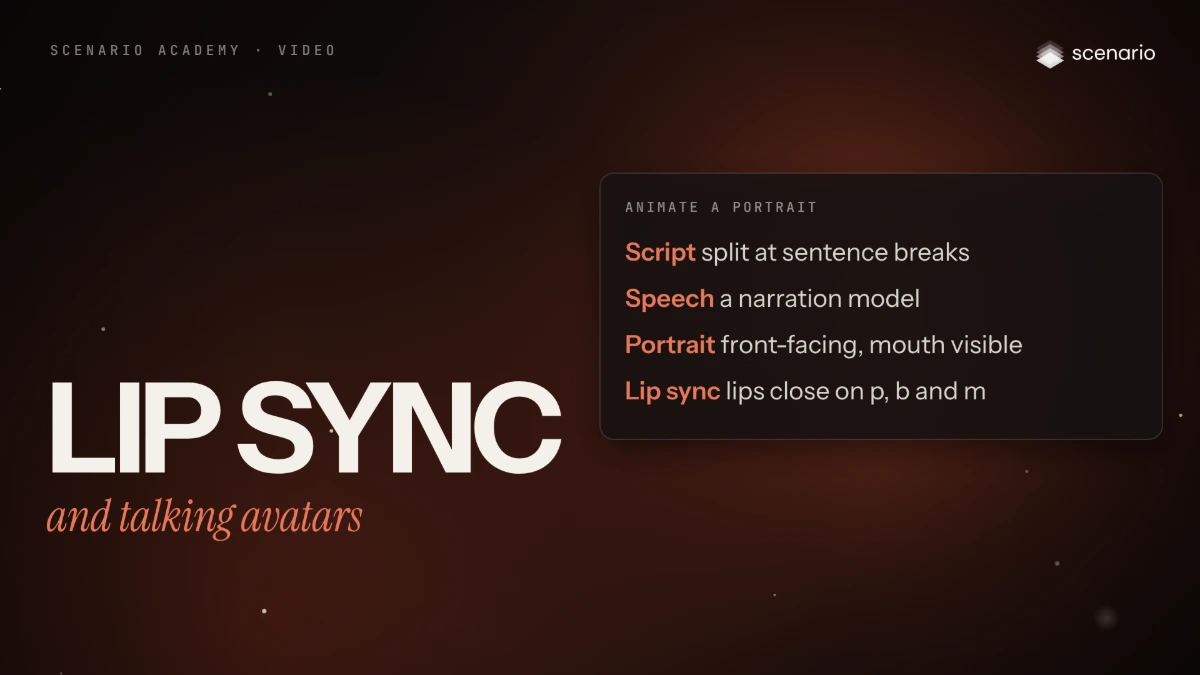
Lip sync covers two jobs. Re-sync takes a clip of someone speaking and rewrites the mouth to new audio: a corrected line, another language, another voice. Talking avatar takes one still portrait and an audio track and returns a clip of that face speaking, with expressions, blinks and head movement. This guide prepares the speech and the face, runs each job with its main model, and shows how to check the mouth frame by frame. The models and settings in this lesson are as of November 2026.
See moreSee less
- Re-sync the mouth of an existing clip to new speech, or animate one portrait into a talking presenter.
- Clean, natural speech and a well-lit, visible mouth decide most of the result: fix inputs before models.
- Find both kinds of model in the model library of Create > Videos; runs are billed by length, so trim the source first.
Step by step with an agent, through the Scenario MCP (6 steps)Hide the steps
Connect the Scenario MCP
Connect your agent and sign in once at mcp.scenario.com. Then tell it which Scenario team and project to use, so every file lands there.
Give the agent the files
The clean speech (no music under it, no silence before the first word), and either the source clip to re-sync or the approved front-facing portrait. Upload them with upload_asset or give their asset IDs. Use invented faces, or a real person's only with their consent.
Brief the agent: re-sync a clip
PromptTrim my source clip to the spoken part with Video Cut (model_scenario-video-cut). Then re-sync the mouth to my audio with Sync-3 Lipsync (model_sync-lipsync-v3): the trimmed video and the audio, sync mode cut_off if they are the same length, remap if both must stay whole (read model_schema_get for the parameter names). Tell me both lengths before you run. Quote the cost with a dry run first and wait for my go.Or brief the agent: animate a portrait
PromptAnimate my approved portrait with Minimax H3 Max Lip Sync (model_minimax-h3-max-lip-sync): the portrait and the audio, no text prompt, a low resolution for this test (read model_schema_get for the parameter names and resolutions). The audio must be 5 to 15 seconds: if it is longer, split it at sentence breaks and make one clip per part with the same portrait. Quote the cost with a dry run first and wait for my go.Check and redo
Accept when the lips close on "p", "b" and "m", the mouth opens on vowels as you hear them, teeth stay stable and the face stays the same person. Reject a mouth that lags or leads, lips open on closing sounds, flickering teeth, a changed face, or a blurred mouth area. Fix the inputs before you try another model.
PromptWait for the job with jobs_wait and show me the clip. Extract the frames around each "p", "b" and "m" with Video to Image Sequence (model_scenario-video-to-image-seq) and tell me where the lips stay open. Redo only on my go.File and report
PromptCreate a collection for this presenter with the portrait or source clip, the audio and the accepted clips, and report the models, the settings and every asset ID.
Step by step in the web app (6 steps)Hide the steps
Prepare the speech
Clean speech with no music under it, at a natural pace, made with a narration model and listened to first. Trim any silence before the first word and compare the audio's length with the video or the model's limit.
Prepare the face
The mouth fully visible, even light on the face, room above the head and below the chin for a portrait, and little camera movement in a source clip. Generate and approve the portrait first, at the framing you want.
Open the video panel and pick the model
Create › Videos, click the Model card › View all models, search "lip sync" or the model's name, read its inputs on the right and click Use this model.
Re-sync an existing clip with Sync-3 Lipsync
Trim the source to the spoken part with Video Cut, choose Sync-3 Lipsync, load the video and the audio, and pick the sync mode: keep cut_off when both are the same length, remap when the full video and full audio must both stay. Check the price on the button and generate.
Animate a portrait
Choose Minimax H3 Max Lip Sync, load the approved portrait and 5 to 15 seconds of audio (no text prompt), and pick a lower resolution for a test, higher for the final take. Split longer scripts at sentence breaks, one clip per part.
Check the mouth
Watch at full speed with sound, then step through the frames on the hard sounds. Accept when the lips close on "p", "b" and "m" and the face stays the same person; reject a mouth that lags or leads, flickering teeth or a blurred mouth area.
Related