See it made
Run it in Scenario
About this use case
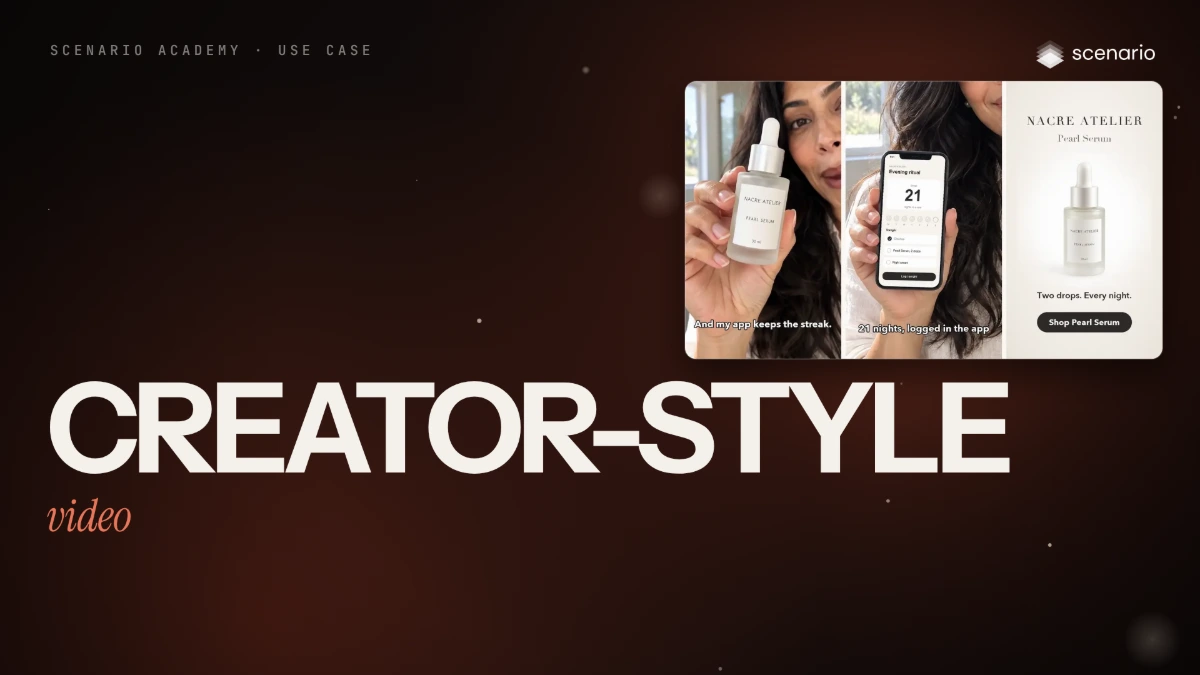
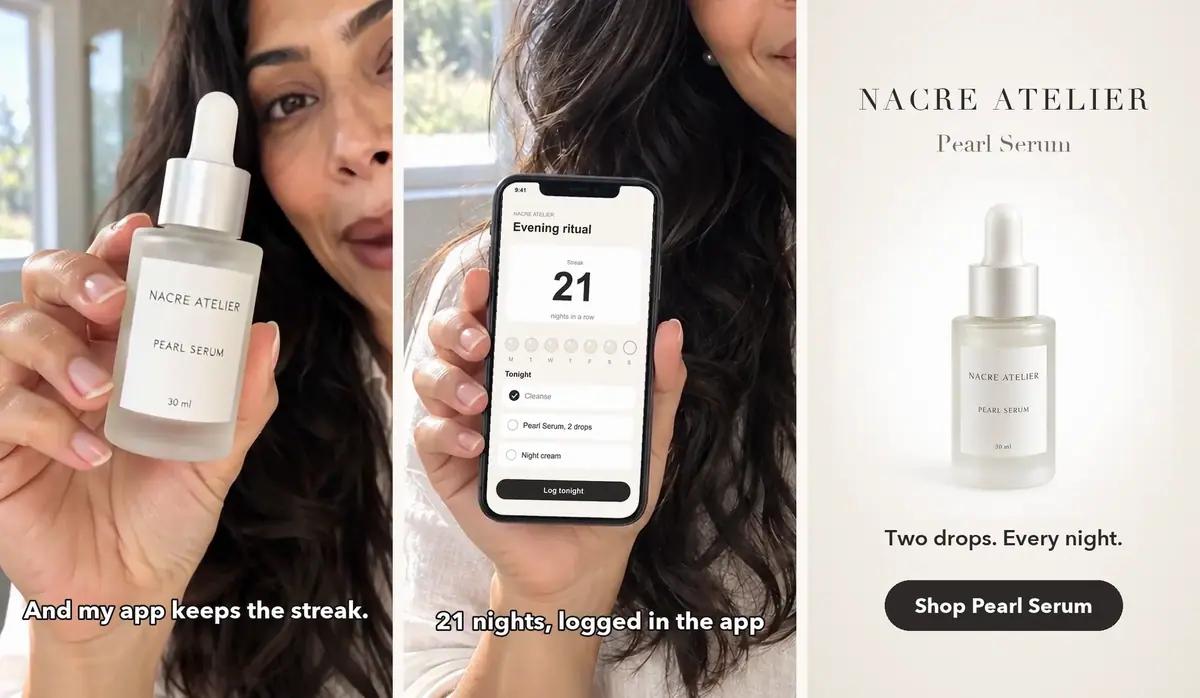
A vertical, creator-style video for the Pearl Serum of Nacre Atelier, an invented skincare brand, and its evening-ritual app. An invented creator says one line, the exact app screen appears, then an end card with a button. Plus a second cut for an A/B test. The models and settings in this use case are as of October 2026.
See moreSee less
- A 13-second vertical creator video for an invented serum: a spoken line, the exact app screen, an end card.
- The featured UGC Apps returned 16:9 without speech in this run, so the vertical take runs on a video model directly.
- A repeat costs one first frame and one video take; the take is most of the cost, so preview at delivery size and keep a preview that passes.
Step by step with an agent, through the Scenario MCP (7 steps)Hide the steps
Connect the Scenario MCP
Connect your agent and sign in once at mcp.scenario.com. Then tell it which Scenario team and project to use, so every file lands there.
Give the agent the files
The creator photo first, then the serum packshot, then the app screenshot. Upload them with upload_asset or give their asset IDs. A local agent also needs ffmpeg and Python with Pillow, NumPy and SciPy for the assembly, and whisper for the transcript check.
Try the featured Apps first (optional)
In this run the Apps came back wide, with music and no speech, so their method was rebuilt vertical with a spoken line. The App job itself shows no charge: the cost sits on its child jobs.
PromptFind the featured Apps with workflows_list (privacy "public", tags ["featured"]), read the inputs of UGC Product Showcase with workflow_get, and run it with workflow_run on the creator photo and the serum packshot. Quote it first and wait for my go. Tell me the format of the result and whether it has speech or music.Brief the agent: the first frame
PromptMake a vertical first frame with GPT Image 2.5 Sunburst (model_openai-gpt-image-2-5-sunburst), 9:16, with referenceImages as an array: the creator photo first, the serum packshot second. Quote the cost with a dry run first and wait for my go. Prompt, word for word: Add the product held by the person. The woman from the first reference image (same face, long dark wavy hair, small pearl stud earrings, ivory linen shirt, same bright bathroom) holds the serum bottle from the second reference image up beside her face toward the camera in her right hand, as if showing it to a friend on a video call. The bottle keeps its exact look: frosted glass body, pearl-white rounded dropper bulb, satin pearl-silver collar, white label reading NACRE ATELIER, PEARL SERUM and 30 ml, label facing the camera. Relaxed natural grip with all fingers correct, the label not covered by her fingers, warm smile, looking into the camera. Authentic creator-style phone video framing, vertical, waist-up, natural daylight, casual and unposed. No other text anywhere. Show me the still. Before any video, check her hand (all fingers correct) and the label (NACRE ATELIER, PEARL SERUM, 30 ml, not covered by her fingers).Brief the agent: the video
The spoken line goes in the prompt, in quotes. Of three models tried, Minimax H3 kept the label readable.
PromptAnimate the approved still with Minimax H3 (model_minimax-h3): firstFrameImage set to the still, duration 8, resolution "768P". Quote it with a dry run first and wait for my go. Prompt, word for word: Creator-style vertical phone video. The woman holds the serum bottle up beside her face, smiles and says to the camera in a natural, warm voice: "Two drops every night. And my app keeps the streak." She tilts the bottle a little toward the camera so the label catches the light, then taps the pearl-white dropper bulb once with one finger. The label stays facing the camera and readable. Slight handheld phone-camera sway, natural daylight bathroom. The bottle keeps its exact shape, frosted glass and label. No on-screen text, no captions. Quiet bathroom ambience, no music. When it is back, transcribe it with whisper and compare the words with the line in quotes.Assemble in code and check
Accept when the transcript matches the line, the bottle keeps its shape and its label reads in every close-up, fingers stay correct, and the screen matches the screenshot. Reject invented letters on the label, a second bottle, other words, a redrawn screen or music over the voice.
PromptNever let a model draw the app screen: find the blank phone screen in code and paste the real screenshot onto it, pixel for pixel. Add captions timed to the transcript, a push-in on the phone and an end card with a button. For the A/B test, make variant B with only the opening changed: it opens on the creator holding the phone screen. Check every close-up of the label and tell me any frame where it fails.File and report
PromptCreate a collection for this campaign with the first frame and the video take, and report the models, every asset ID, the paths of the two finished variants, the transcript and the total cost spent.
Step by step in the web app (5 steps)Hide the steps
Start with the featured Apps
Home › Featured Apps › UGC Product Showcase: add a person photo and a product photo. In this run the Apps came back wide, with music and no speech, so their method (a product composite, then a video) was rebuilt vertical with a spoken line.
A vertical first frame
Create › Images › GPT Image 2.5 Sunburst, Dimensions 9:16, Reference Images: the creator photo, then the serum packshot. Check the hand and the label on this still, before any video.
PromptAdd the product held by the person. The woman from the first reference image (same face, long dark wavy hair, small pearl stud earrings, ivory linen shirt, same bright bathroom) holds the serum bottle from the second reference image up beside her face toward the camera in her right hand, as if showing it to a friend on a video call. The bottle keeps its exact look: frosted glass body, pearl-white rounded dropper bulb, satin pearl-silver collar, white label reading NACRE ATELIER, PEARL SERUM and 30 ml, label facing the camera. Relaxed natural grip with all fingers correct, the label not covered by her fingers, warm smile, looking into the camera. Authentic creator-style phone video framing, vertical, waist-up, natural daylight, casual and unposed. No other text anywhere.The line goes in the prompt, in quotes
Create › Videos › Minimax H3, the approved still as First Frame, Duration 8, Resolution 768P. The line goes in the prompt in quotes; of three models tried, Minimax H3 kept the label readable.
PromptCreator-style vertical phone video. The woman holds the serum bottle up beside her face, smiles and says to the camera in a natural, warm voice: "Two drops every night. And my app keeps the streak." She tilts the bottle a little toward the camera so the label catches the light, then taps the pearl-white dropper bulb once with one finger. The label stays facing the camera and readable. Slight handheld phone-camera sway, natural daylight bathroom. The bottle keeps its exact shape, frosted glass and label. No on-screen text, no captions. Quiet bathroom ambience, no music.Paste the screen in code
Never let a model draw the app screen: code finds the blank phone screen and pastes the real screenshot onto it, pixel for pixel.
Captions, push-in, end card
Code adds captions timed to the transcript, a push-in on the phone and an end card with a button. For the A/B test, variant B changes only the opening.
Related