

Skyboxes and 360 panoramas
Make a 360 panorama from text or from one image, check the seam, restyle and upscale it, export cubemap faces and HDR for lighting, and turn it into a pan or orbit video.
- Guide
- Step 1 Learn
Run it in ScenarioScenario Skybox GPT HY World - Image to Skybox Scenario Skybox Flux.1 Scenario Skybox Upscale HDRi Skybox
This lesson makes skyboxes and 360 panoramas: the image around your scene, cube faces for your engine, HDR for lighting, and videos too.
What a skybox is
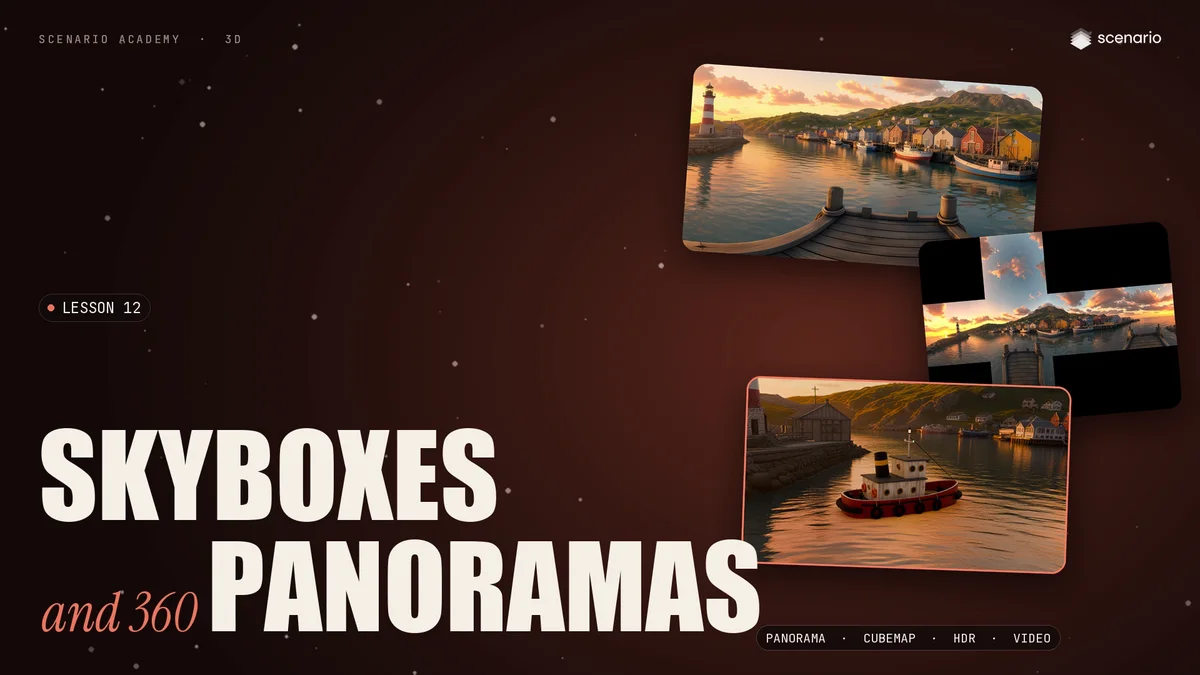
A skybox is one image that wraps all the way around the viewer, stored as a 2:1 panorama. The left and right edges meet behind you, the top is straight up and the bottom straight down. Turn a camera inside it, and the flat image becomes a place.
From text, and the seam check
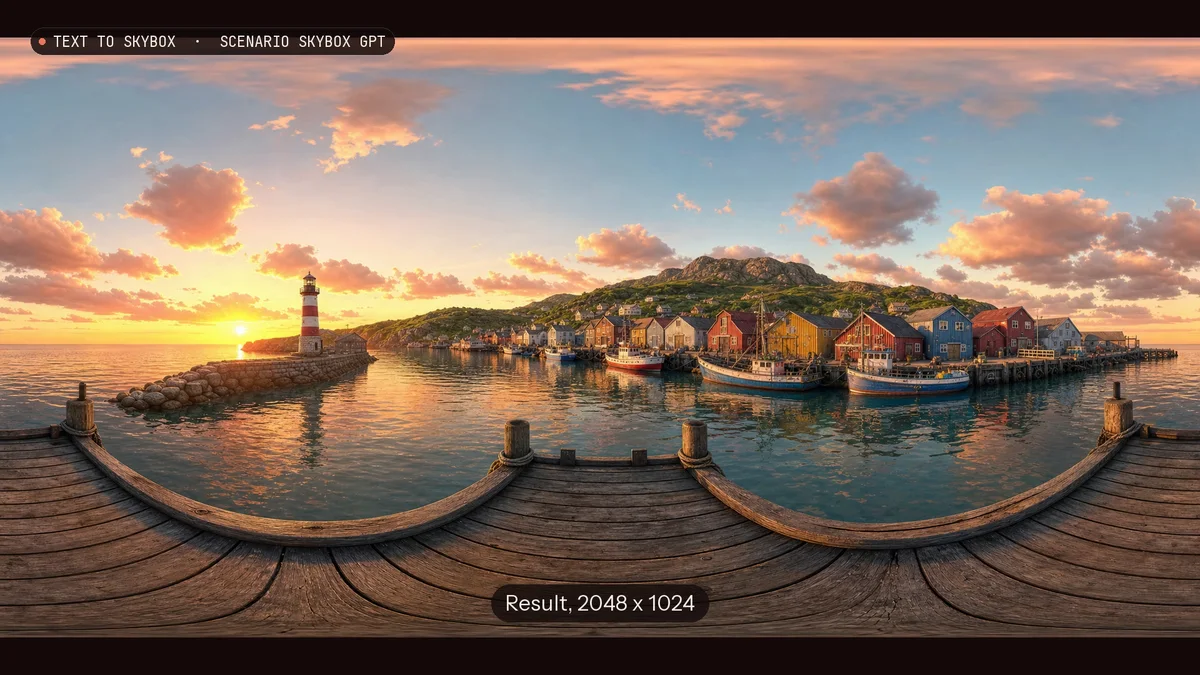
In Scenario Skybox GPT, describe the place from where the viewer stands. Ask for the horizon at the middle, and keep the view behind the viewer simple. The example uses 2048 x 1024 at high quality, in about seventy seconds.
Then check the seam: roll the image half a turn, so the left and right edges meet in the middle. Here, the pier, the water and the clouds continue with no line, so it passes.
From an image, restyle and upscale
- HY World Image to Skybox extends one picture of a place into a full circle. From a harbor image made with GPT Image 2.5 Flare, it kept the lighthouse and the warehouses and built the rest of the view around them.
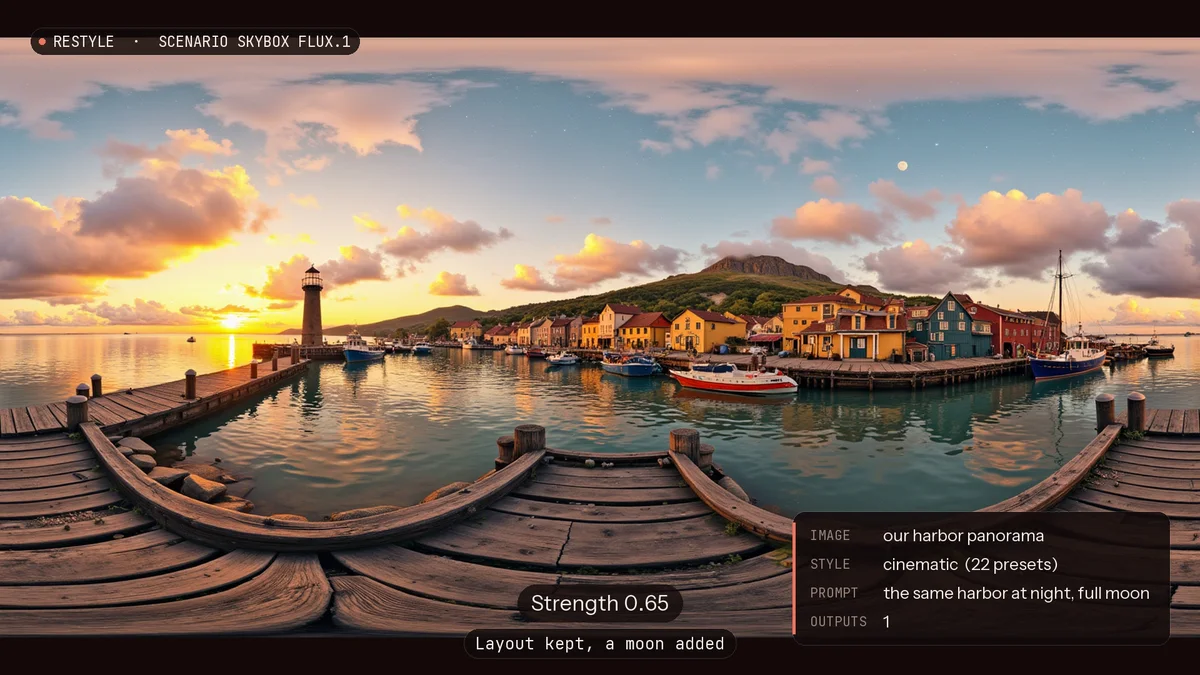
- Scenario Skybox Flux.1 restyles a panorama, with 22 style presets. Strength decides how far it goes: at 0.65 it kept the harbor and only added a moon; at 0.85 the windows light up, but the harbor is redrawn.
- Scenario Skybox Upscale doubled the panorama to 4096 pixels around, and the seam stayed closed. Keep the strength low, so it sharpens the scene instead of changing it.
Cubemap and HDR
- Cubemap. Many engines want six square faces: front, back, left, right, up and down. HDRi Skybox gives them as separate files, or unfolded as one cross.
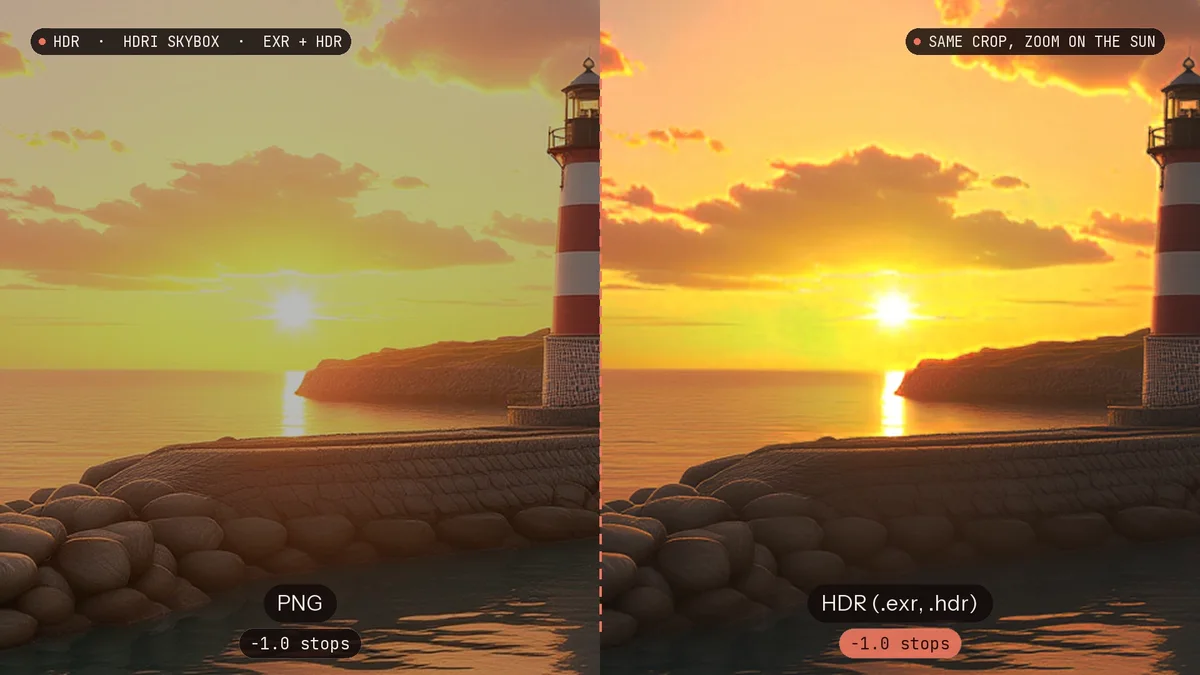
- HDR. The same run converts the skybox to HDR, in EXR and HDR formats. A normal image stops at white; in this HDR, the sun is about ten times brighter than white, so the skybox can light a scene. The tugboat from lesson 7 is lit only by the harbor HDR, in Blender.
Video, and which output for what
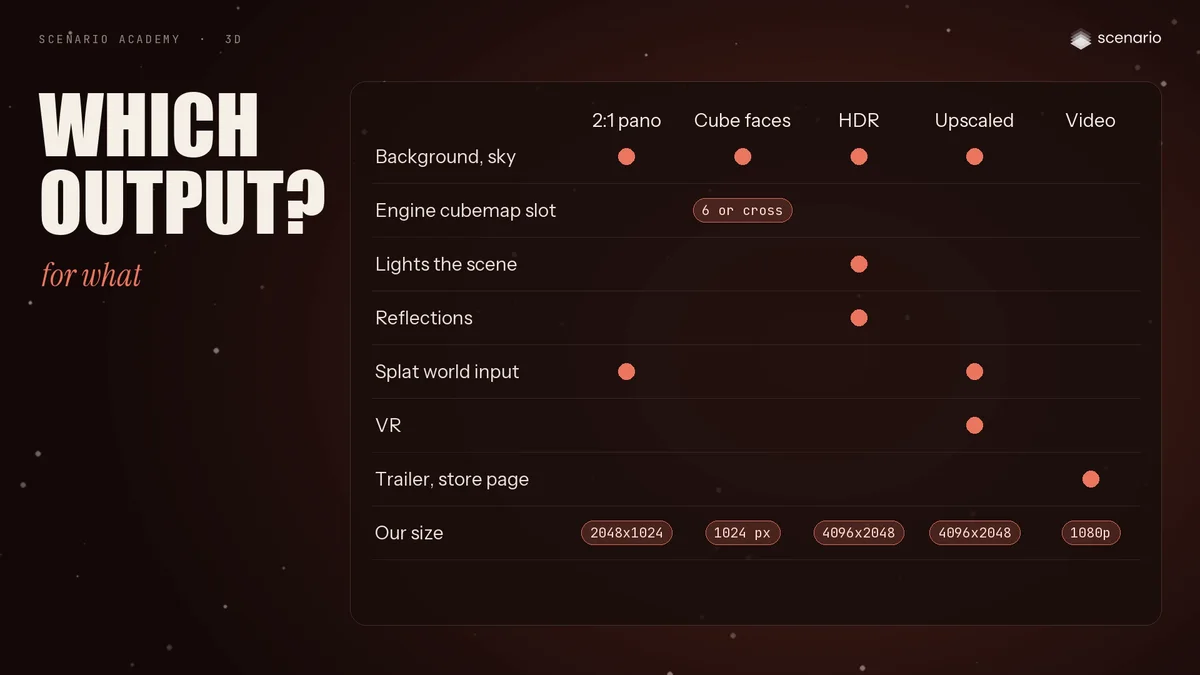
A panorama also makes a video. Put a camera at its center and turn it slowly: the full turn is rendered straight from the upscaled panorama, with no extra generation. Or fly around a model with the skybox behind it, and the light from the sky moves across it.
- Panorama: your background, and the input for a splat world.
- Cube faces: engine cubemap slots.
- HDR: the light of the scene and its reflections.
- Upscale: for VR.
- Pan or orbit video: trailers and previews.