

Seamless textures and PBR materials
Make a seamless tile with Scenario Texture and check it, upscale it, make a full PBR material with PATINA, learn what each map does, and connect the maps in Blender.
- Guide
- Step 1 Learn
Run it in ScenarioScenario Texture PATINA Material PATINA Image to Maps Scenario Texture Upscale
This lesson makes seamless textures and PBR materials, and shows them react to light on a 3D model.
Seamless textures
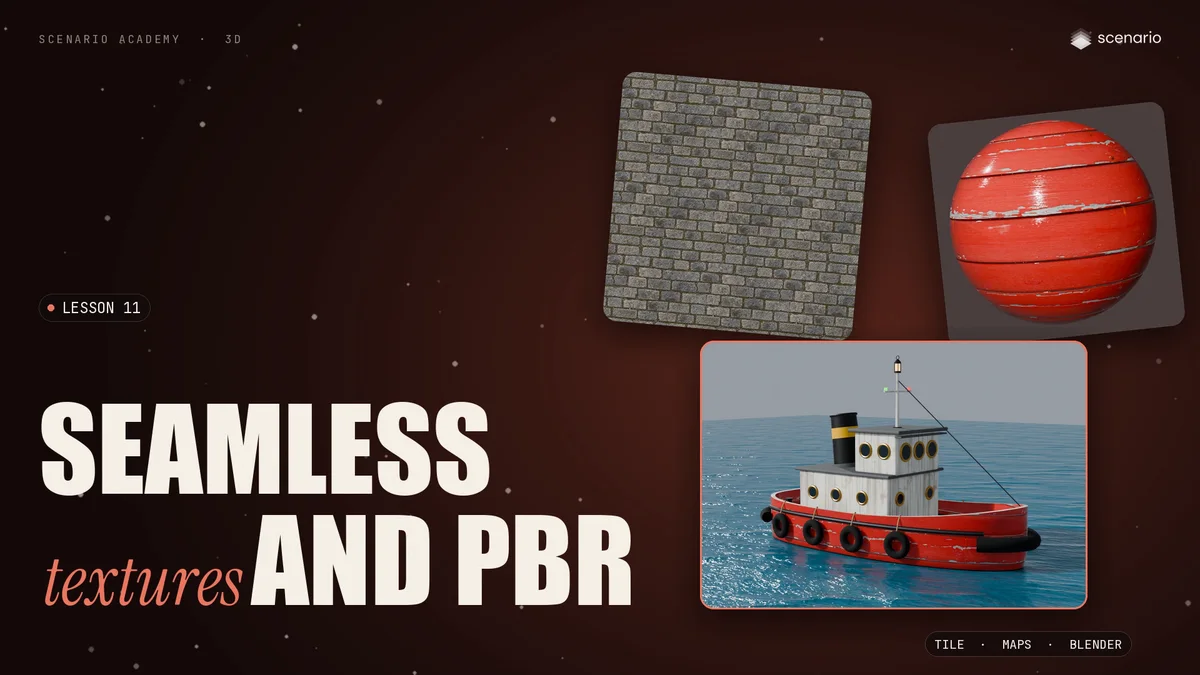
A seamless texture is a tile whose edges match, so it can repeat across a floor, a wall or a hull with no visible line.
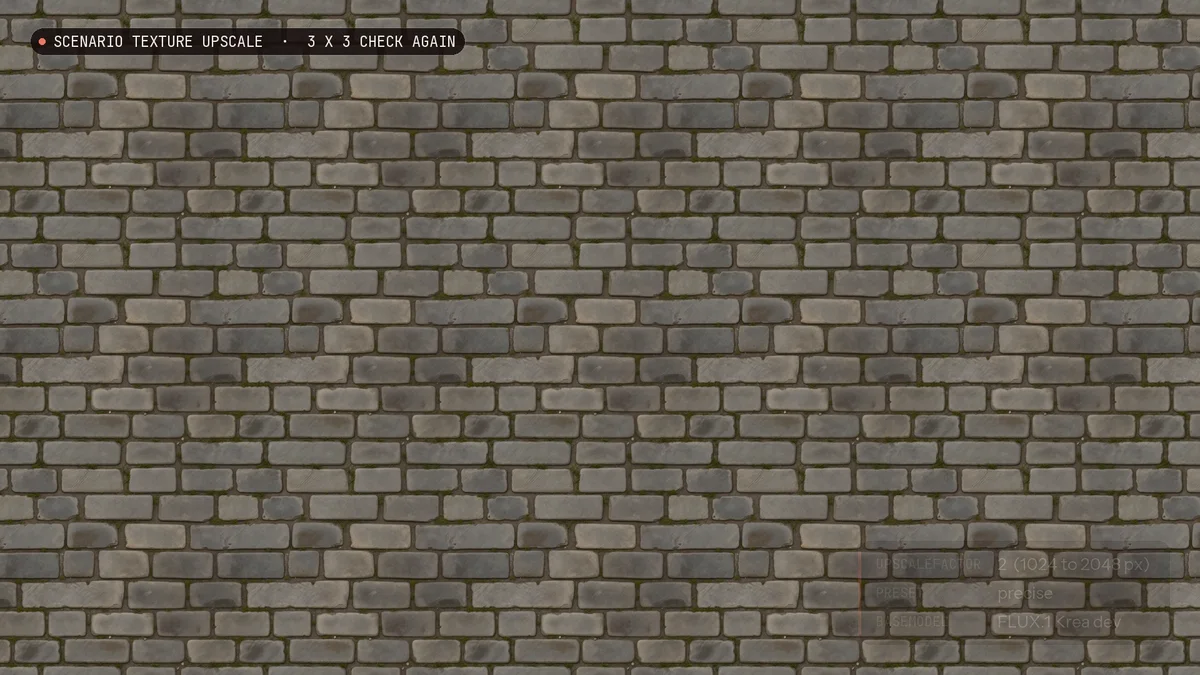
To check it, repeat the tile three by three and look where the copies meet. Here, every stone continues across the edges.
Make a tile
- Scenario Texture makes the tile from a prompt. Describe a material, not a scene: what it is made of, how worn it is, and a flat, top-down view in even light.
- Turn on Erase Seam. The example keeps the overlap at 128 and sets the feather radius to 0, so every stone stays sharp.
- Scenario Texture Upscale makes a tile bigger and keeps the repeat. Doubled with the precise preset, the three by three check still passes, but the upscale smoothed the grain of the granite, so compare it with the original before you keep it.
PBR materials and their maps
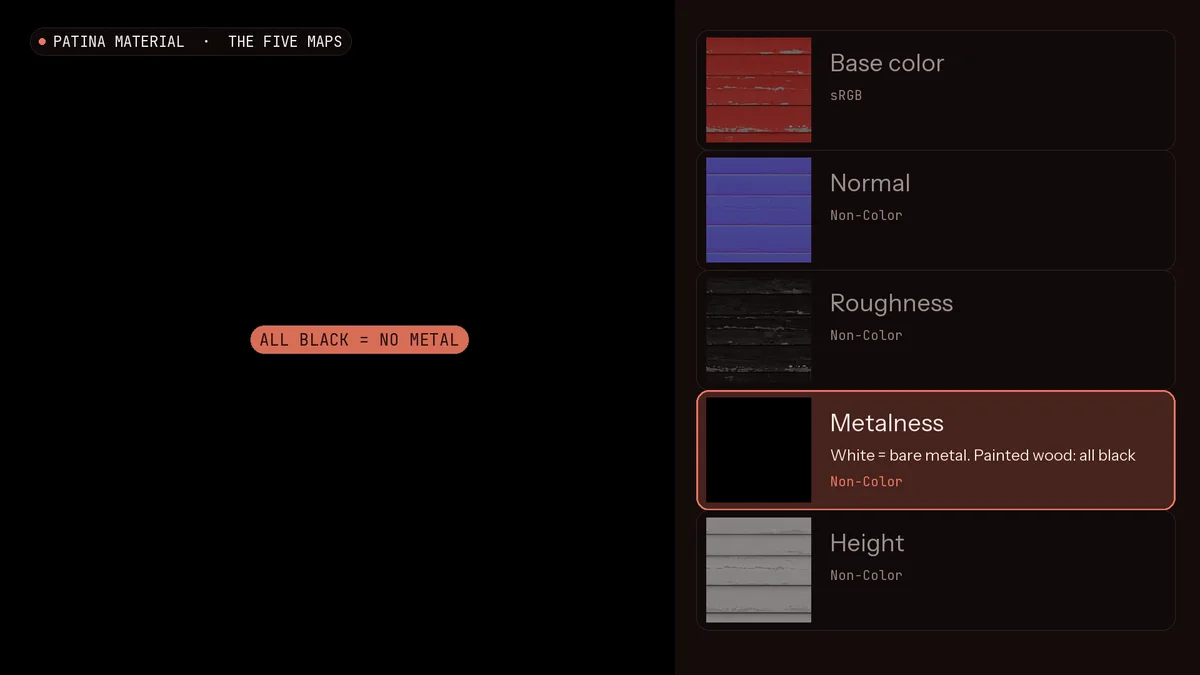
A color texture only says what color a surface is. A PBR material adds maps that tell the light how the surface behaves. PATINA Material makes the texture and five maps from one prompt, in about twenty seconds: here, worn red planks for the tugboat's hull.
- Base color: the color with no light or shadow.
- Normal: the small bumps that catch the light.
- Roughness: how sharp the reflections are. Light is rough, dark is shiny, so the paint shines and the bare wood does not.
- Metalness: white only on bare metal, so for painted wood it is all black.
- Height: light on raised parts, dark in the gaps.
Some engines also use an ambient occlusion map, which darkens the cracks. PATINA does not make one, but you can make it from the height map. Already have a flat texture? PATINA Image to Maps keeps it as the base color and predicts the other maps.
Connect the maps in Blender
Connect each map to the Principled BSDF. Base color stays in sRGB; every other map is set to Non-Color. The normal map goes through a Normal Map node, and height through a Bump node. In an engine that uses smoothness, invert the roughness map.
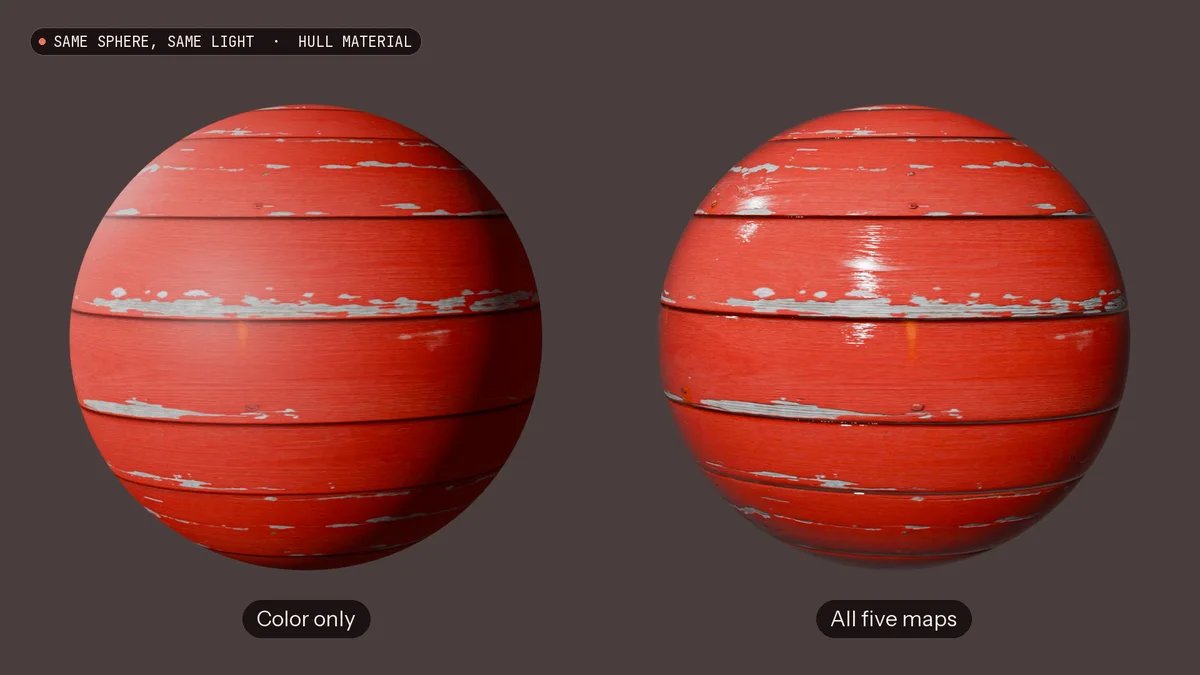
- On a sphere under the same light, color alone looks printed on. With all the maps, the seams sink in, the paint shines and the chipped wood stays dull.
- The stone came back a little too shiny, so the minimum roughness went up to 0.5 to keep it dry.
- On the tugboat from lesson 7, the new hull floats on water made with PATINA Material from one prompt, repeated across the whole sea with no visible seam.
Which tool when
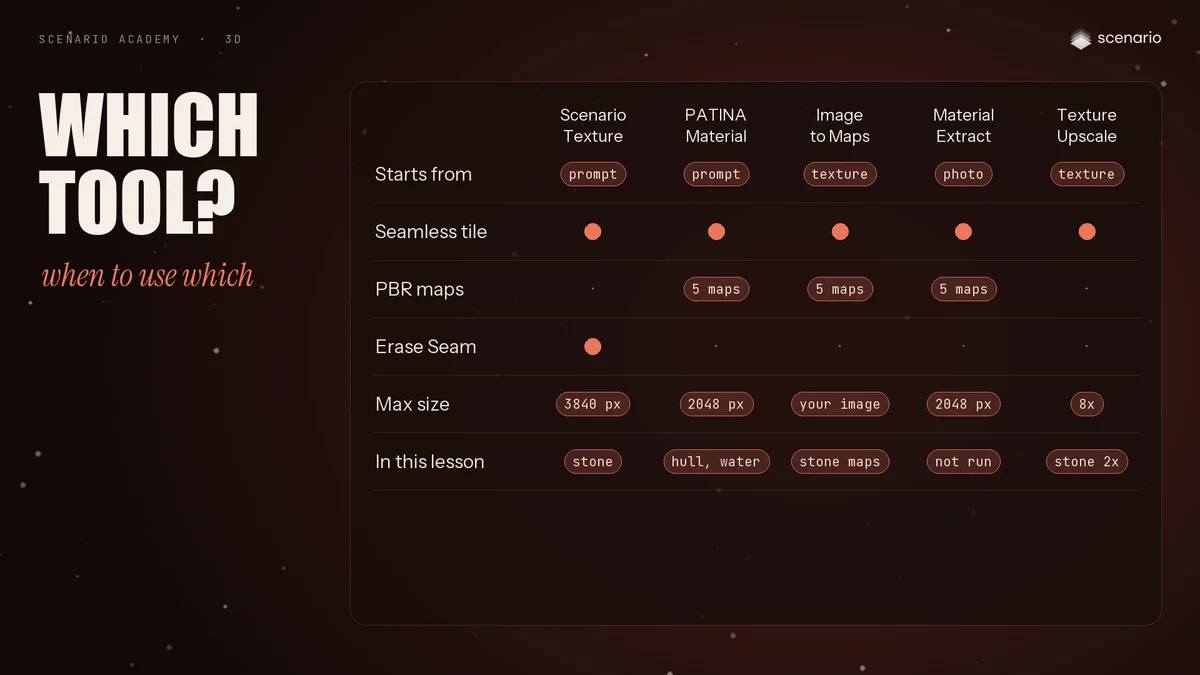
- A tile from a prompt: Scenario Texture.
- A full material from a prompt: PATINA Material.
- Maps from a texture you already have: PATINA Image to Maps.
- From a photo of a real surface: PATINA Material Extract.
- A bigger tile: Scenario Texture Upscale.