About this use case
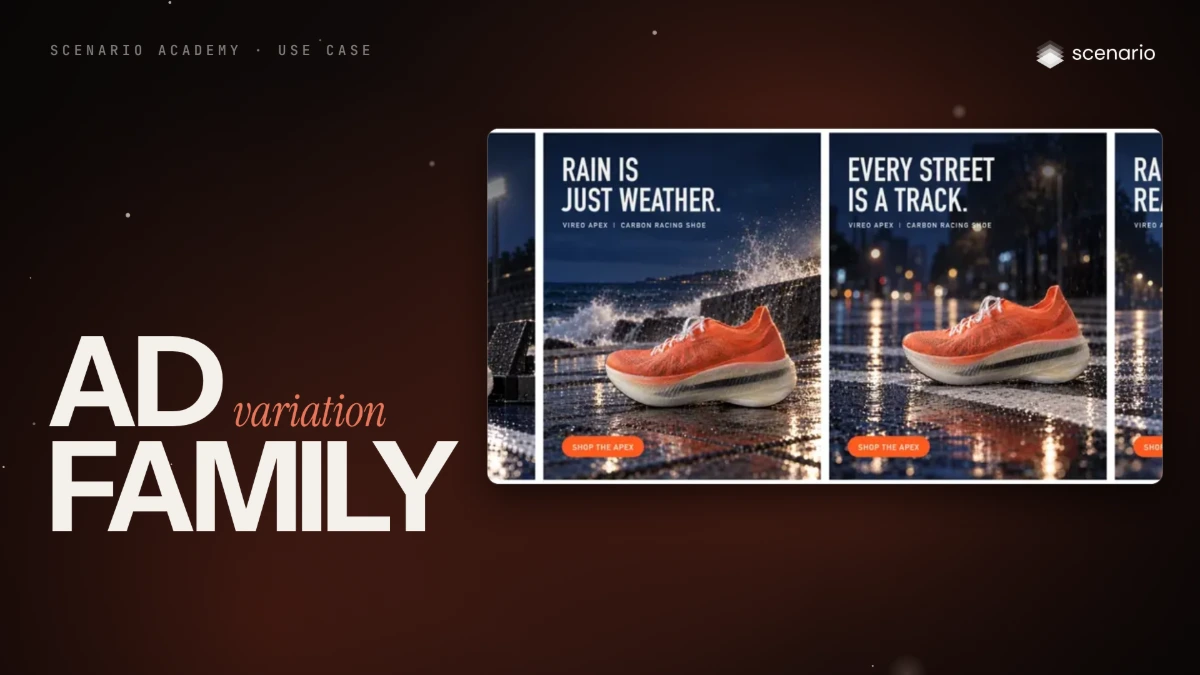
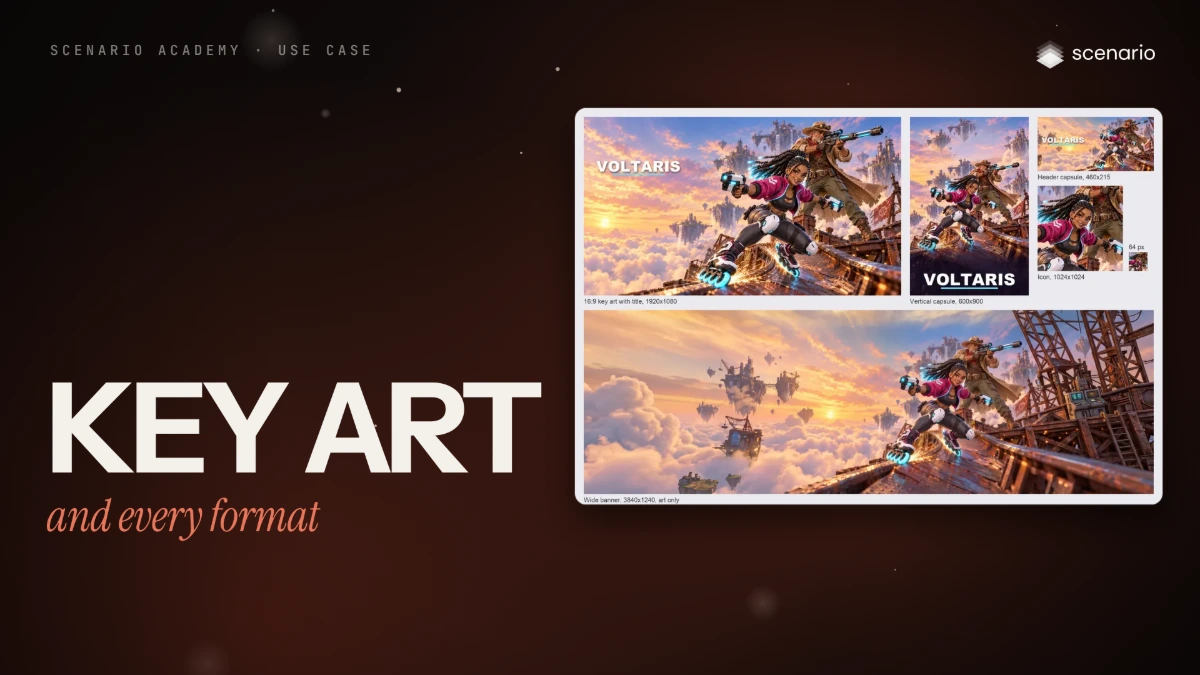
One master, composed for cropping, extended where crops cannot reach and cut into every format it has to ship in, with the title and copy set in code on each. Part 1 builds game key art from scratch and cuts it into store capsules, a banner and an icon. Part 2 takes one approved ad visual into five feed, story, banner and link-preview placements, and pastes the master's own pixels back so the product's wordmark stays exact. For marketers, designers and artists shipping one key visual everywhere the same day. The models and settings in this use case are as of October 2026.
See moreSee less
- One master cut into every launch format: game key art into store capsules, banner and icon, and an approved ad visual into feed, story, banner and link-preview sizes.
- Crop when the target fits, extend only as much as you need and only where a crop cannot reach, and inspect every join.
- Check the master's count and margins before extending, and never let a model generate the title: set it in code.
- Every generative reframe redrew a small wordmark; pasting the master's own pixels back over the extension put the real one back.
Step by step with an agent, through the Scenario MCP (7 steps)Hide the steps
Connect the Scenario MCP
Connect your agent and sign in once at mcp.scenario.com. Then tell it which Scenario team and project to use, so every file lands there.
Give the agent the files
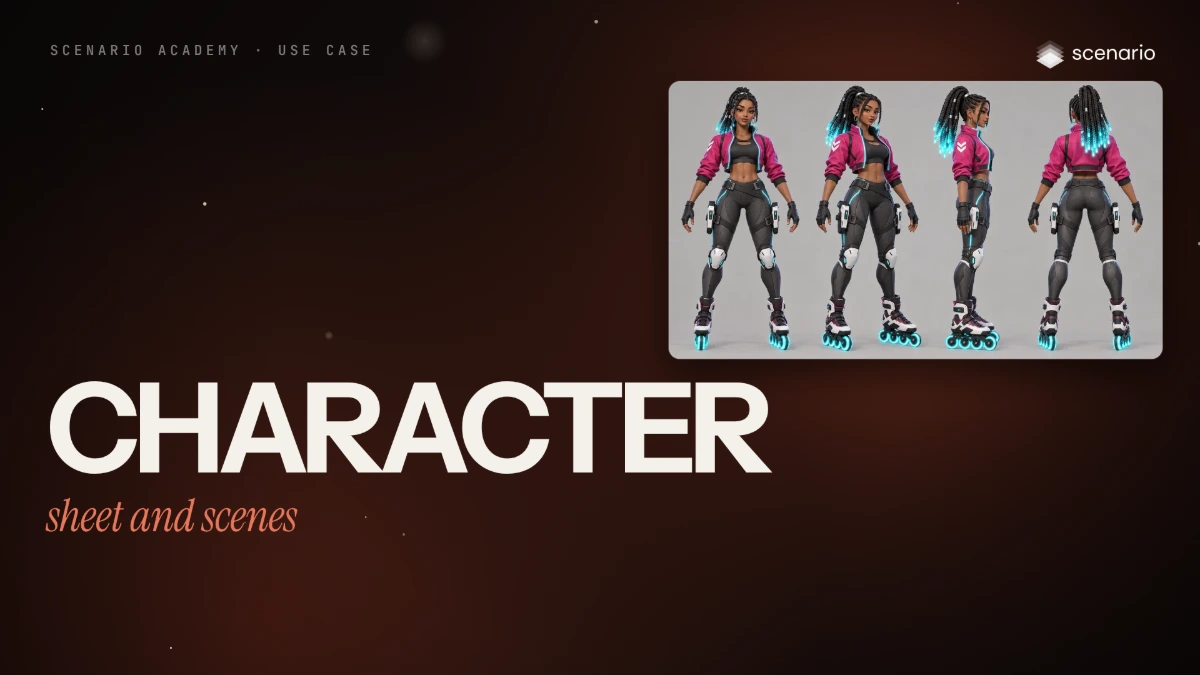
For the key art: Zuri's hero, her turnaround, Marlow's hero and the game's key art as the world reference, in that order, since the prompt calls them by number. For the ad: the approved master. Upload them with upload_asset or give their asset IDs.
Brief the agent: the key art master
Compose the master for its crops: the cast in the right half, the left third open for a title set in code, a margin at every edge.
PromptMake the key art master with GPT Image 2.5 Sunburst (model_openai-gpt-image-2-5-sunburst): referenceImages [Zuri's hero, Zuri's turnaround, Marlow's hero, the world key art] in that order, width 2048, height 1152, quality "high", numOutputs 2. Quote the cost with a dry run first and wait for my go. Prompt, word for word, the cast block first: Two characters in one scene. References 1 and 2 are ZURI (identity and turnaround): 22, slim, warm brown skin, long box braids tied high with glowing cyan tips, silver hoop earrings, cropped magenta bomber jacket with cyan piping and a white chevron on her right sleeve, black athletic top, fingerless black gloves, charcoal tech leggings, white knee guards, two white pulse blasters holstered on her thighs, roller blades with glowing cyan wheels. Reference 3 is MARLOW: 50, tall and lean, a head taller than Zuri, weathered tanned skin, short grey stubble beard, wide-brimmed sand hat with brass goggles on the brim, faded red bandana, long patched sand duster over a dark brown vest and cream shirt, leather bandolier and belts, olive cargo trousers, brown lace-up boots, a rail rifle with a cyan coil slung on his back. Do not mix their features or clothes. Render both in the stylized 3D game art style of reference 1. Reference 4 is for the WORLD ONLY: floating salvage islands above a sea of clouds, its palette and its light. Ignore its characters and its logo. Key art for a stylized hero shooter. Zuri skates down a steep twisted hull-plate ramp toward the camera, low and fast, her two pulse blasters drawn, one in each hand, so both thigh holsters are empty, sparks flying from her wheels, big grin; Marlow stands on a rusted girder behind her, rail rifle raised to his shoulder, aiming past her, his coat flaring in the wind. Floating salvage islands above a sea of clouds at golden hour behind them. Composition for a game cover: both characters in the right half of the frame, the left third is calm open sky with soft clouds and no important detail, so a title can sit there. Keep 10 percent of empty margin at every edge so the image can be cropped to other formats. No text, no logo, no letters. Check each take before you show it: what each character holds, both characters in the right half, the left third open sky, 10 percent margin at every edge.Extend the master for the store formats
Always extend from the master, never from a derivative. The 2:3 took three runs in this one.
PromptExtend the approved master with Reframe (model_scenario-gemini-reframe). Quote the cost with a dry run first and wait for my go. 21:9: image the master, aspectRatio "21:9", resolution "2K", position "center-right". Prompt, word for word: Extend the scene to the left and right in the same stylized 3D game art style: more open golden sky and soft clouds with distant floating salvage islands on the left, more of the rusted girders and hull-plate ramp on the right. Do not change the two characters. 2:3: image the master, aspectRatio "2:3", crop box xStart 640, yStart 0, xEnd 2048, yEnd 1152. Prompt, word for word: Extend the scene above and below in the same stylized 3D game art style: open golden sky with soft clouds above, continuing smoothly from the existing sky with no visible line, and below, the same rusted hull-plate ramp continuing down at the same scale, perspective and softness, with no visible line. Do not change the two characters. Absolutely no text, no title, no letters, no logo, no labels, no signs, no writing on banners or crates. Banner: on the 21:9 result, aspectRatio "21:9", resizedWidth 2409, resizedHeight 1022, position "center", with a prompt asking for more sky, islands and girders on every side and the same no-text rule.The ad master in every format
Crop bounds let the model invent only the margins, and tell you where the master sits in the output for the paste-back.
PromptNow the approved ad master, with Reframe (model_scenario-gemini-reframe). Quote the cost with a dry run first and wait for my go. 4:5 and 1:1: resolution "2K", crop bounds xStart 250, yStart 0, xEnd 1700, yEnd 1152, position "center". Prompt, word for word: Extend the dark blue-hour sky above and the wet running track with its reflections below. Keep the runner, her shoes, the floodlight and the water spray exactly as they are. No new people, no reflections of the runner, no text. 21:9: the full master, aspectRatio "21:9". Prompt, word for word: Extend the wet running track and the dark stadium with its floodlights to the left and to the right. Keep the runner, her shoes and the water spray exactly as they are. No new people, no text. 9:16: from the finished 4:5, positioned at the bottom (read model_schema_get for the value), so the model only adds sky. Two runs. Prompt, word for word: Continue only the dark blue stormy night sky upward with soft clouds and light rain. No new floodlights, no stadium structures, no people, no reflections, no text.Paste back, cut and check
Accept when every final is at its exact size and reads at display size, both characters keep their keep-lists, no face, hand or skate is cut, and the wordmark reads exactly at 1:1. Reject an extra held item, invented text, a seam, a changed character or redrawn product, repeated people or floodlights, or a ratio that is close but not exact.
PromptDownload every result. In code, paste the ad master's own pixels back over each extension, feathered about 40 px at the joins, and check the alignment with a difference image. Then crop and resize every format to its exact delivery size, the link preview as a plain crop of the master. Set no title or copy in any generated image. Check the wordmark at 1:1 and each format at its display size, and tell me what fails.File and report
PromptCreate a collection for the key art and one for the ad formats, with every final in its own. Report the models, every asset ID with its format, and the total cost spent.
Step by step in the web app (14 steps)Hide the steps
Generate the master
Create › Images › GPT Image 2.5 Sunburst, Reference Images in a fixed order: Zuri's hero, her turnaround, Marlow's hero, then the game's key art for the world. Dimensions 16:9 (2048x1152), Quality high, Image Count 2; this paragraph follows the cast block from the two-character scene in Character reference sheet.
PromptReference 4 is for the WORLD ONLY: floating salvage islands above a sea of clouds, its palette and its light. Ignore its characters and its logo. Key art for a stylized hero shooter. Zuri skates down a steep twisted hull-plate ramp toward the camera, low and fast, her two pulse blasters drawn, one in each hand, so both thigh holsters are empty, sparks flying from her wheels, big grin; Marlow stands on a rusted girder behind her, rail rifle raised to his shoulder, aiming past her, his coat flaring in the wind. Floating salvage islands above a sea of clouds at golden hour behind them. Composition for a game cover: both characters in the right half of the frame, the left third is calm open sky with soft clouds and no important detail, so a title can sit there. Keep 10 percent of empty margin at every edge so the image can be cropped to other formats. No text, no logo, no letters.Check the composition
Count what each character holds, then check the cast in the right half, the open left third and the margins. The first master failed the count; the second held the count and the open third, not the margins.
Extend the key art to 21:9
Open the master, "..." menu › Expand (model Reframe): 21:9 at 2K, the image placed center-right so the new space goes mostly left. It returned 3168x1344.
PromptExtend the scene to the left and right in the same stylized 3D game art style: more open golden sky and soft clouds with distant floating salvage islands on the left, more of the rusted girders and hull-plate ramp on the right. Do not change the two characters.Extend to 2:3
Crop the master to the characters first (from x = 640 to the right edge), then extend that crop to 2:3, with the no-text rule in full and the joins named. It returned 1696x2528, after three runs.
PromptExtend the scene above and below in the same stylized 3D game art style: open golden sky with soft clouds above, continuing smoothly from the existing sky with no visible line, and below, the same rusted hull-plate ramp continuing down at the same scale, perspective and softness, with no visible line. Do not change the two characters. Absolutely no text, no title, no letters, no logo, no labels, no signs, no writing on banners or crates.Extend again for the banner
A 3.1:1 strip of the 21:9 cuts the cast, so reframe the 21:9 once more at 21:9, scaled to about three quarters of the canvas in the center, asking for more sky, islands and girders on every side.
Cut every format in code
16:9 with title (1920x1080), header capsule (460x215), vertical capsule (600x900), wide banner (3840x1240, art only) and a 1024x1024 icon cropped from the master. Titles are set in code, never generated.
Check every format at display size
The header capsule at 460 px, the icon at 64 px: the title must read and the face be recognizable.
Part 2: crop what you can
The 1200x628 link preview fits inside the ad master: crop 2048x1072 from the top left and resize. A plain 1:1 crop cut the toe spray and the floodlight, so the 1:1 is extended instead.
Extend to 4:5 and 1:1, with crop bounds
Create › Expand (model Reframe), Resolution 2K, Position center. Crop the master to x 250 to 1700, full height, and expand the crop, so the model only adds sky above and track below.
PromptExtend the dark blue-hour sky above and the wet running track with its reflections below. Keep the runner, her shoes, the floodlight and the water spray exactly as they are. No new people, no reflections of the runner, no text.Extend the ad to 21:9
Same tool, the full master, aspect ratio 21:9. It returned 3168x1344, so crop to exact 21:9 (3136x1344) after the paste-back, then resize to 2000x857.
PromptExtend the wet running track and the dark stadium with its floodlights to the left and to the right. Keep the runner, her shoes and the water spray exactly as they are. No new people, no text.Extend to 9:16 from the 4:5, upward only
From the full master, 9:16 mirrored the runner into the track. Start from the finished 4:5 with Position bottom, so the model only adds sky; of two seeds, keep the one that holds the master's blue.
PromptContinue only the dark blue stormy night sky upward with soft clouds and light rain. No new floodlights, no stadium structures, no people, no reflections, no text.Paste the master back
Scale the master's crop to the output width, feather its top and bottom by about 40 px and lay it over the reframe, then check the alignment with a difference image. Crop each paste-back to its exact ratio and delivery size.
Skip generative reframes for exact sizes that fit
Smart Reframe at 1200x628 redrew the shoe's toe, laces and sole stripe; keep the plain crop.
Check, grade, then add copy
Check every final's wordmark at 1:1 and confirm its pixel size. Grade, then set copy per final size in code, so it is never stretched.
Related