See it made
Run it in Scenario
About this use case
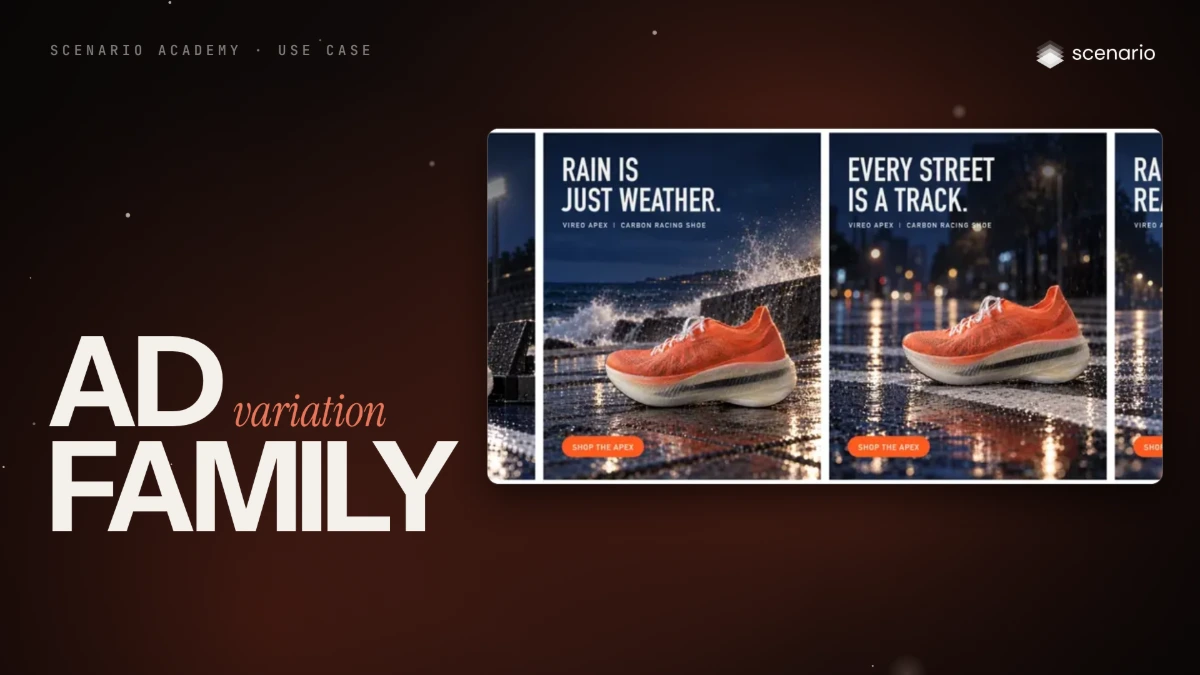
Four 4:5 ads for one campaign idea, each in a setting for a different kind of runner, with the same product, light, palette, layout and exact copy. For marketers and agencies testing variants of one idea. The models and settings in this use case are as of October 2026.
See moreSee less
- Four finished 4:5 ads for one campaign idea, each in a different setting, reading as one family.
- Fix the product and the look with two references, and set every word of copy in code.
- Only the scene line changes per variant; seven runs made the four plates: two failed the layout, one broke the palette.
Step by step with an agent, through the Scenario MCP (6 steps)Hide the steps
Connect the Scenario MCP
Connect your agent and sign in once at mcp.scenario.com. Then tell it which Scenario team and project to use, so every file lands there.
Give the agent the files
The product packshot first, then the one approved campaign image that sets the look. Upload them with upload_asset or give their asset IDs; the order matters, because the prompt calls them image 1 and image 2. Add the copy sheet, one row per ad, for the layout script.
Brief the agent: the plates
One base prompt for the family, and one scene line at the end that changes per audience. The rest of the prompt never changes.
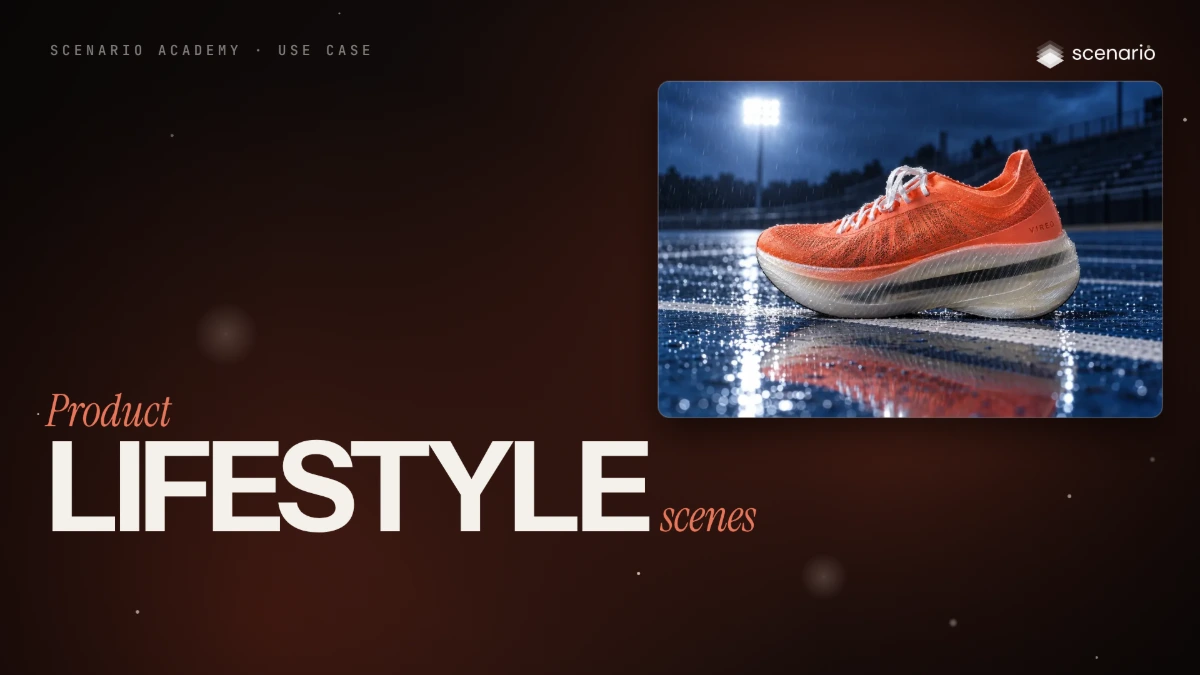
PromptMake one plate per scene line with GPT Image 2.5 Sunburst (model_openai-gpt-image-2-5-sunburst): referenceImages [the packshot, the look image], in that order; width 1024, height 1280; quality "high"; one image each. Each prompt is the base prompt below, word for word, followed by one scene line, word for word. Start the four with wait: false and collect them with one jobs_wait. Quote the total with a dry run first and wait for my go. Base prompt: Image 1 is the product: the exact shoe, with its shape and proportions, molten orange engineered mesh upper with fine dark fiber flecks, sculpted orange heel collar, white flat laces, the small spaced VIREO wordmark printed in darker orange on the outer side of the heel, and the thick translucent milky-white ribbed midsole with the black carbon plate showing through it as a dark stripe, unchanged. Image 2 sets the campaign look only: blue hour, hard cool light with a warm rim, wet surfaces with fine spray, deep shadow falloff, medium-format clarity. Do not copy the scene or the runner of image 2. Composition: vertical 4:5, the shoe in the lower right third, side view with the outer side and the VIREO wordmark facing the camera and sharp, the upper left 40 percent of the frame calm and uncluttered for a headline added later. No people, no text anywhere except the VIREO wordmark on the shoe, no other logos. Scene lines, one per plate: Scene: a wet blue running track at blue hour, the shoe beside a plain black starting block on the white lane line, one stadium floodlight glowing far behind, rain droplets on the track. Scene: a seafront promenade of wet grey stone at blue hour, a low sea wall, waves breaking with fine spray in the air behind, a dark sea and a deep blue sky. Scene: the white stripe of an empty city crosswalk on wet asphalt at blue hour, puddles reflecting distant blurred street lights, a light drizzle. Scene: the curb of a wide city avenue closed for a race at first light, a row of plain unbranded metal barriers softly out of focus behind, the road wet and empty, pale dawn sky.Check every plate against the layout
The crosswalk and avenue plates put the shoe where the headline goes. Accept when every plate shows the same shoe with VIREO exact on the outer heel, the shoe sits in the lower right third, the upper left is calm enough for two lines of type, and the light matches the look reference. Reject a shoe that drifts left, props in the headline area, generated text, a logo or a recognizable building.
PromptFor each plate, tell me where the shoe sits, whether VIREO reads exactly on the outer heel, and whether the upper left is clear for a headline. Redo only a plate that fails, with the composition sentence of the base prompt replaced by this one, word for word: Composition: vertical 4:5. The shoe stands at the right side of the frame, in the lower right third, side view with the outer side and the VIREO wordmark facing the camera and sharp. The whole left half of the frame stays calm and uncluttered for a headline and a button added later. For the avenue, also ask for low anonymous buildings and no skyline.Set the copy in code
Every word is set in code, never generated. The look reference owns the light, so keep light words out of the scene lines.
PromptDownload the kept plates and run the layout script on each: the gradient, the headline, the product line and the button at the same positions on every ad, from the copy sheet. Show me the four ads side by side.File and report
PromptCreate a collection for this campaign with the packshot, the look image, the kept plates and the finished ads (upload them with upload_asset). Report the model, every asset ID, which plates you redid and why, and the total cost spent.
Step by step in the web app (5 steps)Hide the steps
Product first, look second
Create › Images › GPT Image 2.5 Sunburst, Quality high, Image Count 1, Dimensions 3:4 (there is no 4:5 preset, so crop later). Reference Images › Select from Library: the packshot first, then the campaign look image, because the prompt calls them image 1 and image 2.
One base prompt for the family
Paste the base prompt once: image 1 is the exact shoe with its keep-list, image 2 sets the look only, the upper left stays empty for a headline, and no text.
PromptImage 1 is the product: the exact shoe, with its shape and proportions, molten orange engineered mesh upper with fine dark fiber flecks, sculpted orange heel collar, white flat laces, the small spaced VIREO wordmark printed in darker orange on the outer side of the heel, and the thick translucent milky-white ribbed midsole with the black carbon plate showing through it as a dark stripe, unchanged. Image 2 sets the campaign look only: blue hour, hard cool light with a warm rim, wet surfaces with fine spray, deep shadow falloff, medium-format clarity. Do not copy the scene or the runner of image 2. Composition: vertical 4:5, the shoe in the lower right third, side view with the outer side and the VIREO wordmark facing the camera and sharp, the upper left 40 percent of the frame calm and uncluttered for a headline added later. No people, no text anywhere except the VIREO wordmark on the shoe, no other logos.Change only the scene line
Add one scene line at the end and change only that line per audience: track, seafront, crosswalk, race-day avenue. The rest of the prompt never changes.
PromptScene: a wet blue running track at blue hour, the shoe beside a plain black starting block on the white lane line, one stadium floodlight glowing far behind, rain droplets on the track. Scene: a seafront promenade of wet grey stone at blue hour, a low sea wall, waves breaking with fine spray in the air behind, a dark sea and a deep blue sky. Scene: the white stripe of an empty city crosswalk on wet asphalt at blue hour, puddles reflecting distant blurred street lights, a light drizzle. Scene: the curb of a wide city avenue closed for a race at first light, a row of plain unbranded metal barriers softly out of focus behind, the road wet and empty, pale dawn sky.Describe the empty zone in layout terms
The crosswalk and avenue plates put the shoe where the headline goes, so check every plate against the layout before any copy goes on. Replace the composition sentence with this stricter one; for the avenue, ask for low anonymous buildings and no skyline.
PromptComposition: vertical 4:5. The shoe stands at the right side of the frame, in the lower right third, side view with the outer side and the VIREO wordmark facing the camera and sharp. The whole left half of the frame stays calm and uncluttered for a headline and a button added later.Set every word in code
One script adds the gradient, the headline, the product line and the button at the same positions on every ad, with the copy kept in a sheet, one row per ad. Review the four side by side: the look reference owns the light, so keep light words out of the scene lines.
Related