About this lesson
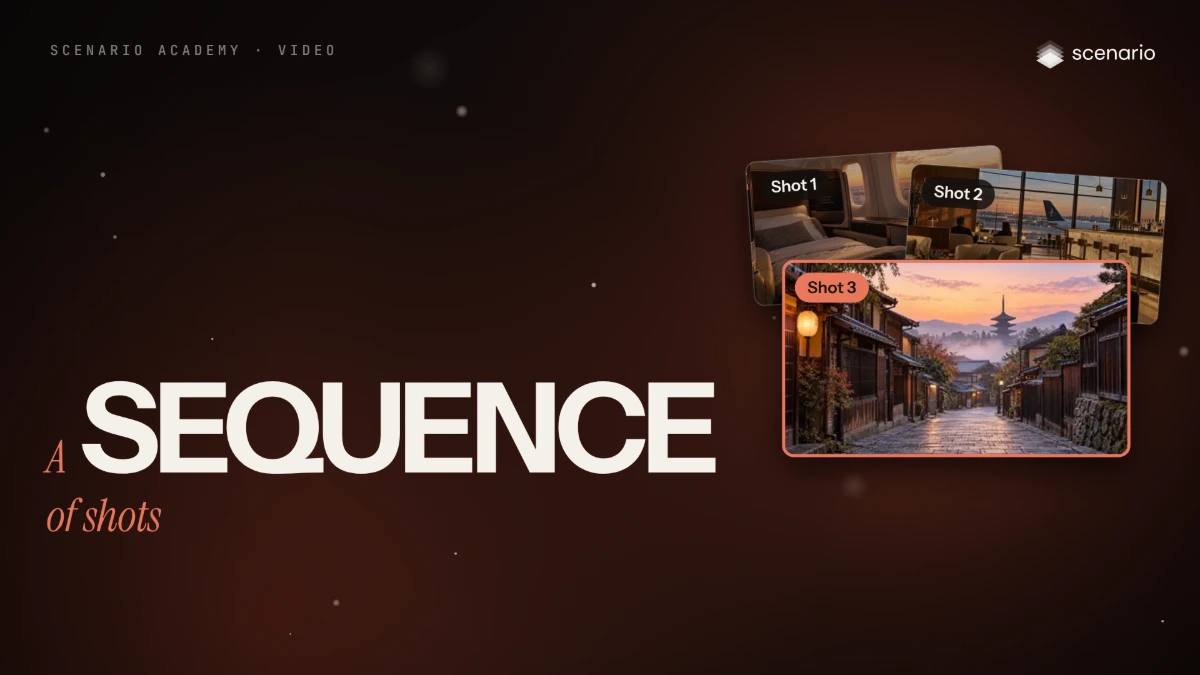
A video model makes one shot at a time, so a sequence that holds together comes from the plan around the models, not from one clever prompt. This lesson builds a 15-second, three-shot sequence for Northvane, a fictional airline: a sunset flight that lands on a Kyoto dawn. You plan the shots, lock every look as an approved still, generate one clip per shot, then cut, sound and finish the sequence. The models and prices in this lesson are as of November 2026.
See moreSee less
- A sequence is short shots that read as one piece; the work is the plan around the models.
- Lock every look as an approved still before you animate anything: a still costs one image, a clip far more.
- In the three-shot example the clips were most of the cost; the stills were cheap and the cut was assembled locally.
Step by step with an agent, through the Scenario MCP (6 steps)Hide the steps
Connect the Scenario MCP
Connect your agent and sign in once at mcp.scenario.com. Then tell it which Scenario team and project to use, so every file lands there.
Give the agent the shot list and the references
Paste the shot list (one row per shot: shows, action, camera, duration, anchor, model) and the approved reference image of each invariant: the character, the product, the location, the palette. Upload them with upload_asset or give their asset IDs.
Brief the agent: the stills
PromptPut the reference images in one collection. Then, for every row of the shot list, make the first frame (and the last frame where the row asks for one) with GPT Image 2.5 Sunburst (model_openai-gpt-image-2-5-sunburst), 16:9, with the reference images as referenceImages. Assemble the stills into one board with Grid Maker (model_scenario-grid-maker) and show it to me. Quote the cost with a dry run first and wait for my go. No clips until I approve the board.Brief the agent: one clip per shot
PromptFor each approved row, in order: run the row's model (Minimax H3 is model_minimax-h3, Wan 3.0 is model_alibaba-wan-3-0) with the approved still as the first frame, and the last frame where the row has one (read model_schema_get for each model's parameter names). Prompt: start state, one action, end state, camera, sound. Duration from the row, a low resolution first, the aspect ratio following the first frame. Quote each run with a dry run first and wait for my go. To chain two shots, extract the last frame of the accepted clip with Video to Image Sequence (model_scenario-video-to-image-seq), show it to me at full size, and use it as the next first frame. For the lounge shot (Wan 3.0, 5 seconds, 720P, the sunset still as the first frame and the night still as the last frame), the prompt word for word: Time passes in the airport lounge. The low sunset light through the glass fades steadily over the whole shot into a dark blue night, the sky outside darkens, the runway and apron lights come on one by one, and the pendant lamps, the table lamps and the candles in the lounge glow warmer as the room darkens. The two travelers at the far table sit still, talking quietly. Nothing else in the room moves. Static camera, locked-off tripod shot, same framing from start to end. Sound: soft lounge room tone, the distant hum of a jet engine outside. No music, no speech.Check and redo
Accept when, in order at full speed, the character and product match between shots, the light progresses, cuts land on movement or matched frames and sound carries across them. Reject a changed outfit or face, one shot sharper, darker or warmer than its neighbors, a jumping cut or a clashing motion style. Fix the one shot, not the sequence.
PromptWait for every job with jobs_wait and show me the clips in order. Tell me which shots fail the checks and redo only those, quoting first.Cut, file and report
PromptJoin the accepted clips in order with Scenario Video Concat (model_scenario-video-concat), after conforming them to one size and frame rate; read model_schema_get for its inputs and quote it first. Then add the stills, the accepted clips and the cut to the collection, and report the models, the settings and every asset ID by shot number.
Step by step in the web app (5 steps)Hide the steps
Write the shot list
One row per shot: what it shows, one action, one camera move, 3 to 8 seconds, the anchor (a first frame, or a first and a last frame) and the model. Here three 5-second shots run from sunset to night to dawn, with Minimax H3 and Wan 3.0.
Decide what stays fixed
List the invariants: the character, the product and its label, the location's layout, the palette and light, the aspect ratio and frame rate. Make and approve one reference image for each and keep them together in a collection.
Make and approve every still first
In Create › Images, make the first frame of every shot (and the last frame where the list asks for one) from the reference collection, fixing details with an edit. Review them as a board with Grid Maker (Columns, Rows, Padding) and start clips only when the light progresses and the cuts will match. In the example, shot 2's sunset first frame is an edit of the approved night still with GPT Image 2.5 Sunburst.
PromptThe same airport lounge from the reference image, same camera position, same framing, same furniture, same people in the same places, earlier the same day at sunset: warm low sunlight streams through the floor-to-ceiling glass and lays long golden stripes across the floor and the cream leather armchairs, the sky outside is orange and pale blue, the parked aircraft is lit by the sun, the pendant lamps and the bar lights are switched off, the room is lit only by daylight. Keep every object, its position and its color exactly the same. Wide 16:9 frame. Keep the small NORTHVANE wordmark on the wall exactly as it is; no other text. Style: premium travel advertising, warm and calm, realistic materials.Generate one clip per shot
Create › Videos, one row at a time: the model from the list, the approved still as First Frame (and Last Frame if listed), a prompt with start state, one action, end state, camera and sound, Duration and Resolution from the list, Aspect Ratio on Auto. Draft low, then render; to chain shots, extract the last frame with Video to Image Sequence and use it as the next First Frame. In the example, shot 2 ran on Wan 3.0 (5 seconds, 720P) from the sunset and night pair.
PromptTime passes in the airport lounge. The low sunset light through the glass fades steadily over the whole shot into a dark blue night, the sky outside darkens, the runway and apron lights come on one by one, and the pendant lamps, the table lamps and the candles in the lounge glow warmer as the room darkens. The two travelers at the far table sit still, talking quietly. Nothing else in the room moves. Static camera, locked-off tripod shot, same framing from start to end. Sound: soft lounge room tone, the distant hum of a jet engine outside. No music, no speech.Cut, sound and finish
Conform the clips to one size and frame rate, assemble them in order with Scenario Video Concat or on a timeline in Scenario Video Studio, add music and sound across the cuts, grade the shots to match, and upscale the final picks only.
Related