See it made
Run it in Scenario
About this use case
One brand look your team can apply to any new subject: a saved reference set with a fixed prompt block, the criteria for moving to a trained style model, and instructions so teammates and Scenario Agents use it unprompted. For brand and team leads. The models and settings in this use case are as of October 2026.
See moreSee less
- Give the whole team one brand look that anyone can apply to a new subject.
- Start with a reference set and a fixed prompt block; train a style model only when volume justifies it.
- Four runs tested the reference set against a baseline; organization instructions make teammates and agents use it by default.
Step by step with an agent, through the Scenario MCP (5 steps)Hide the steps
Connect the Scenario MCP
Connect your agent to the Scenario MCP and sign in once at mcp.scenario.com. Then tell it which Scenario team and project to use for the session, so every output lands there.
Give the agent the files
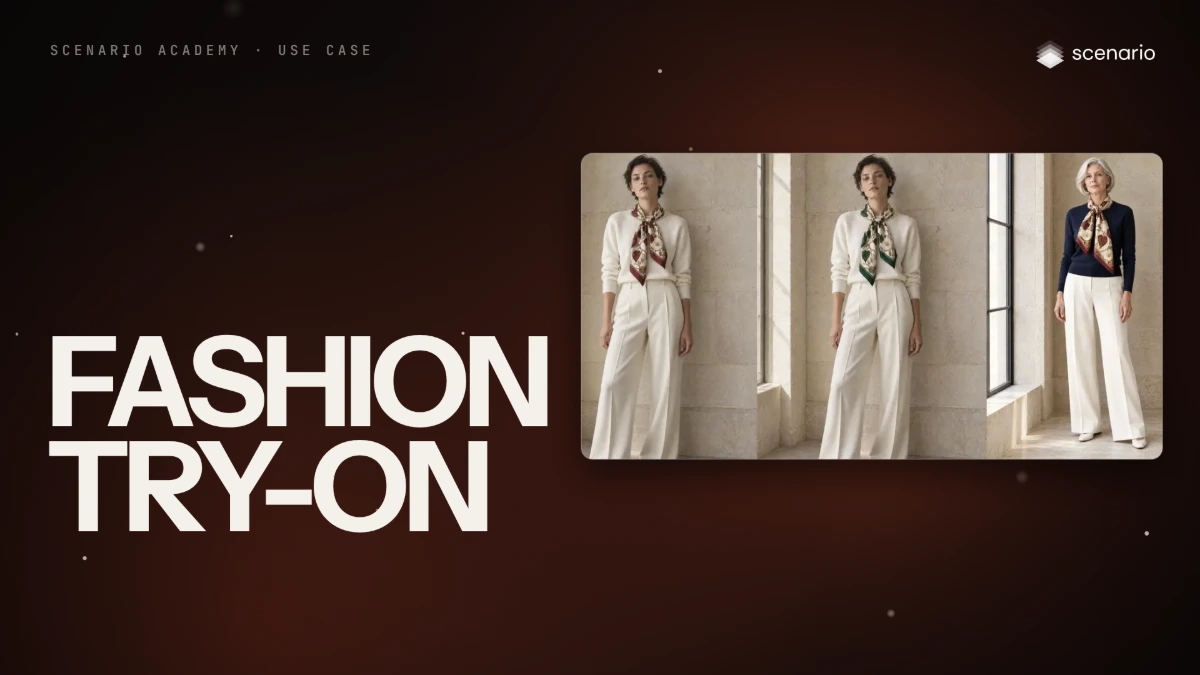
Four approved images that share the light and palette but not the subject: the scarf flat-lay, the dark-haired model, the silver-haired model and the bag. Upload them with the agent (it uses upload_asset) or give it their asset IDs, and keep that order, since the brief calls them the four references.
Brief the agent
One brief makes the three new subjects and the baseline. The fixed block opens every referenced prompt; one subject line goes right after "New subject in exactly that look:".
PromptUse GPT Image 2.5 Sunburst (model_openai-gpt-image-2-5-sunburst) for everything in this brief: width 1536, height 1024, quality high, one image per run. Three referenced runs. Pass the four brand images as referenceImages, as an array of asset IDs, the same four in every run. Each prompt is the fixed block below, word for word, with one subject line inserted right after "New subject in exactly that look:". Fixed block, word for word: The four reference images define the brand look only: soft window light from the side, warm limestone and travertine surfaces, a palette of ivory, warm stone and deep oxblood with small touches of gold, exquisite material detail, quiet restraint, editorial photography on a medium-format camera, generous calm negative space. Do not copy their subjects, their compositions, the bag, the scarf or the people in them. No bag, no scarf, no logo, no text anywhere. New subject in exactly that look: Style: quiet luxury still life and editorial: window light, limestone and travertine, exquisite material detail, restraint. Subject line for run 1, word for word: an artisan's hands painting the edge of a cut leather strap with a fine brush at a pale wooden workbench, small pots of edge paint, an awl and a bone folder beside it, face not visible. Subject line for run 2, word for word: a limestone spiral staircase in a Paris townhouse in the morning, a wrought-iron banister, a single white peony lying on one step. Subject line for run 3, word for word: a quiet Paris courtyard in the early morning, a black bicycle leaning against a limestone wall, climbing ivy, wet cobblestones, a tall green door. Run 4 is the baseline: no references and no block, only this prompt, word for word: A limestone spiral staircase in a Paris townhouse in the morning, a wrought-iron banister, a single white peony lying on one step. Luxury brand photography for a Paris fashion house. No text, no logo. Launch the four with wait: false and collect them with one jobs_wait. Quote the cost with a dry run first and wait for my go. Then show me the four results next to the four references.Compare with the baseline
The test is the staircase, made with and without the set. Accept a referenced take when soft warm light comes from the side, the palette stays in ivory, warm stone and oxblood with gold only as an accent, the frame keeps calm space and nothing from the references is copied. The baseline should look like a different house; if it does, the set is doing the work.
PromptPut the staircase with references next to the baseline staircase and the four references. For each referenced take, tell me if a reference's bag, scarf, face or layout came back, or if the palette turned cool, white or saturated. Redo only a take that fails, with the same block and references, and keep the rest.File the kit and report
The four references and the brand block are the team's kit until a trained style model beats it.
PromptCreate a collection called "Brand look", add the four reference images to it, and put the fixed block in its description. Put the kept takes in a second collection called "Brand look tests". Report the model, every asset ID, which takes you kept and the total cost spent.
Step by step in the web app (8 steps)Hide the steps
Four images, three subjects
Pick four approved images that share the light and palette but not the subject: the bag, the scarf flat-lay, and the scarf on two different women. Different subjects teach the model that the subject is not the look, and two faces keep any one face out of it.
All four as references
Create › Images › GPT Image 2.5 Sunburst. Dimensions 3:2 (1536x1024), Quality high, then Reference Images › Select from Library › the flat-lay, the dark-haired model, the silver-haired model and the bag.
A fixed block: the look only
Paste the same block at the start of every prompt. It names the parts of the look, then what the references must not give: their subjects, their layouts, the bag, the scarf.
PromptThe four reference images define the brand look only: soft window light from the side, warm limestone and travertine surfaces, a palette of ivory, warm stone and deep oxblood with small touches of gold, exquisite material detail, quiet restraint, editorial photography on a medium-format camera, generous calm negative space. Do not copy their subjects, their compositions, the bag, the scarf or the people in them. No bag, no scarf, no logo, no text anywhere. New subject in exactly that look: Style: quiet luxury still life and editorial: window light, limestone and travertine, exquisite material detail, restraint.One subject line
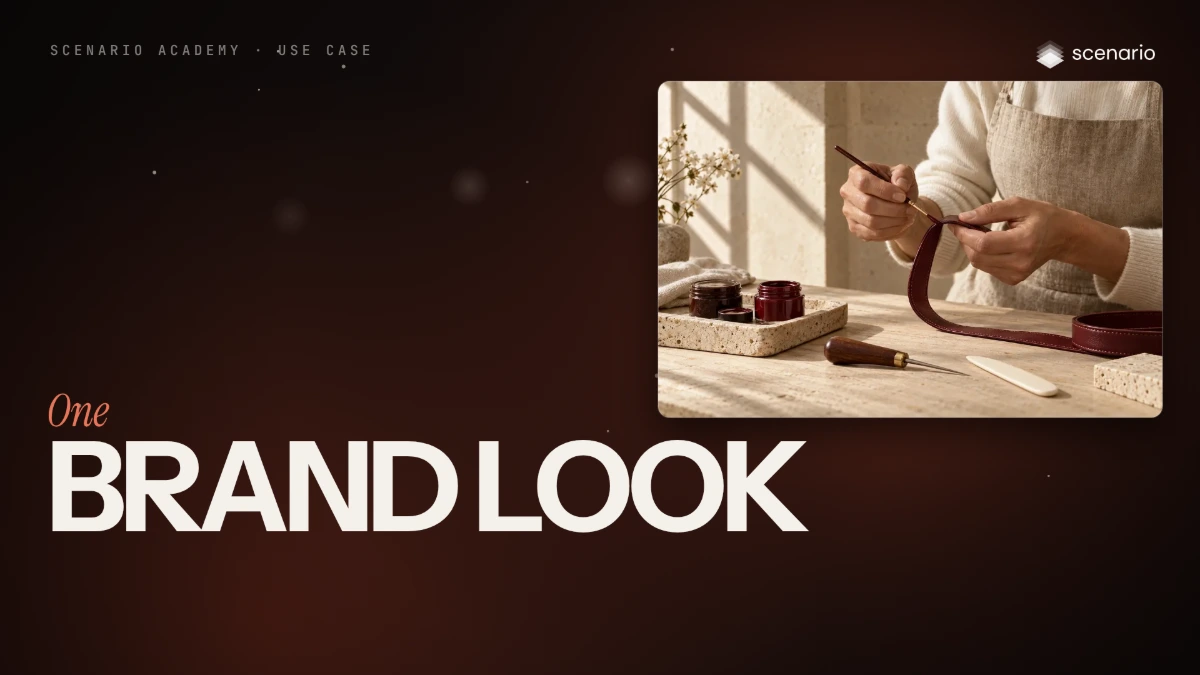
After "New subject in exactly that look:", paste one subject line: the artisan painting a leather edge. Swap only that line for the Paris courtyard, and the look comes with it.
Promptan artisan's hands painting the edge of a cut leather strap with a fine brush at a pale wooden workbench, small pots of edge paint, an awl and a bone folder beside it, face not visible. a quiet Paris courtyard in the early morning, a black bicycle leaning against a limestone wall, climbing ivy, wet cobblestones, a tall green door.Test against a baseline
Run one subject twice: the staircase line with the four references and the block, and a generic luxury prompt with no references. The baseline comes back cool and checkered, so the set is doing the work; all three referenced takes were kept on the first run.
Prompta limestone spiral staircase in a Paris townhouse in the morning, a wrought-iron banister, a single white peony lying on one step. A limestone spiral staircase in a Paris townhouse in the morning, a wrought-iron banister, a single white peony lying on one step. Luxury brand photography for a Paris fashion house. No text, no logo.Save the kit
Put the four references in one collection, Brand look, and keep the brand block with them. That is the team's kit.
Write it into the instructions
Settings › Agent › Organization Instructions: for brand images, attach the four images from "Brand look" and open the prompt with the brand block. Teammates and the Agent then use it without being asked.
A trained style model
Create › Train › Start Training › Choose a Model › Flux 2. Train a style model only when volume asks for it, and keep it only if it beats the reference set.
Related