

One campaign idea, a family of ad variations
Build a family of ads from one idea, varying the setting and copy while product, look and layout stay fixed. Copy is set in code so it is always exact.
- Playbook
Run it in ScenarioGPT Image 2.5 Sunburst
See it made
Run it in Scenario
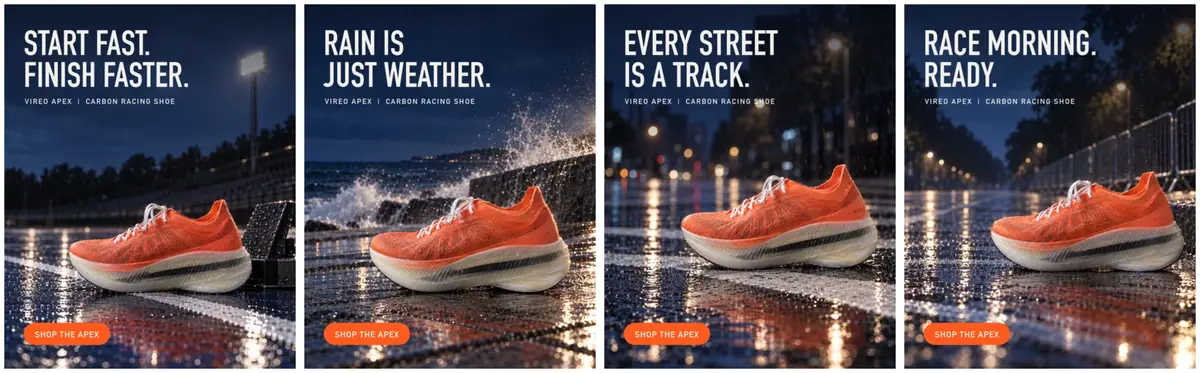
Four 4:5 ads for one campaign idea, each in a setting for a different kind of runner, with the same product, light, palette, layout and exact copy. For marketers and agencies testing variants of one idea.
The brief
| Field | Brief |
|---|---|
| Idea | "Wet roads are part of the season." |
| Audiences | Track sprinters, seafront runners, city commuters, race-day runners |
| Format | 4:5 feed ads, plates at 1024x1280, exported at the placement size (1080x1350) |
| Fixed | The product (packshot); the campaign look (blue hour, hard cool light with a warm rim, wet surfaces, deep shadows); the layout (shoe lower right, calm upper left for the headline, button bottom left); the typefaces and button |
| May vary | Setting and props per audience; one headline per audience |
| Accept when | Wordmark exact at 1:1; the shoe sits in the lower right third and clear of the button; the headline area is calm; copy is correct; the four plates share one light and palette |
The packshot comes from Clean packshots. The look image is the approved campaign master, a runner on a wet track at blue hour, also used in Formats from one master; the scenes in Product lifestyle scenes come from the same packshot.
Approach
- 1Base promptPackshot and look references, layout rule
- 2PlatesGPT Image 2.5 Sunburst, one per audience
- 3Layout checkShoe lower right, calm upper left
- 4Copy in codeImageMagick headline, product line, button
- 5Family reviewFour finals side by side
A family of variations works when you decide in advance what may change and lock everything else (Decide what stays fixed). Here three things are fixed by three different means:
- The product is fixed by a reference: the white packshot, with the keep-list sentence.
- The look (Give each reference a role) is fixed by a second reference: the approved campaign image, with the instruction "sets the campaign look only, do not copy the scene or the runner". Two references, two jobs, both named in the prompt (Give references a role).
- The layout and the copy are fixed by code. The model generates a plate with empty space; ImageMagick (or your layout tool) sets the headline, the product line and the button.
Models still make spelling and kerning mistakes on headlines, and a 4-ad family multiplies them. Text set in code is exact every time (Let code own what must be exact, Text and typography in images). Only the "Scene:" line of the prompt changes between variants.
- Capability: image to image with two reference images.
- Model used: GPT Image 2.5 Sunburst at high quality, 1024x1280, as of October 2026.
- Alternative: Nano Banana 2.1, which also takes many references. Check the wordmark on every plate with either.
Steps
-
Write the base prompt once (Batch from a template). Everything except the last line stays the same for every variant:
PromptImage 1 is the product: the exact shoe, with its shape and proportions, molten orange engineered mesh upper with fine dark fiber flecks, sculpted orange heel collar, white flat laces, the small spaced VIREO wordmark printed in darker orange on the outer side of the heel, and the thick translucent milky-white ribbed midsole with the black carbon plate showing through it as a dark stripe, unchanged. Image 2 sets the campaign look only: blue hour, hard cool light with a warm rim, wet surfaces with fine spray, deep shadow falloff, medium-format clarity. Do not copy the scene or the runner of image 2. Composition: vertical 4:5, the shoe in the lower right third, side view with the outer side and the VIREO wordmark facing the camera and sharp, the upper left 40 percent of the frame calm and uncluttered for a headline added later. No people, no text anywhere except the VIREO wordmark on the shoe, no other logos. Scene: ... -
Set up the panel. Create > Images, GPT Image 2.5 Sunburst. In Reference Images, add the packshot first and the campaign image second (order matters: the prompt calls them image 1 and image 2). Quality
high, Image Count 1. This run set a custom 1024x1280 (4:5) through the Scenario MCP. The web panel's Dimensions menu offers presets only (Auto plus sizes from 9:21 to 21:9, with no 4:5 entry), so in the panel pick 3:4 (1536x2048) and crop to 4:5 afterward. -
Generate one plate per audience by changing only the scene line:
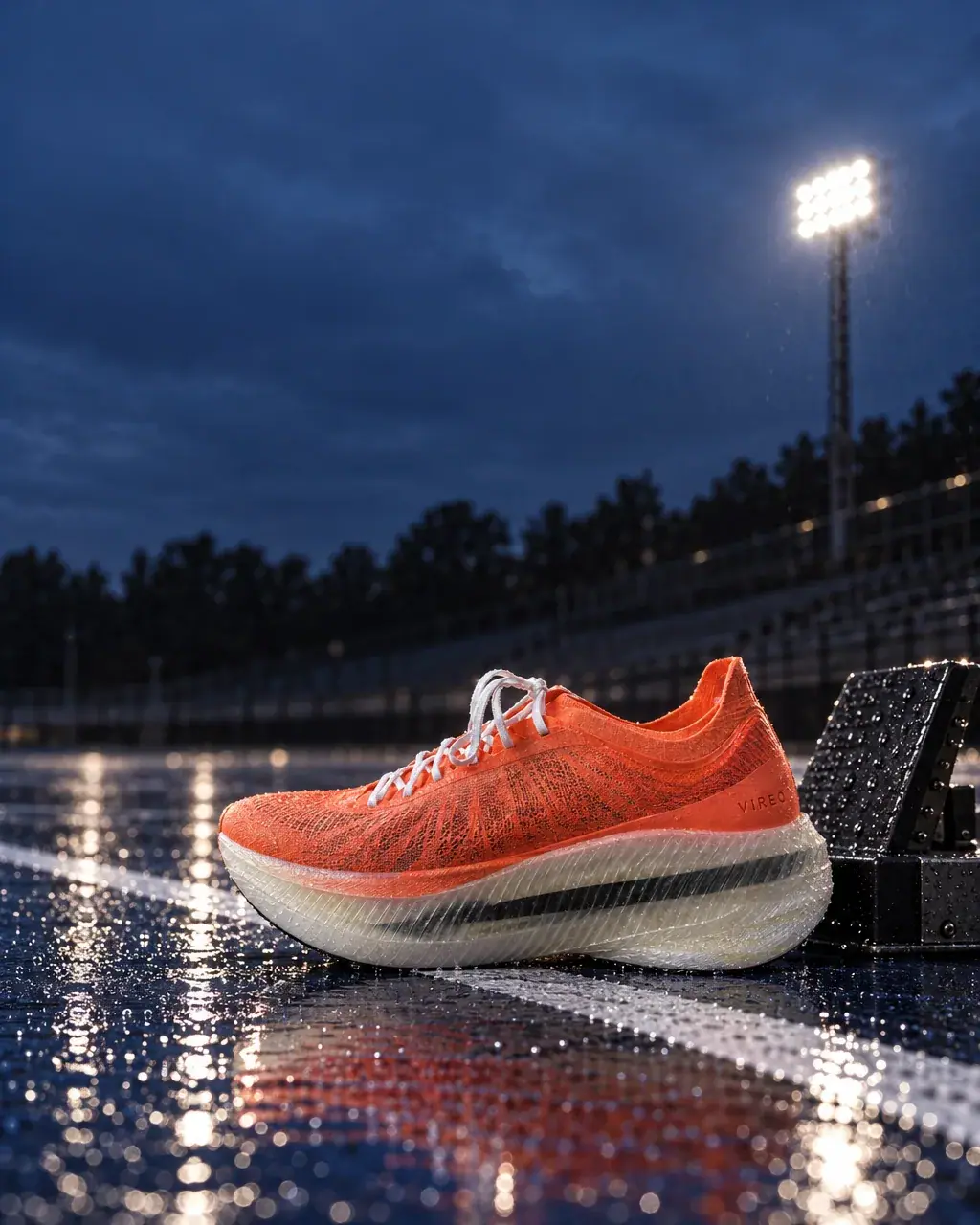
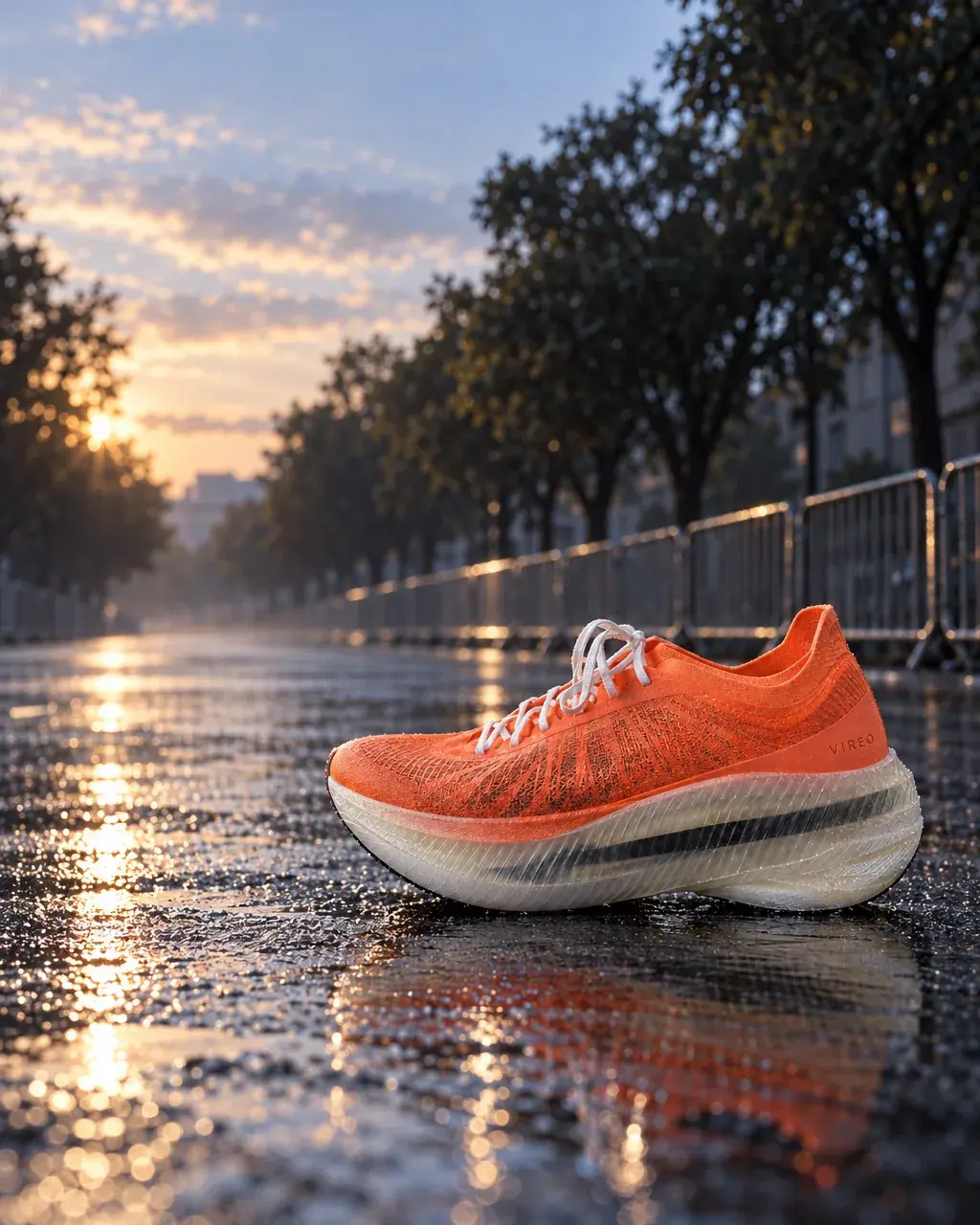
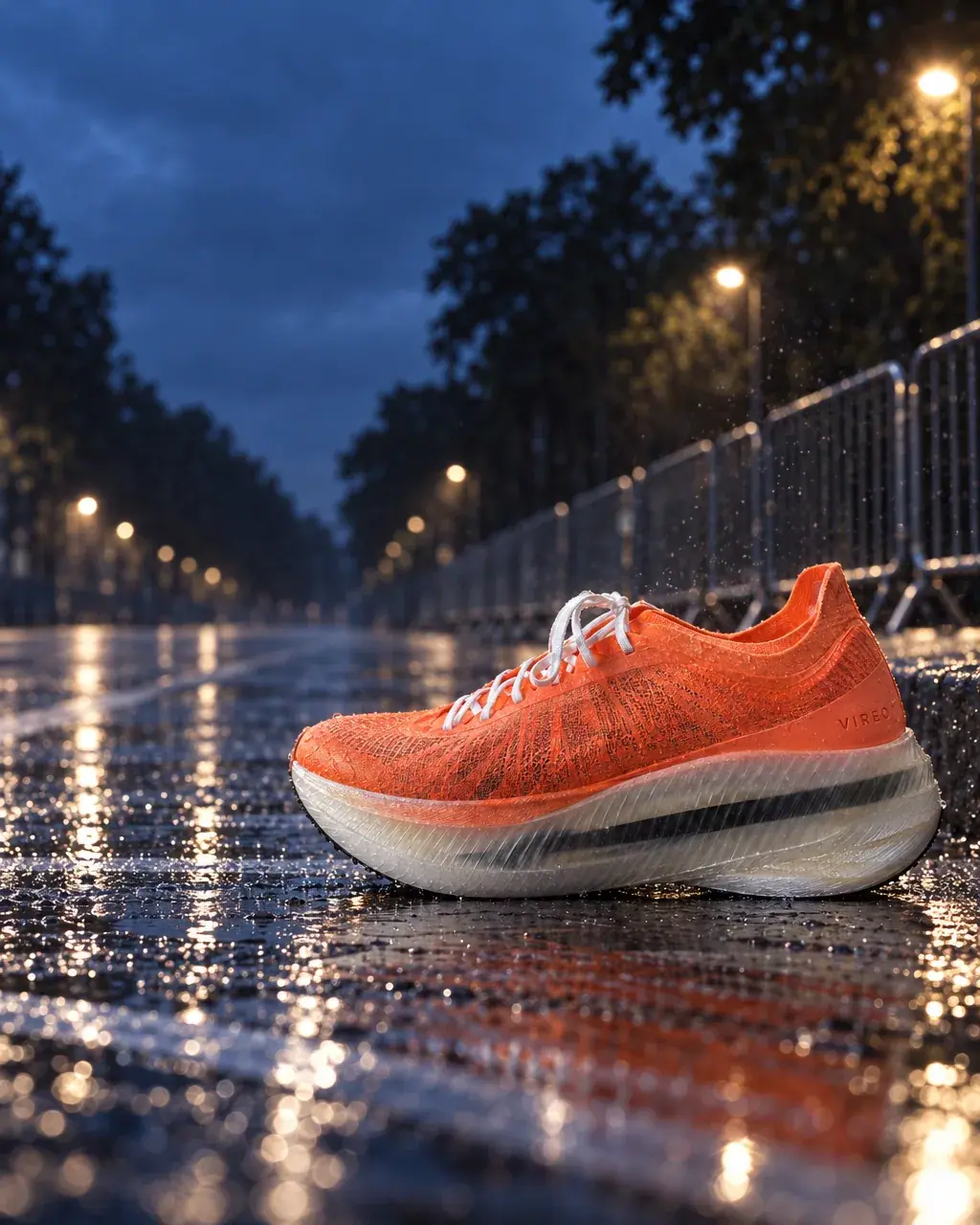
PromptScene: a wet blue running track at blue hour, the shoe beside a plain black starting block on the white lane line, one stadium floodlight glowing far behind, rain droplets on the track.PromptScene: a seafront promenade of wet grey stone at blue hour, a low sea wall, waves breaking with fine spray in the air behind, a dark sea and a deep blue sky.PromptScene: the white stripe of an empty city crosswalk on wet asphalt at blue hour, puddles reflecting distant blurred street lights, a light drizzle.PromptScene: the curb of a wide city avenue closed for a race at first light, a row of plain unbranded metal barriers softly out of focus behind, the road wet and empty, pale dawn sky. -
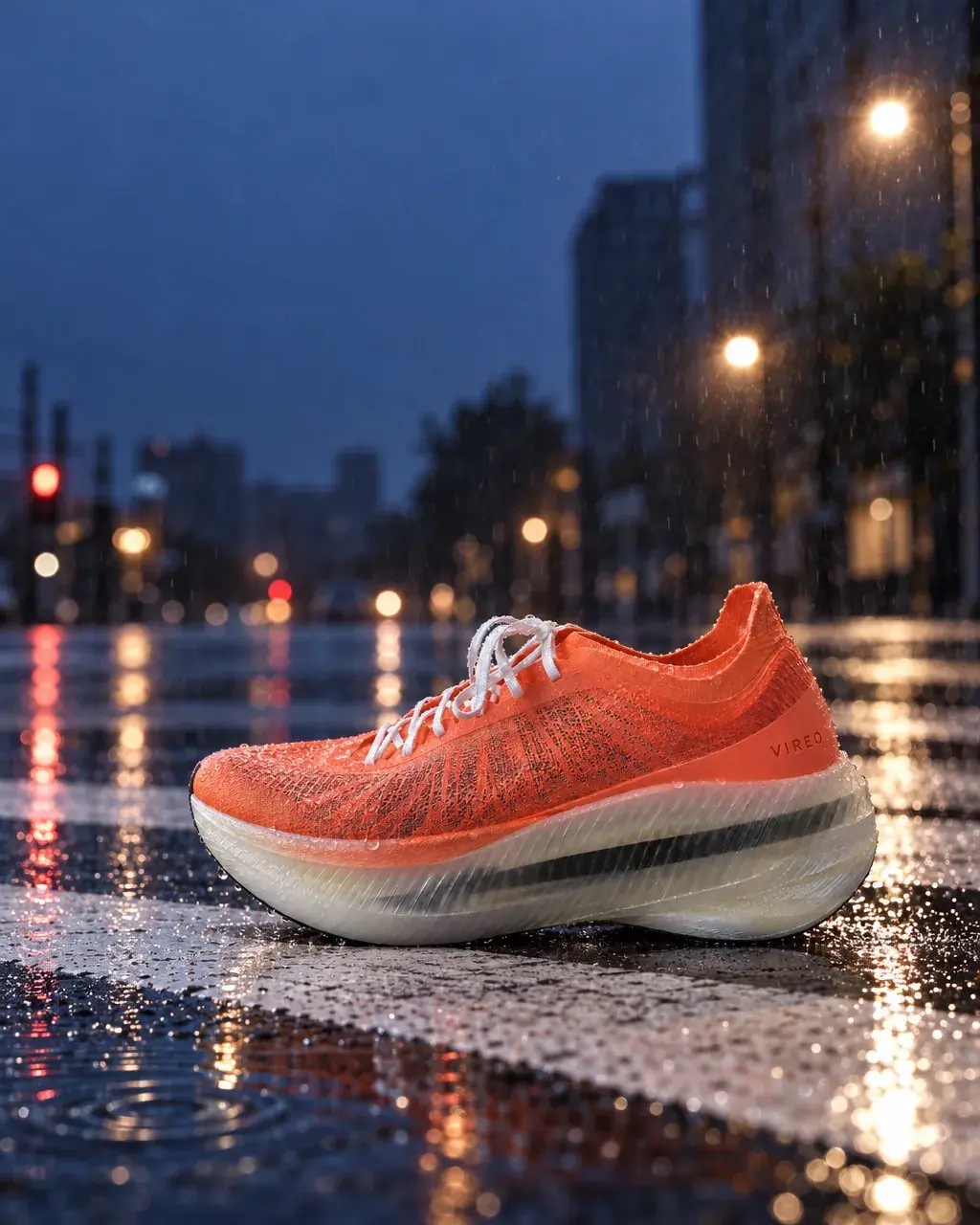
Check each plate against the layout before setting copy. The track and seafront plates passed. The crosswalk plate put the shoe left of center, in the headline column. The avenue plate did the same and added a skyline whose tower looked like a real landmark. Both were re-run with a stricter composition line in place of the first one:
PromptComposition: vertical 4:5. The shoe stands at the right side of the frame, in the lower right third, side view with the outer side and the VIREO wordmark facing the camera and sharp. The whole left half of the frame stays calm and uncluttered for a headline and a button added later.The avenue scene line also gained "tree-lined" and "pale dawn sky above low anonymous buildings, no skyline and no recognizable buildings".
-
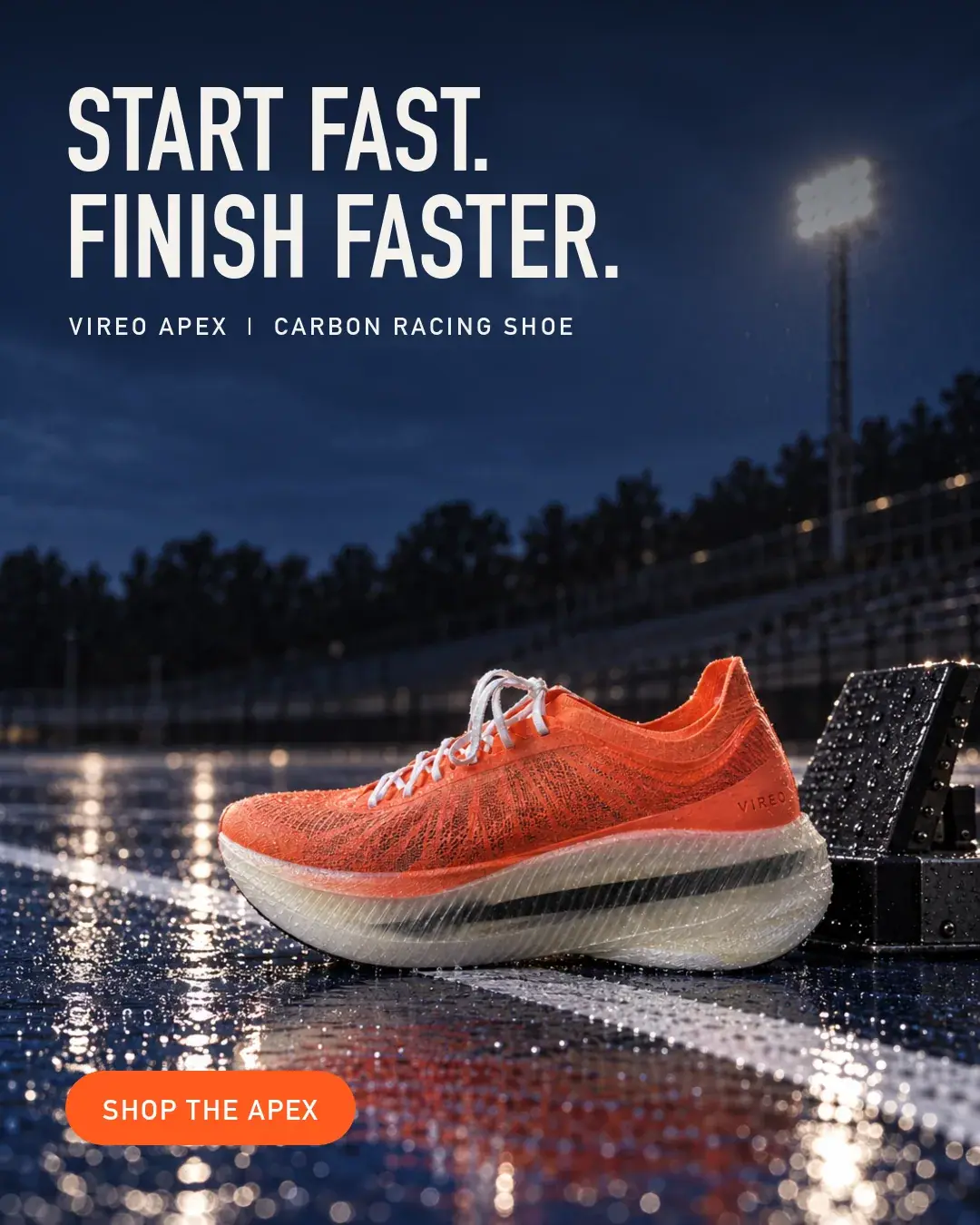
Set the copy in code (Typeset text, never generate it). Each plate is resized to 1080x1350 and gets a dark top gradient for legibility, a two-line headline, a product line and a button, all at fixed positions. The run used one ImageMagick script for all four: DIN Condensed Bold headline in off-white (#F4F1EC), DIN Alternate Bold product line
VIREO APEX | CARBON RACING SHOE, and a rounded molten orange (#FF5A1F) button readingSHOP THE APEXin white. Headlines: "START FAST. FINISH FASTER." / "RAIN IS JUST WEATHER." / "EVERY STREET IS A TRACK." / "RACE MORNING. READY." -
Review the family side by side, not one by one. Put the four finals in one row and check that the product, light and layout repeat while the settings differ. Here the review caught the second avenue plate: "first light" and "pale dawn sky" in its scene line turned the sky gold and warm, so it read as a different campaign next to three blue-hour plates. It was re-run with the scene line rewritten for blue hour:
PromptScene: the curb of a wide tree-lined avenue closed for a race, at blue hour, a row of plain unbranded metal barriers softly out of focus behind, the road wet and empty, low anonymous buildings, no skyline and no recognizable buildings.
With the Scenario MCP: model_run on model_openai-gpt-image-2-5-sunburst with referenceImages: ["<packshot id>", "<look image id>"], width: 1024, height: 1280, quality: "high". An agent can loop over a list of scene lines, start all plates with wait: false, then run the copy script on each download.
Check the result
every plate shows the same shoe with VIREO exact on the outer heel; the shoe is in the lower right third and clear of the button zone; the upper left is calm enough for two lines of type; the light and palette match the look reference; the copy is spelled and placed identically on every ad.
the shoe drifts toward the center or left; props crowd the headline area; the plate contains any generated text, logo or recognizable building; one variant has a different light or palette that breaks the family.
 Rejected
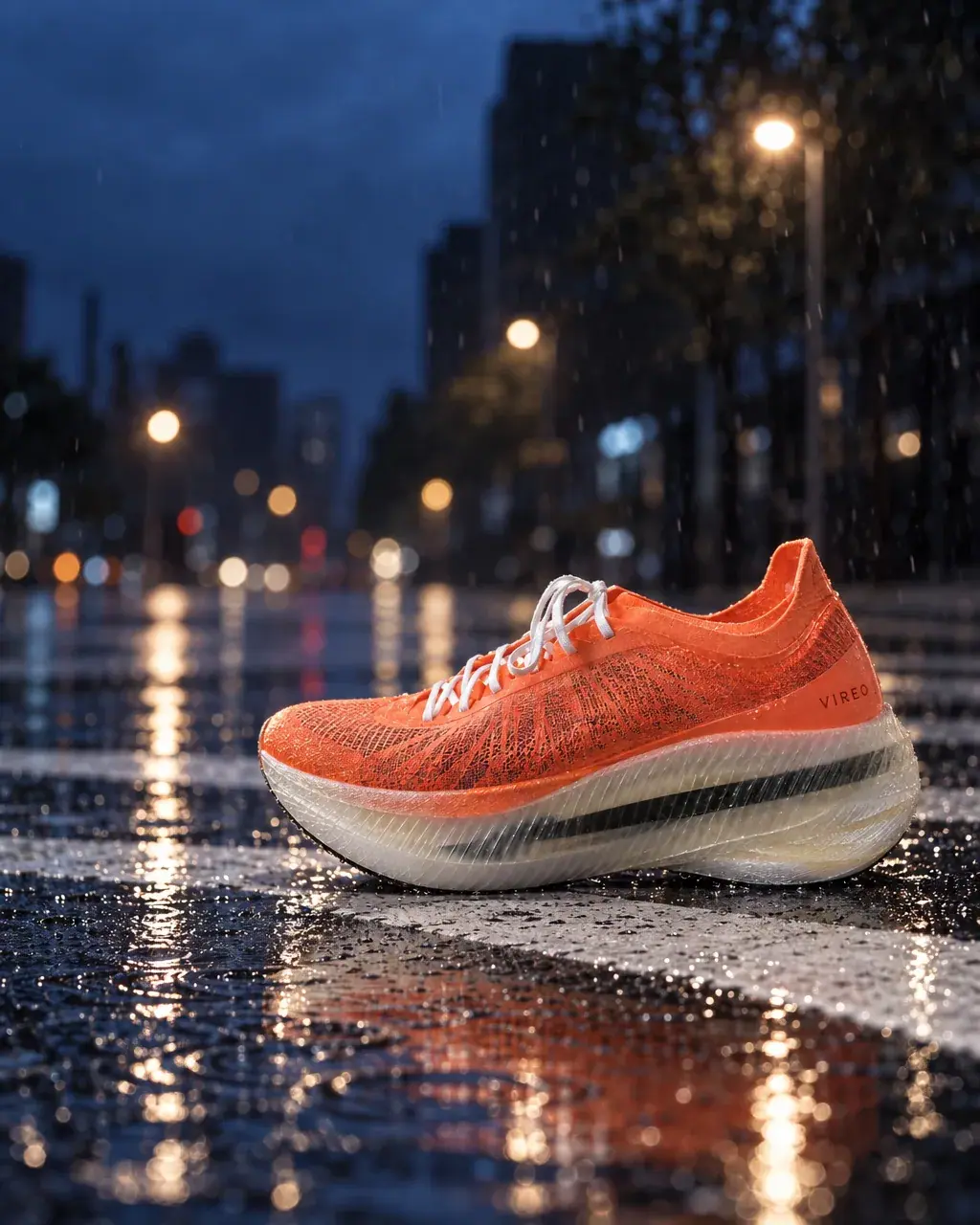
The model read "lower right third" loosely twice in four plates. Spelling the empty zone in terms of the layout ("the whole left half ... for a headline and a button") fixed both, at the cost of two extra plates. Writing the layout rule precisely in the base prompt is cheaper than fixing composition with edits later.
 Rejected
1Two plates for the crosswalk ad. The headline goes in the upper left and the button in the lower left. Which plate goes on to the copy step?
Answer: B. The layout is fixed: shoe lower right, calm upper left, button bottom left. Take A puts the shoe in the headline column, so it fails before any copy is set.
2One plate comes back with a shop sign in the background that spells a made-up brand name. The shoe and the light are right. What do you do?
Answer: A. Any generated text or logo besides the wordmark is in Reject when. The fix is in If it breaks.
Make it repeatable
- Template the prompt (Package it as a workflow or skill). In the Node Editor: two Image inputs (
Product packshot,Campaign look), a Text input (Scene), a Prompt Builder holding the fixed base prompt with the scene appended, and an Image Generator on GPT Image 2.5 Sunburst at 1024x1280. Add an Approval node withApprove only if the shoe is in the lower right third and the upper left is empty.Publish it as an App for the campaign team. - Keep copy in a spreadsheet (Keep sources as data). One row per variant: scene line, headline, product line, button. The copy script reads the sheet, so a headline change never needs a new generation.
- Keep the look words out of the scene lines. The look reference and the base prompt own the light; a scene line that names a time of day ("first light", "pale dawn sky") competes with them.
- Test more variants cheaply. Plates cost the same whatever the copy; test several headlines on one plate before generating new settings.
Runs and time
| Step | Model | Runs or takes | Kept | Wait |
|---|---|---|---|---|
| Plates: track, seafront | GPT Image 2.5 Sunburst, high | 2 | 2 | about 45 to 50 s each |
| Plates: crosswalk, avenue, first pass | GPT Image 2.5 Sunburst, high | 2 | 0 (layout; landmark on the avenue) | about 45 s each |
| Crosswalk and avenue, tightened composition | GPT Image 2.5 Sunburst, high | 2 | 1 (the avenue went gold) | about 50 to 55 s each |
| Avenue, scene line rewritten for blue hour | GPT Image 2.5 Sunburst, high | 1 | 1 | about 45 s |
| Copy and button on four plates | ImageMagick, local | 4 | 4 | seconds |
Seven generations, four kept, about 6 minutes of wait if run one by one. Every plate costs the same, and the copy costs nothing, so headline tests are free; the price shows on the Generate button before you run. The packshot and the campaign image come from earlier work.
Variations
- Mobile games and apps: keep the character and UI frame fixed, vary the scene and the hook line. For video variants, see Mobile UA video ads.
- Retail promotions: keep the plate and change only the offer text in code, so a price change costs nothing.
- Regional markets: vary the setting for each region and set the copy in each language from the same sheet; the plate does not change.
- B2B and software: use a product screenshot as the fixed element, composited in code, and generate only the scene around it.
- Seasonal refresh: keep one plate and change only the season with a mask. See Edit one thing per campaign.
If it breaks
- The model copies the look reference's scene or its runner. Say "sets the campaign look only" and "do not copy the scene or the runner of image 2", and describe the new scene in concrete detail.
- The product sits in the copy zone. Describe the empty zone in layout terms and name the side the product must be on; re-run rather than move it with an edit.
- Generated text appears on props or signs. Add "No text anywhere except the VIREO wordmark" and name props as plain.
- A skyline shows a famous-looking tower. Add "low anonymous buildings, no skyline and no recognizable buildings", or pick a setting without a skyline.
- The family drifts in color. Keep the same look reference for every plate and do not mention a time of day or new colors in the scene line.
- Headlines look different per ad. They are being typed by hand. Put them in one script or template with fixed font, size and position.