

A longer video from key frames and camera angles
Plan key frames, fix them as stills and generate the clips between them so a longer sequence joins without seams, then cover one beat from many angles by reshooting a locked-off master.
- Playbook
Run it in ScenarioGPT Image 2.5 Sunburst Minimax H3 Seedance 2.5
See it made
Run it in Scenario
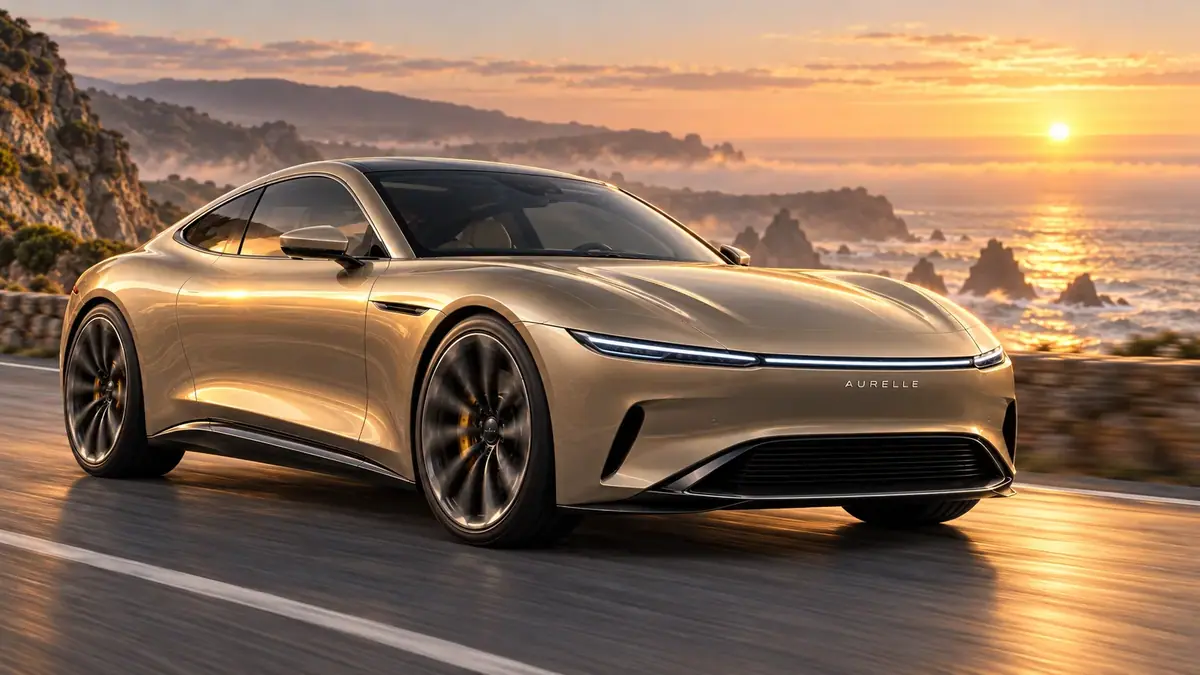
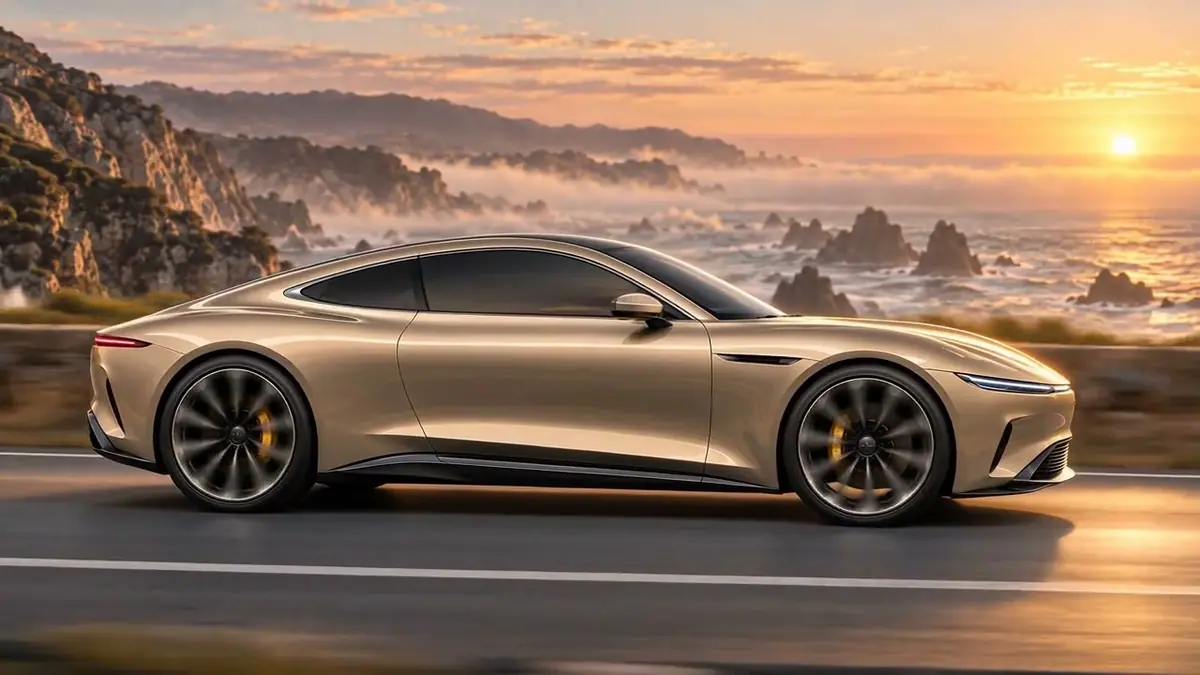
A continuous launch sequence for the Aurelle Solenne grand tourer from three Minimax H3 clips, about 20 seconds: the car comes out of a bend on a cliff road at dawn, drives along the sea and pulls onto an overlook. The clips join on shared frames, so the seams do not jump.
The same car's arrival is then covered twice: a locked-off wide master, and four cuts from new cameras (wheel close-up, side tracking, high wide, front three-quarter) with the same car, timing and screen direction. For directors and editors who want a longer sequence and coverage they can cut.
Watch the video: https://ufgc0c9mhl4ueq76.public.blob.vercel-storage.com/academy/14d7e49fdaf874ef5e82ea3c44e99e6d1317d859d1b4e4e82ae5d869205e39e8.mp4
The brief
| Field | Brief |
|---|---|
| Goal | A 20-second continuous sequence, longer than one generation, and coverage of the car's arrival: a master take plus four angles |
| K1 | Wide from the hillside: the car comes out of a bend, small in the left third, heading right |
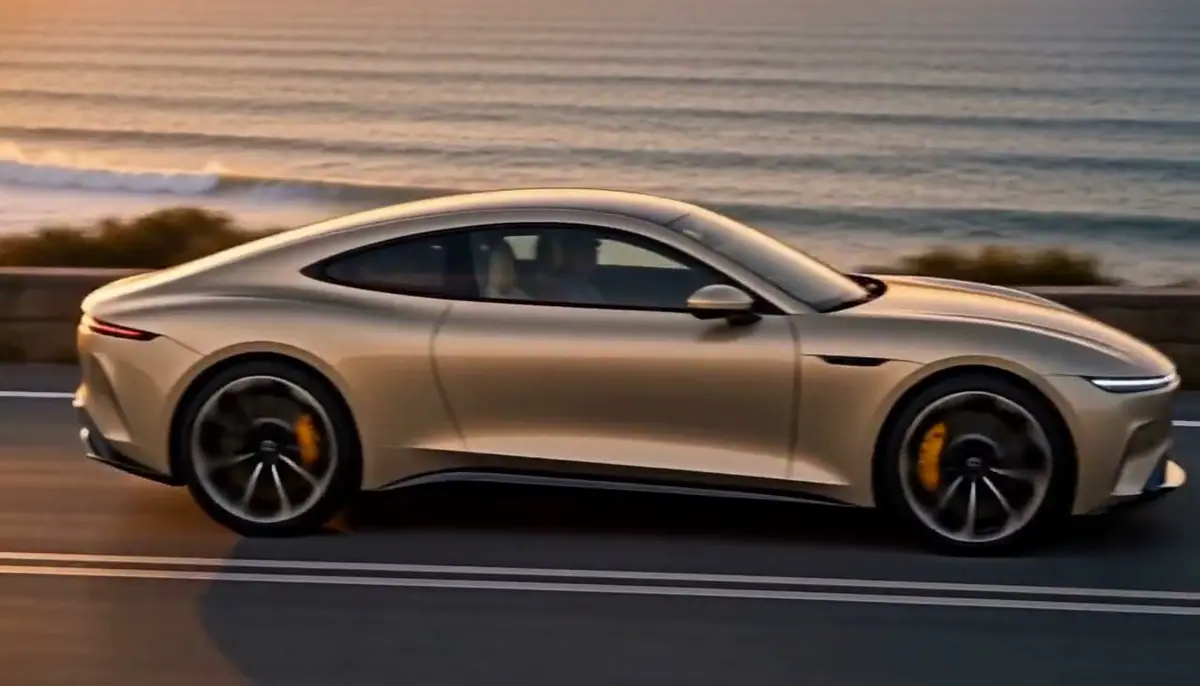
| K2 | Tracking alongside at wheel height: full side profile, nose right |
| K3 | Low front three-quarter from the road ahead: light bar and AURELLE wordmark readable, still heading right |
| K4 | Parked on a gravel overlook, rear three-quarter, red rear light bar glowing, facing the sea and the sun |
| Coverage action | The car comes out of the bend on the left, drives along the stone wall, slows and stops on the right, still facing right |
| Coverage cuts | 0-2 s close on the front wheel and light bar; 2-4 s side tracking in profile; 4-6 s high wide from the hillside; 6-8 s low front three-quarter as it stops |
| Format | Sequence: 16:9, 2K, three clips asked at 6 s (each came back at 6.58 s), diegetic sound only. Coverage: 16:9, 768P, 8 seconds per take, diegetic sound only |
| Fixed | Car shape, champagne paint, light bars, AURELLE wordmark, wheels; travel left to right, nose first; the sea behind the road (the 180-degree line); one sun; dawn; in the coverage, the timing of the action |
| May vary | Camera moves inside each clip, exact framing inside each cut, mist and surf |
| Accept when | No visible jump at the two seams; one sun in every frame; the wordmark reads AURELLE whenever visible; the wheels turn forward; four clean cuts at the stated times, the car matching the sheet in every cut; screen direction holds |
The vehicle sheet is made from two campaign photos in the first step; the location reference is a campaign photo of the car on the cliff road. The coverage master starts on key frame K1.
Approach
- 1Vehicle sheetGPT Image 2.5 Sunburst, from two campaign photos
- 2Key framesGPT Image 2.5 Sunburst, vehicle sheet and location
- 3InspectEach still against its beat and its neighbors
- 4Masked fixesK2 window, K1 and K4 sun
- 5ClipsMinimax H3, first and last frame, 2K
- 6Join and checkffmpeg concat, frames at each seam
A video model invents what happens between its first and last frame, and it drifts more the longer it runs. Key frames turn one long uncertain generation into short, bounded ones.
You approve the four stills (cheap) before any video runs (expensive), then each clip only has to connect two approved images. Because clip 2 starts on the exact frame where clip 1 ends, the seam is a cut between two identical images.
- A sheet as the identity authority. Close-ups show more detail than a wide shot: the wordmark, the wheel spokes, the calipers. The key frames and the reshoot both need a sheet that shows them.
- Key frames are the contract (Approve the still first). Each is a full-quality still with the vehicle sheet and location attached. Faults are fixed here, on a still that costs a small fraction of a clip. See Repair at the cheapest stage.
- Neighbors must agree. Anything that differs between two key frames (the sun, a window, the direction of travel) is something the clip has to resolve, and models resolve it badly. Compare each frame with the next one.
- Edit one thing. When a key frame is almost right, edit it with a mask instead of regenerating. See Edit one thing.
- Clips connect frames. First Frame and Last Frame for every clip; the prompt describes the motion between them and ends "exactly on the last frame". See First and last frame.
Then the coverage. It only cuts together when every angle shows the same action. Four separate clips from four prompts give four slightly different drives and four slightly different cars. So the second part generates one master take first, then uses it as a reference video for a reshoot: the model keeps the action and timing from the master and changes only the cameras.
- 1Master takeMinimax H3, locked-off wide, 8 s
- 2Check masterOne frame per second, camera drift
- 3ReshootMinimax H3, master as reference video
- 4Check cutsMid-cut frames against the sheet and the line
- Master first. A locked-off wide take shows the whole action clearly. It is the performance every angle must match.
- Timed cuts in one prompt. Write the cuts with their time windows. Keep each cut between 2 and 5 seconds; at 2 seconds a close-up still reads, and the edit stays lively.
- State the line. "The car always travels from left to right of frame and the sea is always behind the road" keeps every camera on one side of the action. See Direct the camera and motion.
Models, as of October 2026:
- Capabilities: image to image with references, masked image editing, first-plus-last-frame video, image to video (master), and video plus image references to video (reshoot).
- Models used: GPT Image 2.5 Sunburst for the vehicle sheet, the key frames and the masked edits; Minimax H3 at 2K for the clips, and at 768P for the master and the reshoot.
- Alternative: Seedance 2.5, runner-up on every video step. Its draft of clip 1 held one sun where Minimax showed two, and its 1080p clip 3 matched the kept take; Minimax was kept for its 2K output. Its draft reshoot cut early and turned the car round in the first cut. Keep one model for the whole sequence so the clips match.
Steps
Part 1: a longer sequence from key frames
-
Make the vehicle sheet (Lock a character sheet). Create > Images, GPT Image 2.5 Sunburst, Reference Images: two campaign photos of the car. Dimensions 2048x1152:
PromptVehicle reference sheet for a car launch film, the same car as Image 1 and Image 2: the Aurelle Solenne, an invented electric grand tourer coupe in liquid satin champagne paint. Image 1 is the identity authority: keep every design detail exactly, the long low hood, the thin full-width light bar across the nose, the spaced AURELLE wordmark in small chrome capitals centered under the light bar, the wide low grille, the flush door handles, the dark multi-spoke turbine wheels with gold brake calipers, the smoked glass roof. Image 2 shows the same car in daylight. Layout on one plain warm light grey studio background, all views of the same car at the same scale on one ground line, soft even studio light, gentle floor shadow: top row, front view at headlight height and front three-quarter view from the left; bottom row, full side profile facing right and rear three-quarter view from the right showing a thin full-width rear light bar and a small chrome AURELLE wordmark on the tail. No license plates, no other text, no labels, no people. Automotive launch photography, controlled reflections, perfect panel gaps, no other brands.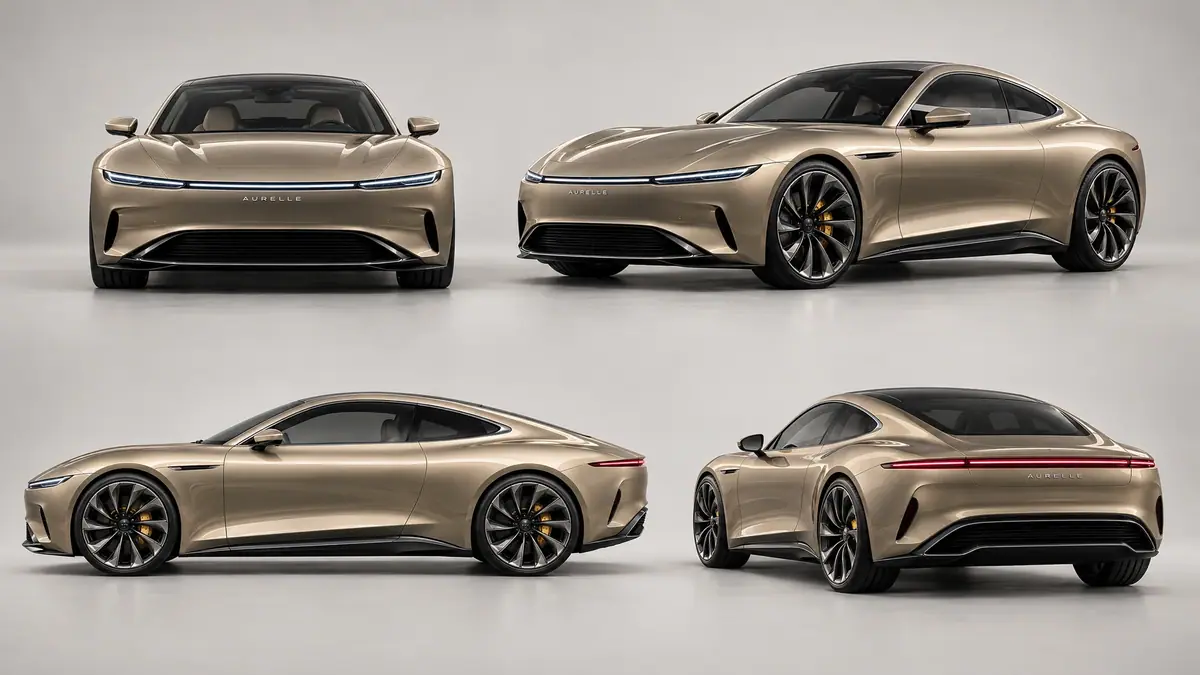
Vehicle sheet. The side profile faces left although the prompt asked for right; the reshoot still held the direction because the prompt states the line. -
Generate the four key frames (Give each reference a role). Create > Images, GPT Image 2.5 Sunburst, Reference Images: the vehicle sheet, then the location photo. Dimensions 1536x864. Every prompt starts with the same block:
PromptFilm still from a car launch film, 16:9. Image 1 is the authority for the car: the Aurelle Solenne electric grand tourer in liquid satin champagne, thin full-width light bar on the nose, spaced AURELLE wordmark under it, dark turbine wheels with gold calipers, no license plates. Image 2 is the authority for the place and light: a cliff road above a misty sea, rocky headlands, low dawn sun. The car always travels from left to right, the sea is always behind the road, the time is dawn. No text other than the AURELLE wordmark, no other vehicles, no people outside the car.Then one shot line per key frame, and the style line "Automotive launch photography, controlled reflections, perfect panel gaps, no other brands." For example K1:
PromptShot: wide establishing shot from a hillside above the road. The coastal road curves along the cliff edge across the frame, the misty sea and headlands behind it, the sky pale gold just before sunrise. The car is small in the left third of frame, coming out of a bend and heading right along the road, light bar and headlights on, a faint trail of mist behind it. Lots of open road ahead of it on the right. -
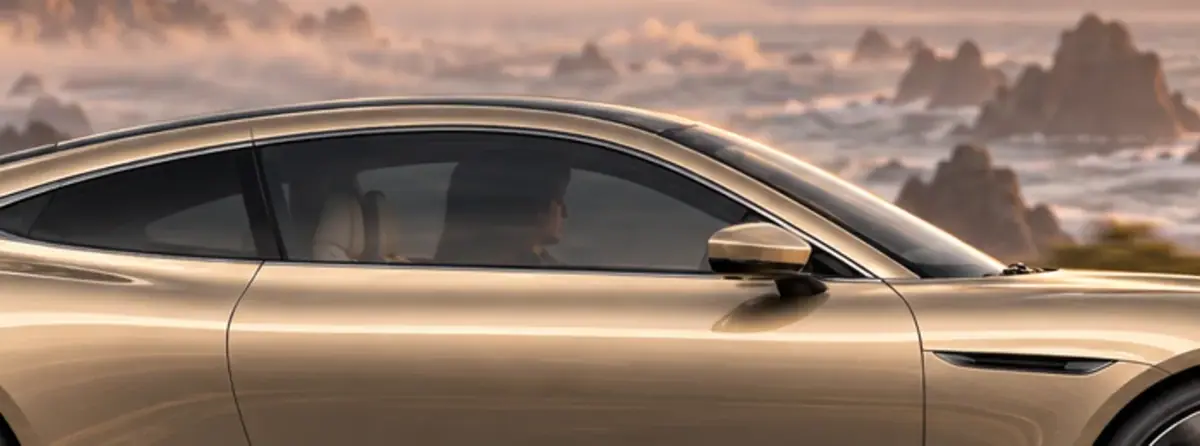
Inspect every key frame against its neighbors. K3 came back with the car facing left, against the direction of travel; the retake states the side outright: "its nose and light bar are on the right side of the image and its tail on the left, exactly the direction it drove in the previous shot." K2 showed a driver through the side window, where the other frames show dark smoked glass. Not caught at this stage: K1 and K4 put the sun on the left, K2 and K3 on the right.
-
Fix K2 with a masked edit (Edit one thing). Make a mask PNG at the exact pixel size of K2: transparent over the front side window, opaque everywhere else. GPT Image 2.5 Sunburst edits the transparent area and keeps the opaque one. In the Node Editor, an Image Generator on GPT Image 2.5 Sunburst takes K2 in Reference Images and the mask in Mask:
PromptEdit only the masked area: the car's front side window. Replace the visible driver and the cabin behind the glass with dark smoked glass, so the side window reads as deep tinted glass with only a soft reflection of the gold sky and the sea, like the other shots of this car. Keep the window frame, the chrome trim line and the mirror exactly as they are, matching the light, color and photographic rendering. Change nothing else.An edit of the same request without a mask also darkened the small rear quarter window, which nobody asked for: rejected, because K2 is the last frame of clip 1 and the first of clip 2. Check the masked result by cropping the same region from before and after.
-
Generate clip 1 (K1 to K2) (Pin the first and last frame). Create > Videos, Minimax H3. First Frame: K1. Last Frame: K2. Duration 6 s, resolution 2K:
PromptShot 1 of a continuous car launch sequence, photoreal automotive film at dawn. The champagne grand tourer drives along the cliff road from left to right, nose first, at a steady cruising speed, its wheels turning forward with the road. The camera starts high on the hillside and descends smoothly in one move, swinging down to wheel height beside the road and settling into a tracking shot alongside the car as it passes. The shot ends exactly on the last frame: the car in full side profile in the center of frame, nose pointing right, the misty sea and the rising sun behind it. The car keeps its exact shape, paint, light bar and wheels the whole time. Sound of tires on asphalt, wind and a quiet electric hum, no music, no speech, no text.The first take, on the original K1, showed two suns while the camera descended: the model kept K1's sun on the left and K2's on the right. The fix went on the still, not the clip: a masked edit over the sky and sea moved K1's sun to the right, in 34 seconds.
PromptEdit only the masked area: the sky and the sea on the right. Move the sun: remove the sun disc near the left edge of the masked area and its glitter path on the water, and paint the same low dawn sun near the right edge of the frame, just above the horizon haze, with its gold glitter path on the sea below it. The sun must appear exactly once. Keep the same pale gold sky, cloud streaks, mist and distant rocks, matching the light, color and photographic rendering. Change nothing else. -
Generate clips 2 and 3. K2 to K3 (the camera moves ahead and turns back to the light bar), then K3 to K4 (the car pulls onto the overlook while the camera glides round behind it). Same settings. The three clips can run in parallel because their end frames are already fixed. Clip 3 hit the same double sun from K4's left-hand sun, fixed the same way; then the tail wordmark smeared into wrong letters while the camera swung, twice, until the prompt added one sentence:
PromptThe wordmarks are rigid chrome letters fixed to the body: whenever the front or tail wordmark is visible it reads AURELLE, sharp and spelled correctly, and never changes. -
Join and check the seams. Concatenate the three clips, then extract the frames on both sides of each seam (frames 157 and 158, 315 and 316):
Shellprintf "file 'c1.mp4'\nfile 'c2.mp4'\nfile 'c3.mp4'\n" > list.txt ffmpeg -f concat -safe 0 -i list.txt -vf scale=1280:-2 -c:v libx264 \ -pix_fmt yuv420p -c:a aac -movflags +faststart sequence.mp4
With the Scenario MCP: key frames with model_run on model_openai-gpt-image-2-5-sunburst; a masked edit passes referenceImages: [key frame] and mask: "<mask asset id>". Clips use model_minimax-h3 with firstFrameImage, lastFrameImage, duration: 6 and resolution: "2K".
Upload the mask as a PNG at the exact size of the image, transparent where the edit happens.
Part 2: cover one beat from many camera angles
Any beat can also be covered as a master and a reshoot. The master here starts on K1 from Part 1 and uses the same vehicle sheet.
-
Shoot the master take. Create > Videos, Minimax H3. First Frame: K1 (the car small on the bend, the sea behind). Duration 8 s, resolution 768P. Take 1 said "locked-off" and the camera held, but the car never stopped. Take 2 spells out what must not move:
PromptOne continuous take, photoreal automotive launch film at dawn. Static camera on a tripod on the hillside: the frame never moves, no pan, no tilt, no zoom, no push-in; only the car moves. 0 to 3 s: the champagne grand tourer comes out of the bend on the left and drives along the cliff road toward the right, nose first, its wheels turning forward with the road and its thin light bar glowing. 3 to 6 s: it passes along the stone wall at a steady speed. 6 to 8 s: it slows down and comes to a gentle stop near the right edge of the frame, still facing right. The sea is always behind the road and the low sun stays one single sun on the right. The car keeps its exact shape, paint, light bar and wheels the whole time. Sound of tires on asphalt, wind and distant surf, no music, no speech, no text.The price for 8 seconds shows on the Generate button before you run.
-
Check the master. Extract one frame per second into a contact sheet: the action must be complete and readable, and the car must stop. Then measure the camera: compare a band of sky and hillside in every frame with frame 0. Take 2 drifted less than a third of a pixel at 640 pixels wide, so it is truly locked off.
-
Reshoot with new cameras (Use a video as the motion source). Create > Videos, Minimax H3. Reference Videos: the master. Reference Images: the vehicle sheet. Duration 8 s, resolution 768P, aspect ratio 16:9:
PromptRe-shoot the same scene as the reference video with new camera coverage. Same action, same timing, same place, same dawn light, same photoreal automotive launch film look. The reference image is the vehicle sheet: the car's shape, champagne paint, thin light bar, AURELLE wordmark, dark turbine wheels and gold calipers must match it exactly. Four cuts: 0 to 2 s, low close-up tracking the front wheel and the light bar as the car comes out of the bend, the wheel turning forward. 2 to 4 s, side tracking shot at wheel height, the car in full profile driving from left to right, the stone wall and the sea behind it. 4 to 6 s, high wide shot from the hillside above the road, the car small on the cliff road, still driving from left to right, the sea beyond. 6 to 8 s, low front three-quarter view as the car slows and stops, the light bar and the AURELLE wordmark facing the camera. The car always travels from left to right of frame and the sea is always behind the road. Sound of tires, wind and surf, no music, no speech, no text.The reshoot waited 8 minutes 34 seconds, about twice the master; plan reshoots for when you can wait.
-
Check each cut. Extract one frame from the middle of each window (1, 3, 5 and 7 seconds), compare the car with the sheet, and check the nose points right in every cut.
With the Scenario MCP: model_run on model_minimax-h3 with referenceVideos: [master id], referenceImages: [sheet id], duration: 8, resolution: "768P", aspectRatio: "16:9". Quote with dry_run: true first (see Quote before you run). On Seedance 2.5 the same prompt names the inputs @video1 and @image1.
Check the result
the frames on both sides of each seam show the same car position and framing; one sun in every frame; the wordmark reads AURELLE whenever it is visible, front or tail; the wheels turn forward and the car moves nose first; the light bars, paint and wheels hold for the whole sequence.
a seam shows a jump in position, light or framing; a second sun appears, even for a few frames; a letter of the wordmark changes; the car faces against its direction of travel; the wheels read backward.
 Rejected
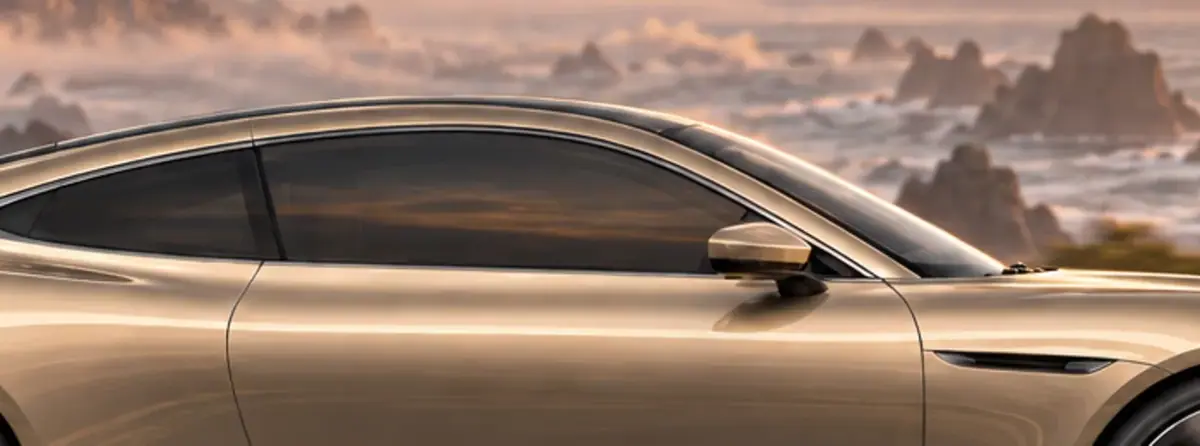 Rejected
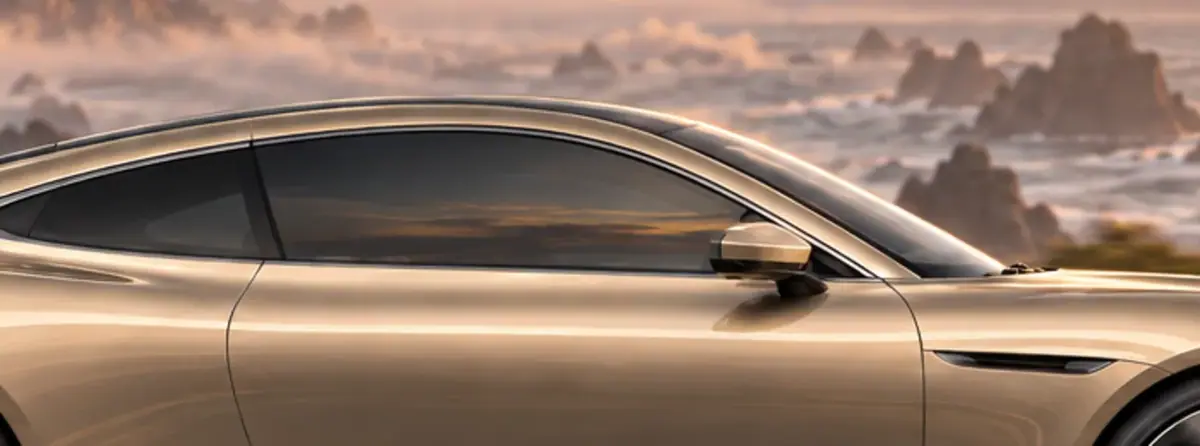
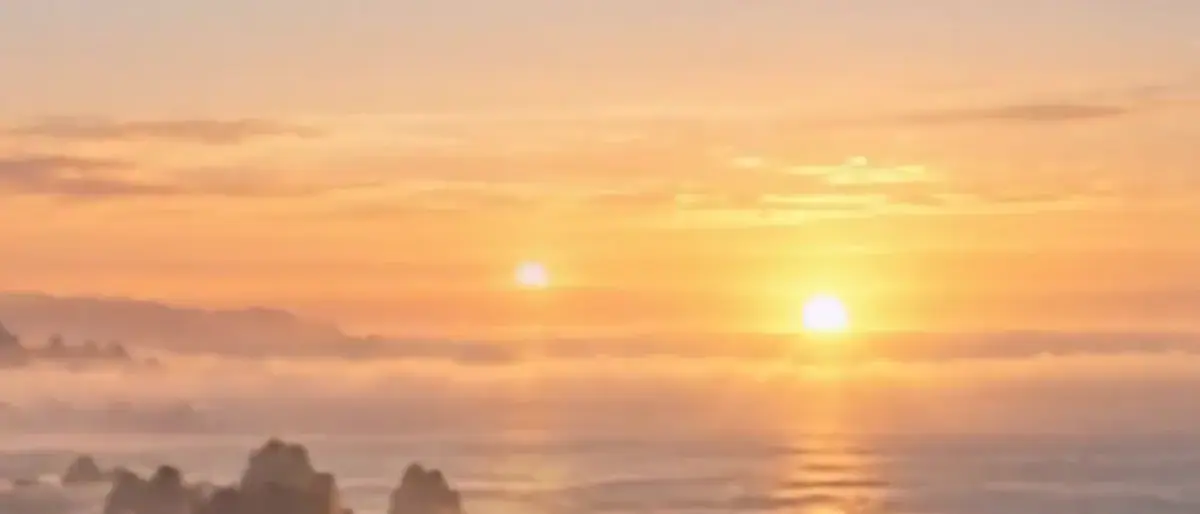 Rejected
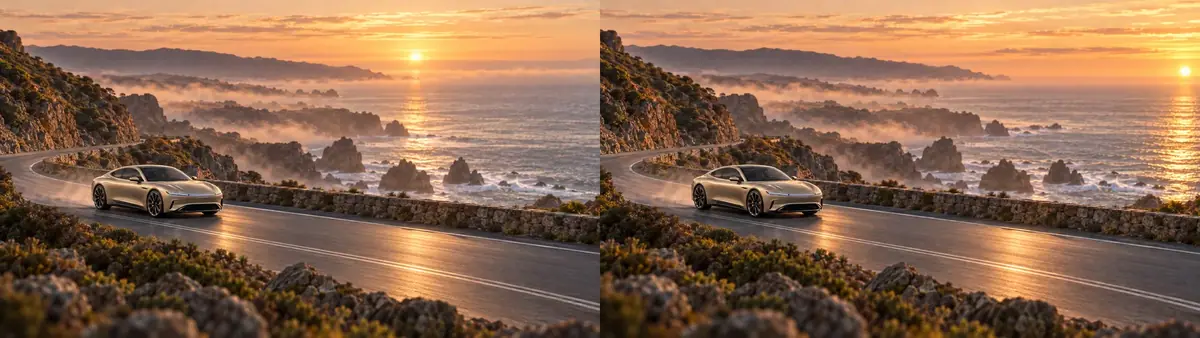
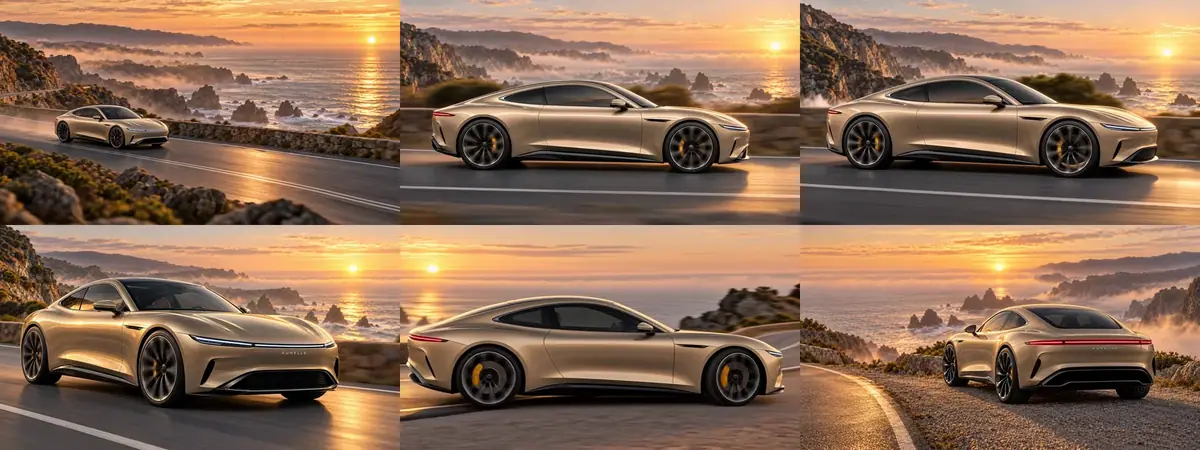
- Both seams matched. Car position, framing and light are the same on both sides.
- Wheels and wordmark held. In clip 2 the spokes turn forward about 7 degrees per frame; at the end of clip 1 they blur into a still pattern as the clip lands on K2, and never read backward. The wordmark reads AURELLE in every frame where it is sharp.
- Sound shifts at the seams. Each clip generated its own tires, wind and hum, with no speech or music. For a final, lay one continuous ambience under the whole sequence (see Cut a short game trailer).
The double sun is the lesson of this run: neither still was wrong on its own, but the pair disagreed. Before you generate a clip, put its two key frames side by side and check the light, the direction and every visible detail.
For the coverage, check the reshoot against the master and the sheet:
the cuts fall at 2, 4 and 6 seconds; each cut matches its description; the light bar, wordmark, wheels and calipers match the sheet; the car travels left to right in every cut; the wheels turn forward; the action happens at the same moments as in the master.
a cut is missing, merged or early; the car faces left in any cut; the wordmark changes; the reshoot invents new action, such as a second car or a turn.
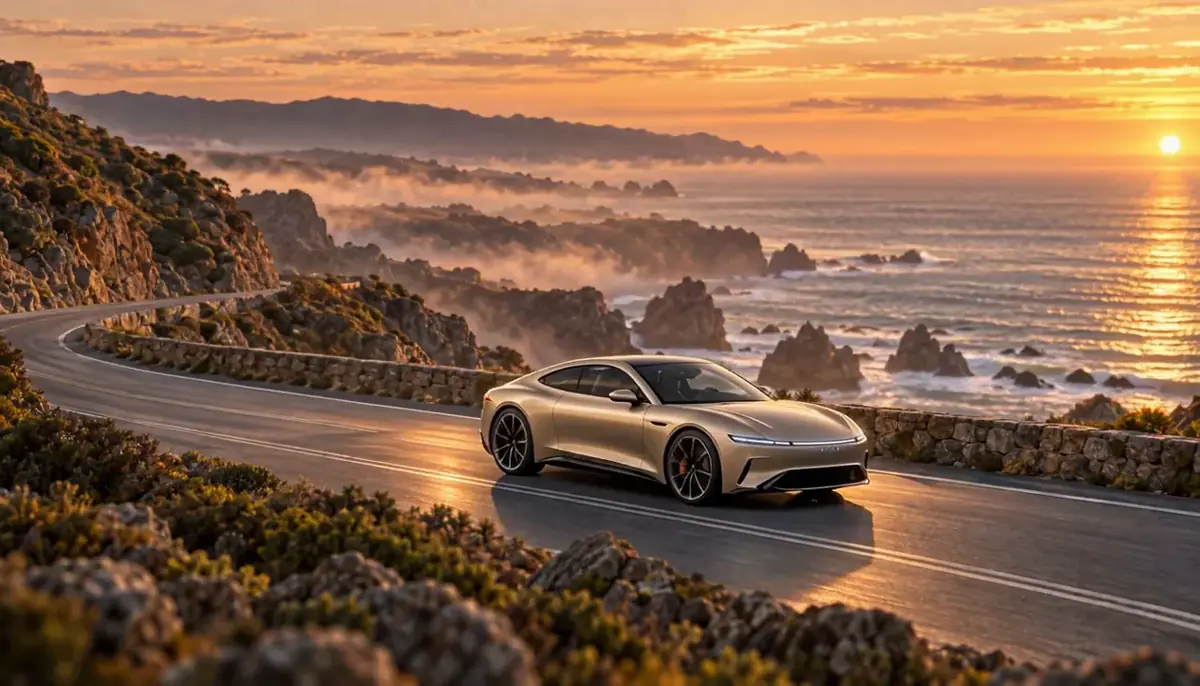
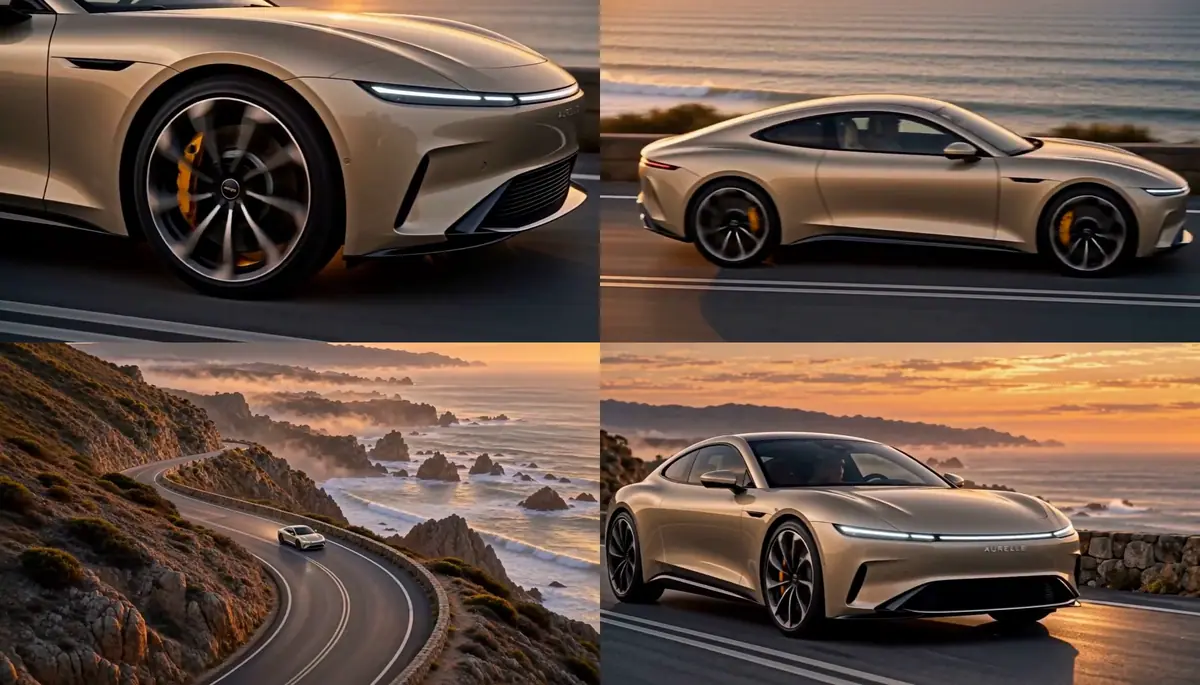
This run delivered all four cuts at the stated times. The car heads right in every cut and the AURELLE wordmark reads in the close-up and the final three-quarter.
The wheel in the first cut spins too fast to measure frame by frame (the spokes alias), but it never reads backward on the contact sheet. The Seedance draft cut at 2.08 and 3.71 seconds and opened on the car facing left, which breaks the line on the very first cut.
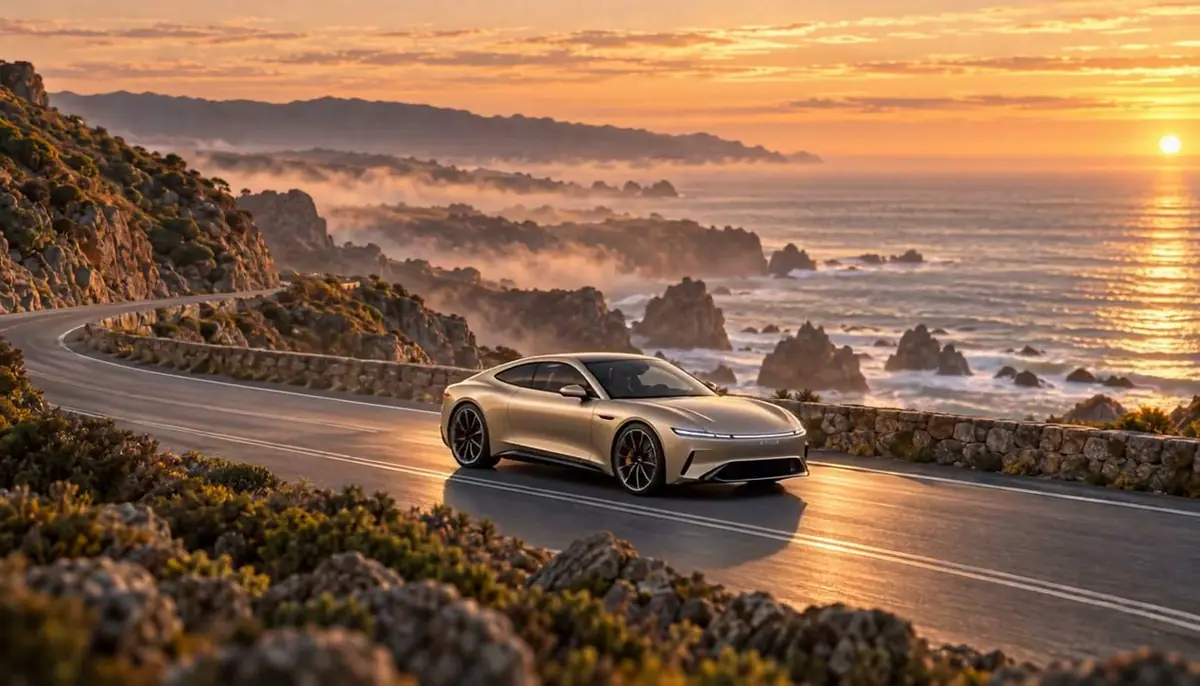
Watch the video: https://ufgc0c9mhl4ueq76.public.blob.vercel-storage.com/academy/45c6db634029b358d82663282aa1ce20b14438183571d40d8cac97ae2ef97fa2.mp4
Watch the video: https://ufgc0c9mhl4ueq76.public.blob.vercel-storage.com/academy/22e7ee9790af48493f473e9c190c2a37ab950e85e36ef71770a0dde39d02171d.mp4
1Two edits of key frame K2 that replace the driver with smoked glass. Clip 1 ends on K2 and clip 2 starts on it. Which edit do you keep?
Answer: A. Take B darkened the rear quarter window too, a change nobody asked for on a frame two clips share. Only the masked edit passes.
2Clip 3 shows two suns for about a second while the camera swings round. K3 has the sun on the right, K4 on the left. What do you do?
Answer: A. The clip prompt already said one single sun. The disagreement sat in the key frames, and a masked edit on a still costs a small fraction of another clip.
3The reshoot comes back with three cuts instead of the four you asked for in 8 seconds. What do you change?
Answer: B. Four cuts in 8 seconds is the most this run tried, with each window written out. Four separate clips give four slightly different drives and cars, so they do not cut together.
4Two reshoots of the arrival, both paused at frame 30, in the wheel close-up. The brief fixes travel from left to right of frame. Which reshoot goes to the edit?
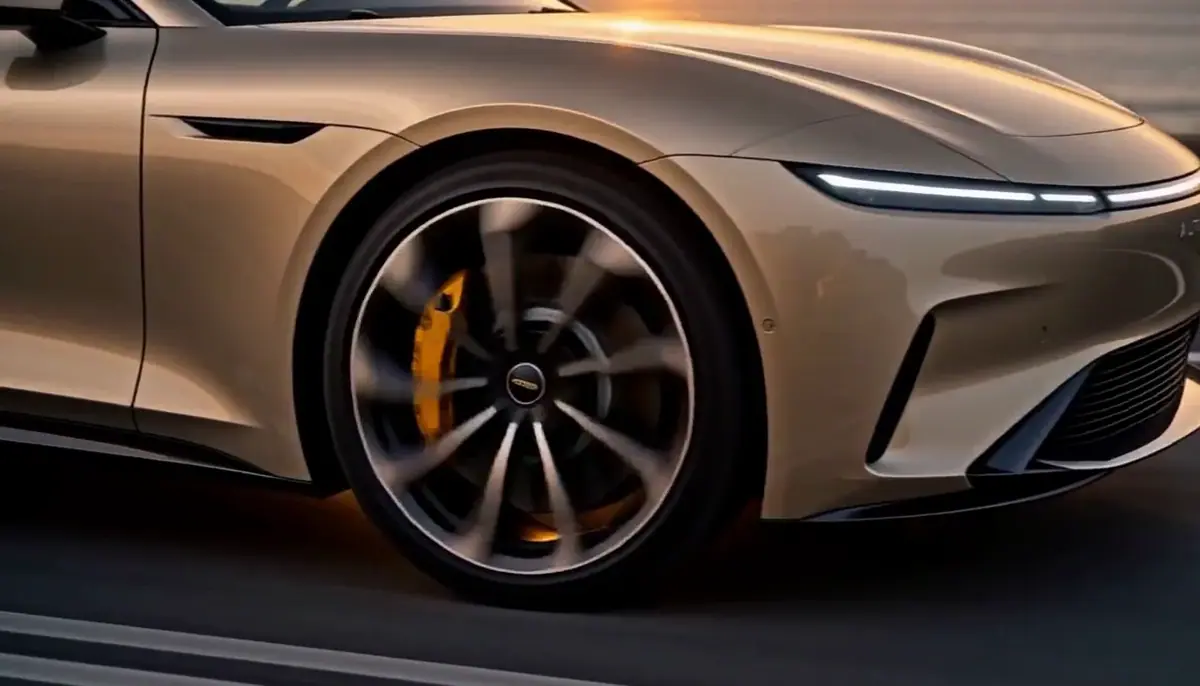
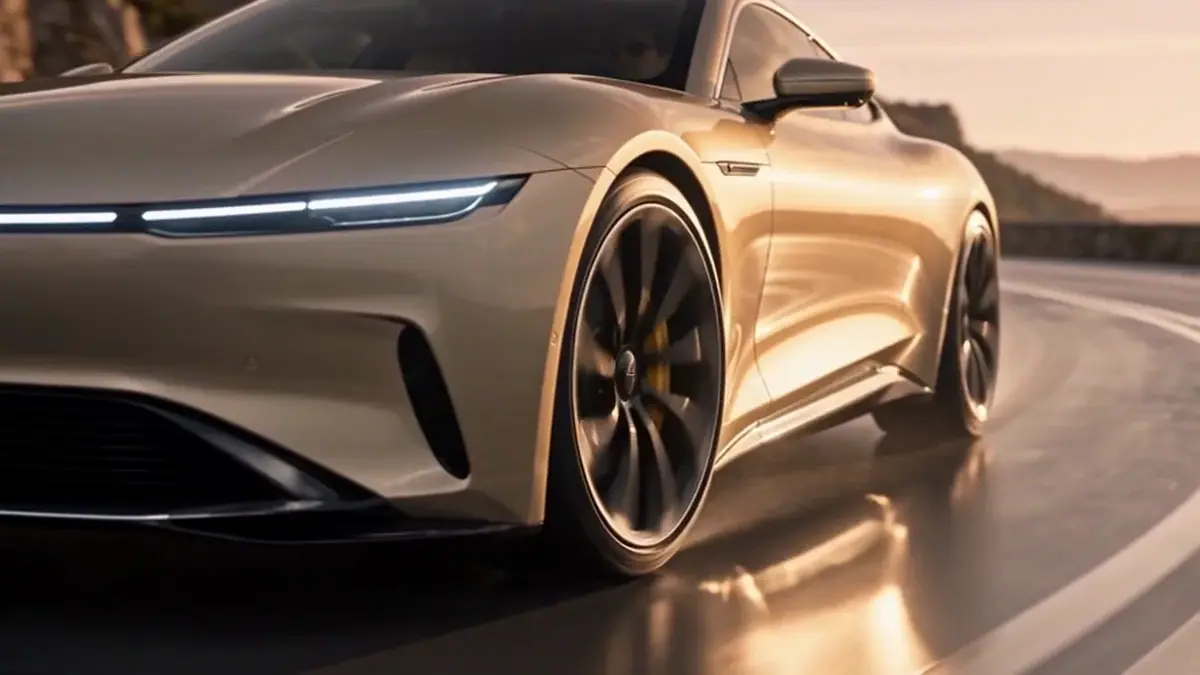
Answer: A. In Take B the car faces left, so the cut to the side tracking shot would flip its direction. State the line once in the prompt and check it in every cut, close-ups included.
Make it repeatable
- Build it as a workflow (Package it as a workflow or skill). The approval gate is where the facing-left K3 and the two suns would have been stopped. In the Node Editor:
- a Text node with the key frame shot lines, Split Text, a Prompt Builder that adds the shared block, and an Image Generator with both references;
- an Approval node on each key frame, judged next to its neighbor;
- after approval, a Video Generator per pair of frames (frame N to First Frame, frame N+1 to Last Frame), and a Video Studio node to join the clips.
- Build the coverage the same way. An Image node for the first frame, a Video Generator on Minimax H3 for the master, an Approval node (approve only if the action is complete and the camera holds), then a second Video Generator with the approved master in Reference Videos and the sheet in Reference Images.
- Gate the master. The approval step stops a bad master before it pays for a reshoot, the most expensive run on this page.
- Keep the key frames as the source of truth. Store them in a collection named after the sequence; any clip can be regenerated later without changing its neighbors.
- One master per beat. For a sequence, shoot a master for each beat of the storyboard, then one reshoot per master. The editor gets wide and coverage for every beat. Any clip from Part 1 can become a master; the one in Part 2 starts on K1.
- Keep a cut template. Save the four-cut prompt with placeholders for the action; the camera list (detail close-up, side tracking, high wide, front three-quarter) works for most vehicle and product beats.
- Cut and finish in Edit video, then add sound with Cut a short game trailer.
Runs and time
The sequence:
| Step | Model | Runs | Kept | Wait |
|---|---|---|---|---|
| Key frames K1 to K4, 1536x864 | GPT Image 2.5 Sunburst | 5 | 4 (K3 retaken) | 32 to 45 s, in parallel |
| K2 window edits, unmasked and masked | GPT Image 2.5 Sunburst | 2 | 1 (masked) | 28 s and 29 s |
| K1 and K4 sun edits, masked | GPT Image 2.5 Sunburst | 2 | 2 | 34 s and 33 s |
| Clip 1 shoot-out, 768P and draft | Minimax H3, Seedance 2.5 | 2 | 0 | 2 min 50 s and 1 min 34 s |
| Clips 1 to 3, 768P | Minimax H3 | 4 | 0 (moved to 2K) | 2 min 58 s to 3 min 28 s |
| Clips 1 to 3, 2K | Minimax H3 | 4 | 3 (clip 3 retaken) | 5 min 47 s to 6 min 12 s, in parallel |
| Clip 3, 1080p | Seedance 2.5 | 1 | runner-up | 5 min 10 s |
| Join and seam check | ffmpeg | 0 | n/a | seconds |
About 15 minutes of waiting on the path that worked: stills and edits, three 2K clips in parallel, one retake. The 768P passes added about 10 more. The clips are nearly all of the cost; every fault in this run was fixed on a still or a prompt line.
The vehicle sheet and the coverage:
| Step | Model | Runs | Wait |
|---|---|---|---|
| Vehicle sheet, 2048x1152 | GPT Image 2.5 Sunburst | 1 | 38 s |
| Master, 8 s, 768P | Minimax H3 | 2 (take 2 kept) | 4 min 3 s and 4 min 40 s |
| Master, 8 s, 720p, audio | Seedance 2.5 | 1 (runner-up) | 2 min 57 s |
| Reshoot, 8 s, 768P, reference video | Minimax H3 | 1 (kept) | 8 min 34 s |
| Reshoot draft, 8 s, reference video | Seedance 2.5 | 1 (runner-up) | 1 min 50 s |
| Contact sheets, drift check | ffmpeg, ImageMagick, OpenCV | 0 | seconds |
About 15 minutes of waiting on the path that worked: the sheet, one master, one reshoot. The two video runs are nearly all of the cost, the reshoot about twice the master; the sheet is made once per film.
The price shows on the Generate button before you run; with the Scenario MCP, ask for a dry-run quote.
Variations
- Product journey: key frames for unboxing, first use and result; the clips connect them with the product label fixed in every frame.
- Product demo: a master of hands using a product, reshot as a macro, an over-the-shoulder and a top-down.
- Learning: a process in stages (a seed to a plant, a part being assembled), one key frame per stage; or a demonstration filmed wide, reshot with a close-up on the step that matters.
- Brand film: a day-to-night sequence with the same place in each key frame and the light changing between them; plan where the sun is in every frame.
- Dialogue-free brand film: one master of a moment, reshot for a 9:16 cut by asking for vertical framings (Make key art and every store asset from one master).
- Games: an in-engine capture as the master, reshot as cinematic coverage for a trailer.
- Longer runs: add key frames, not longer clips; 6 seconds per clip kept the motion controlled here.
If it breaks
- A seam jumps. The clip did not land on its last frame. Say "ends exactly on the last frame" and describe that frame in the prompt.
- Two suns, or two of anything. The two key frames disagree. Edit one of them so they match, then run the clip again.
- Lettering changes during a camera move. Say the letters are rigid and fixed to the body, spell the word, and say it never changes.
- The car faces the wrong way in a key frame. Name which side of the image the nose is on, and refer to the direction in the previous shot.
- A fix changes more than you asked. Use a mask. An unmasked edit is free to touch nearby areas.
- Sound changes at the seams. Mute the clips' audio and add one continuous ambience in the edit.
- The camera drifts in the master. Say what must not move: "static camera on a tripod, no pan, no tilt, no zoom, no push-in; only the car moves."
- The action does not finish. Give each phase a time window and end with the final state ("comes to a gentle stop near the right edge of the frame").
- Fewer cuts than asked, or early cuts. Give each cut an explicit time window and keep each at least 2 seconds long.
- A cut flips the direction. State the line once and repeat the direction in each cut's description, close-ups included.
- Details drift in the close-up. Attach a sheet that shows them and call it the identity authority in the prompt.
- Long waits. Reference-video jobs queue longer than image-to-video. Submit them first and work on the next beat while they run.