

Package a production process as a team App
Turn a repeated production step into an App with fixed rules, an approval step and a two-field form, so anyone on the team gets the same result.
- Playbook
Run it in ScenarioGPT Image 2.5 Sunburst
See it made
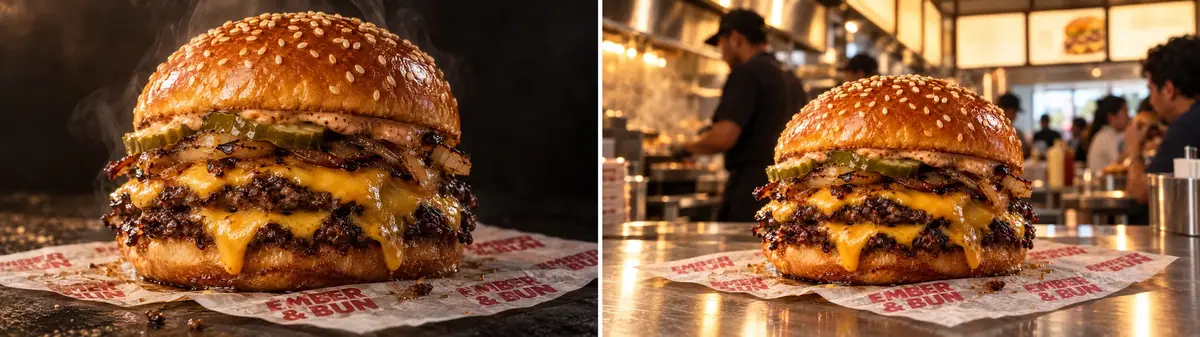
A team App for one production step: two fields (a product photo and a setting), the brand's fixed rules inside, a review step before delivery, and a locked workflow. For team leads who see the same step done ten different ways by ten people.
The brief
| Field | Brief |
|---|---|
| Step | The hero photo of a menu item to a scene for each market's menu boards and local posts |
| Users | Marketing managers in each market, who do not write prompts |
| Inputs | A product photo (required), a setting description (optional) |
| Fixed | Model, quality, the keep-list (item and wax paper print unchanged), the print facing the camera, warm key light from behind, no other text or logos |
| Review | A person approves each result before it reaches the library |
| Accept when | A market manager who never saw the workflow gets a usable result on the first run, from the App description alone |
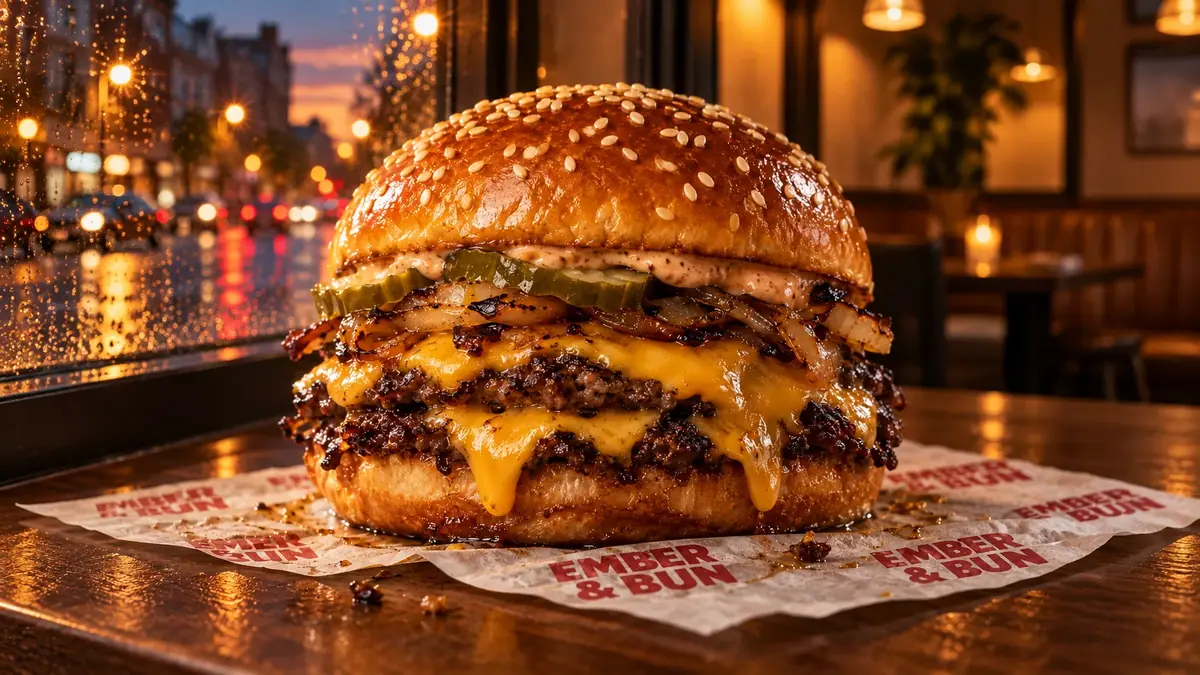
The example brand is the invented Ember & Bun burger chain, and the product is its Double Ember on the chain's red-printed wax paper. The starting point is a ready-made platform App, Product Studio, which the team version extends.
Approach
- 1Platform AppProduct Studio, run once per market
- 2DuplicateCopy into your project
- 3Rules in the graphKeep-list, print, light, no other text
- 4ReviewApproval node after the generator
- 5App and lockTwo pinned fields, Lock Workflow
An App is a workflow with a form on top (Publish a workflow as an App). The work is deciding what the team may change (the form fields) and what it may not (everything inside). Three rules make it hold:
- Start from a working workflow. Platform Apps are maintained, tested graphs. Read one, run it once on your own input, then copy it and change only what your rules need (Platform workflows and templates).
- Put the rules in the graph, not in a note. Brand light, the keep-list and the "no other text" rule go into the prompt-building nodes. Users cannot forget what they never have to type.
- Put a person where a mistake costs money or reputation. An Approval node before delivery, with a message that states the check (Approval and review steps).
Models, as of October 2026:
- Capability: image to image with a reference, inside a workflow.
- Model used: Product Studio runs GPT Image 2.5 Sunburst.
- Cheaper drafts: GPT Image 2.5 Flare (Run a model shoot-out).
What the platform Product Studio App contains, as read in its graph:
| Group | Node | What it does |
|---|---|---|
| 1. Inputs | Product Photo (image), User Prompt (Optional) (text) | The two form fields |
| 2. Route Prompt | Prompt Router (If-Else) | Checks whether the user typed a setting |
| 3. Compose Prompt | Custom Prompt Builder or Default Prompt | Builds the prompt from the user's setting, or uses a default "most relevant setting" prompt |
| 4. Generate | Product Scene Generator | GPT Image 2.5 Sunburst, one output, quality auto |
The custom prompt it builds is: Place the product from the reference image: + your setting + Integrate the product naturally with proper lighting, shadows, and reflections that match the environment. Create photorealistic composition with authentic atmosphere and professional product photography quality.
That is a sound general template, and on the Double Ember it kept the burger and the wax paper print in every run. It has no keep-list, no rule against added text, and no review step. Those are the three changes the team version makes.
Steps
-
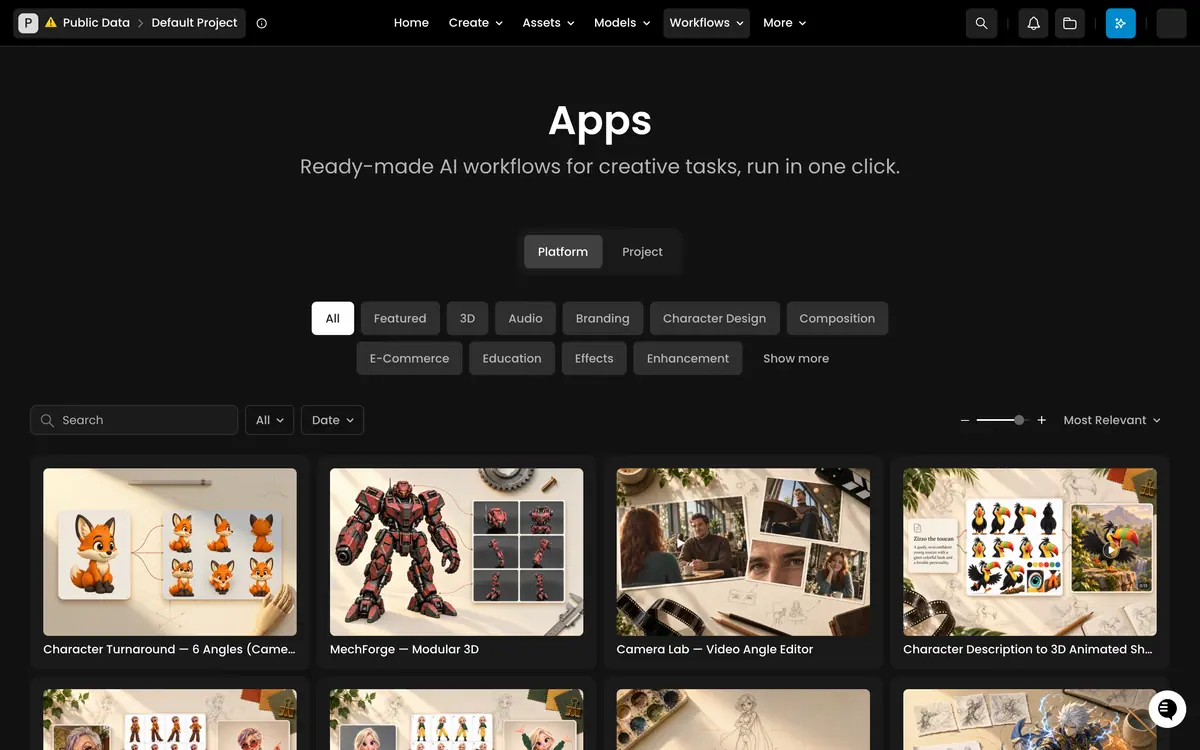
Run the platform App once per market. Workflows > Apps, tab Platform, filter E-Commerce, open Product Studio. Upload the product photo, type a setting and run it. The runs used three markets, for example
on the steel counter of a busy burger restaurant in Mexico City at lunchtime, the illuminated menu board on the wall behindandon a dark walnut counter by the window of a corner burger restaurant at dusk, warm light inside, a wet city street glowing outside.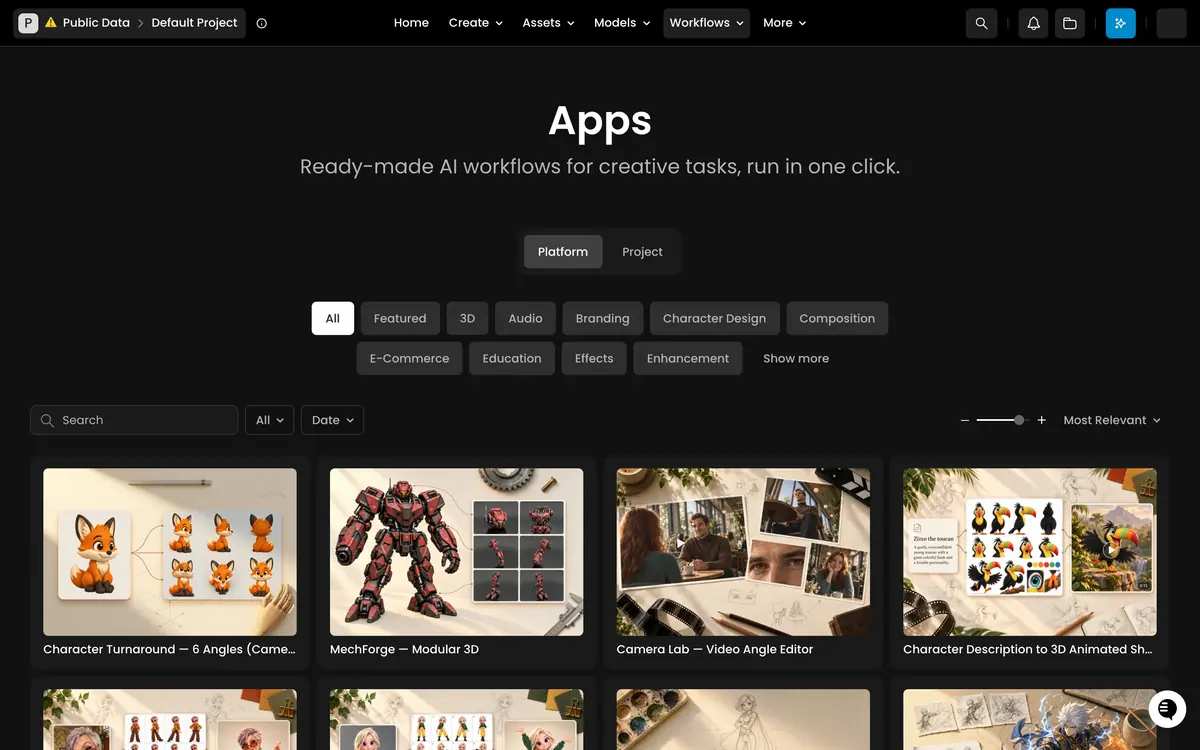
Workflows > Apps > Platform, with the category filters. The burger and the EMBER & BUN print held in all three runs. Each run also added text nobody asked for: a full menu board with prices, a sauce bottle label and logo shirts in Mexico City; a window decal with an invented tagline, a chalkboard sign and a neon sign at dusk; a branded fries carton on the third.
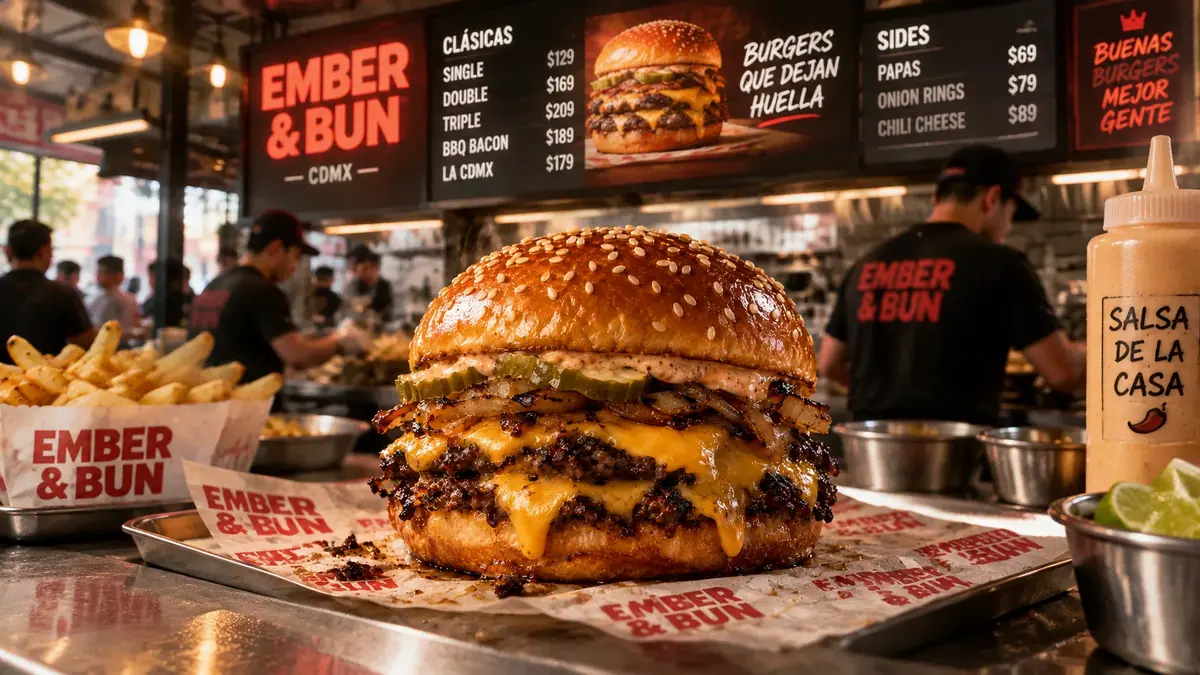
Platform Product Studio, Mexico City setting: burger and wrapper exact, plus an invented menu, prices and labels. -
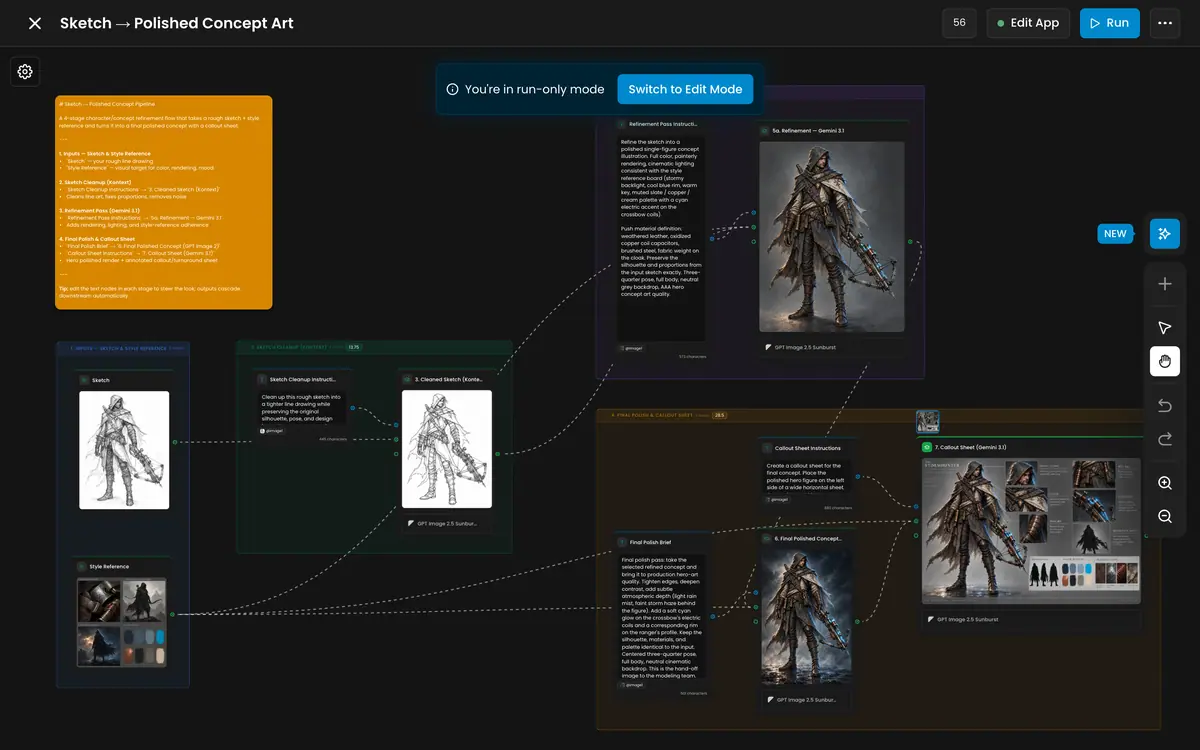
Open its graph. From the App's run page, click the Edit workflow icon to open the workflow. Platform workflows open in run-only mode; read the groups and the prompt nodes before changing anything.
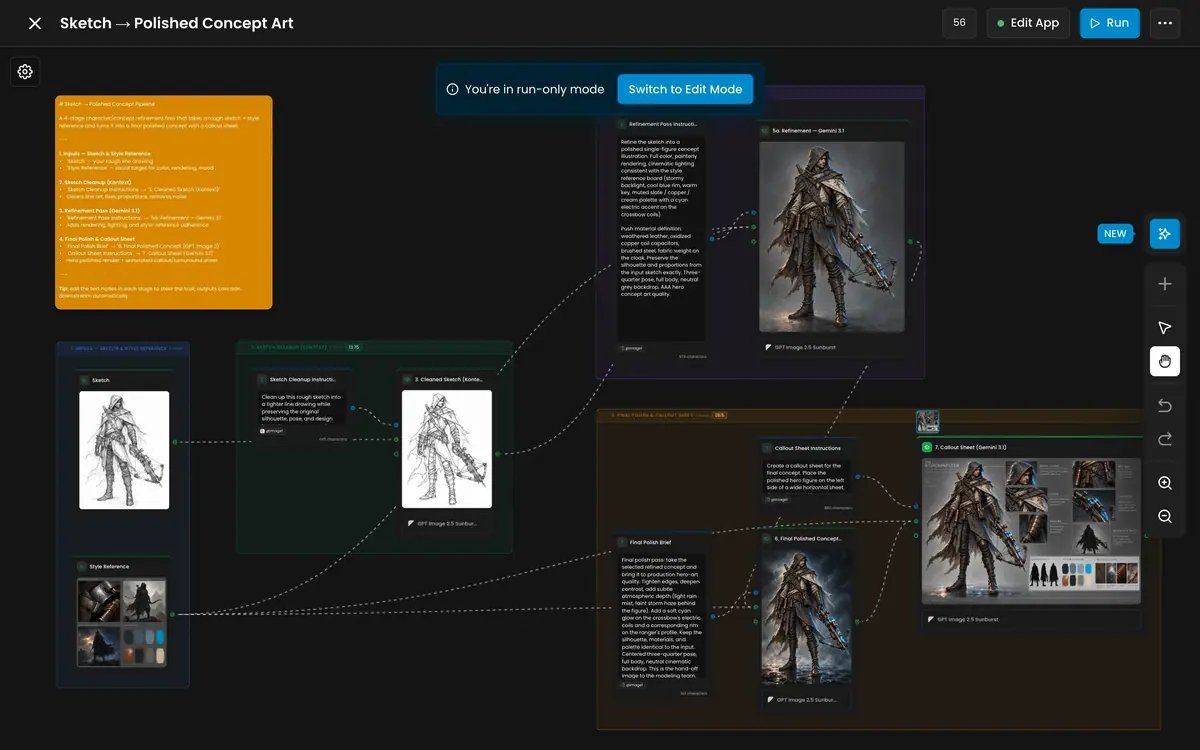
A platform workflow in the editor, run-only. -
Copy it into your project. Open the ... menu and choose Duplicate Workflow, then rename the copy, for example
Ember & Bun market scene. Check that the copy sits in your project and opens in edit mode before you change any rule.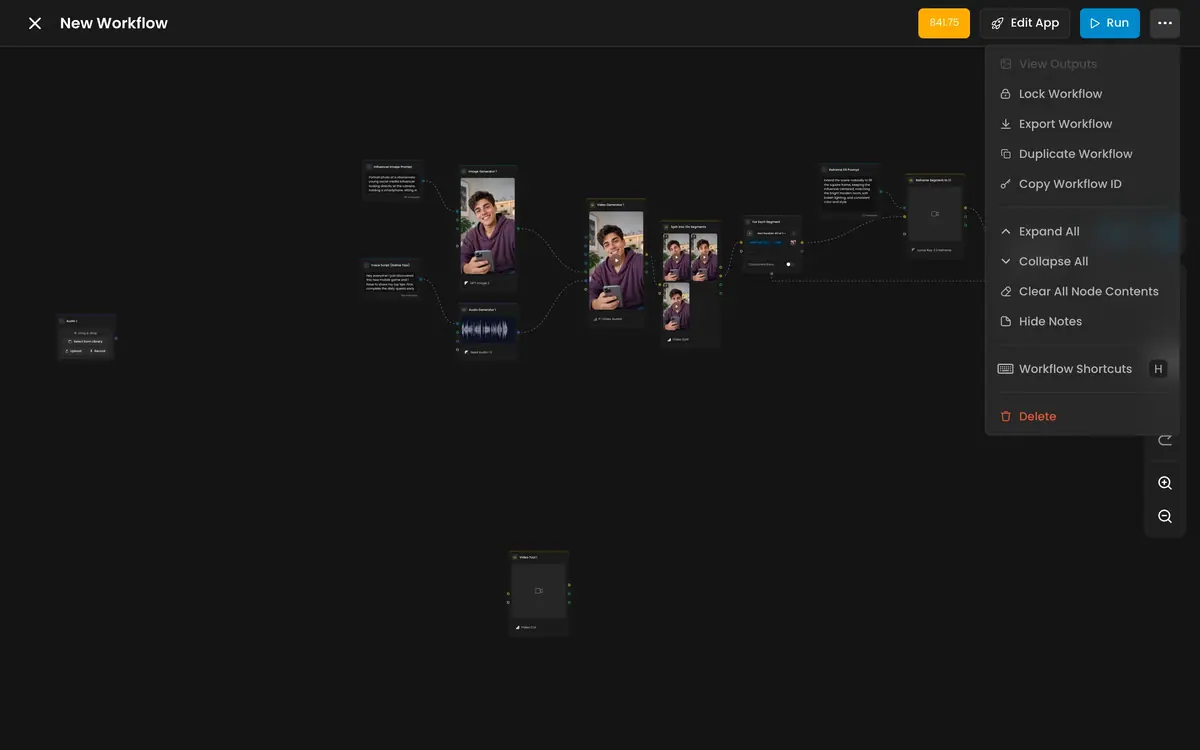
The ... menu: Duplicate Workflow, Lock Workflow, Export Workflow. -
Write the rules into the prompt builder. Edit Custom Prompt Builder so the setting is wrapped in your rules. This is the prompt as tested, with the setting as the variable:
PromptThe exact burger from the reference image, with its bun, patties, cheese, pickles and onions unchanged, on the same EMBER & BUN wax paper with its red print unchanged, placed [setting]. The wax paper print faces the camera and is sharp. Warm key light from behind, glistening texture, soft contact shadow under the paper. Natural food photography. No other text and no other logos anywhere: menu boards, signs, packaging, clothing and bottles stay blank or out of focus.It was run directly on GPT Image 2.5 Sunburst with the Double Ember photo as the reference, for the Mexico City and dusk settings: the print read EMBER & BUN letter for letter, and no other text appeared. For an App that serves the whole menu, write the keep-list for any item (
the exact menu item from the reference image, with every ingredient unchanged) and test it on two items. Do the same in Default Prompt, so an empty setting still follows the rules. -
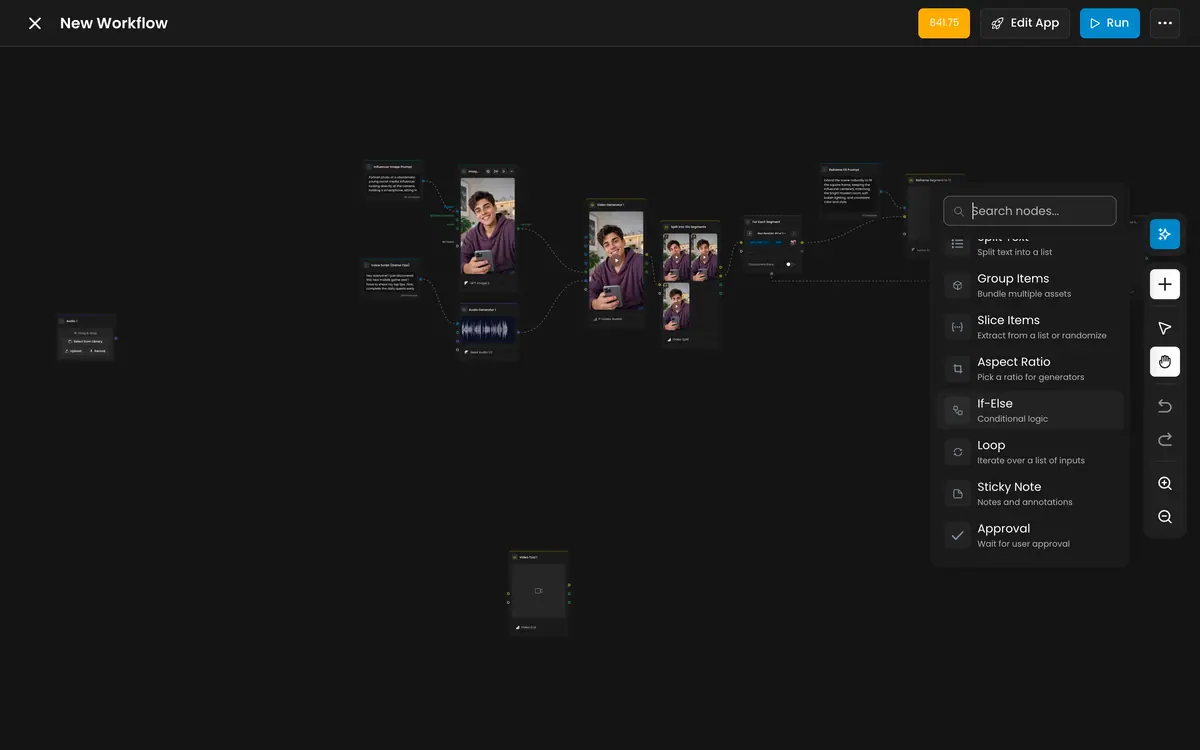
Add the review step. Open the node palette (Add node), add Approval from Utilities after Product Scene Generator, wire the generator into it, and write the message:
Approve only if the wax paper reads EMBER & BUN letter for letter, the item matches the photo, and no other text appears.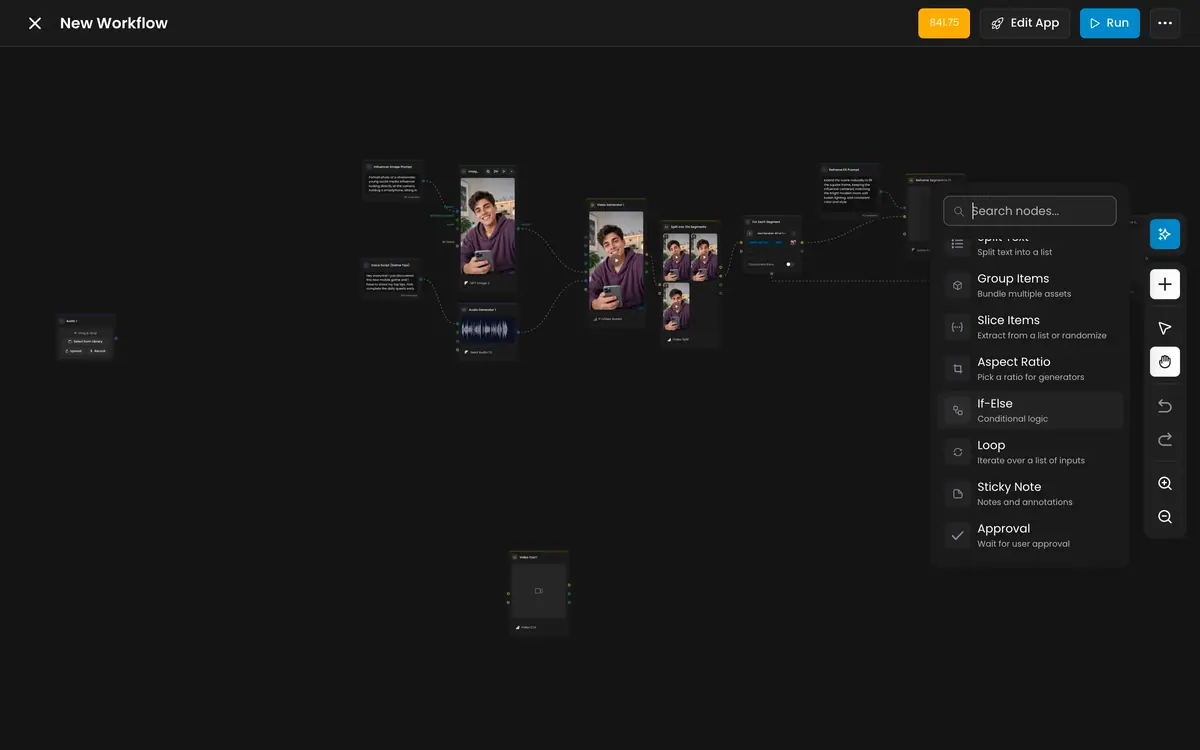
Utilities in the node palette: Loop, If-Else, Sticky Note and the Approval node. -
Turn it into an App (Package it as a workflow or skill). Click Edit App. Pin Product Photo (required, filled star) and User Prompt (Optional) (optional, empty star), rename them
Product photoandSetting, and pin the output after the Approval node. Write the Short Description (Your menu item in a market scene, wrapper print exact, no other text) and the Long Description (what photo to upload, what to type, the cost per run, who approves). Upload an Output Preview (required) and an Input Preview. -
Lock and share. In the ... menu choose Lock Workflow. The App appears for the team under Workflows > Apps, tab Project. Ask one market manager who has never seen it to run it with your description only, and fix whatever they ask about.
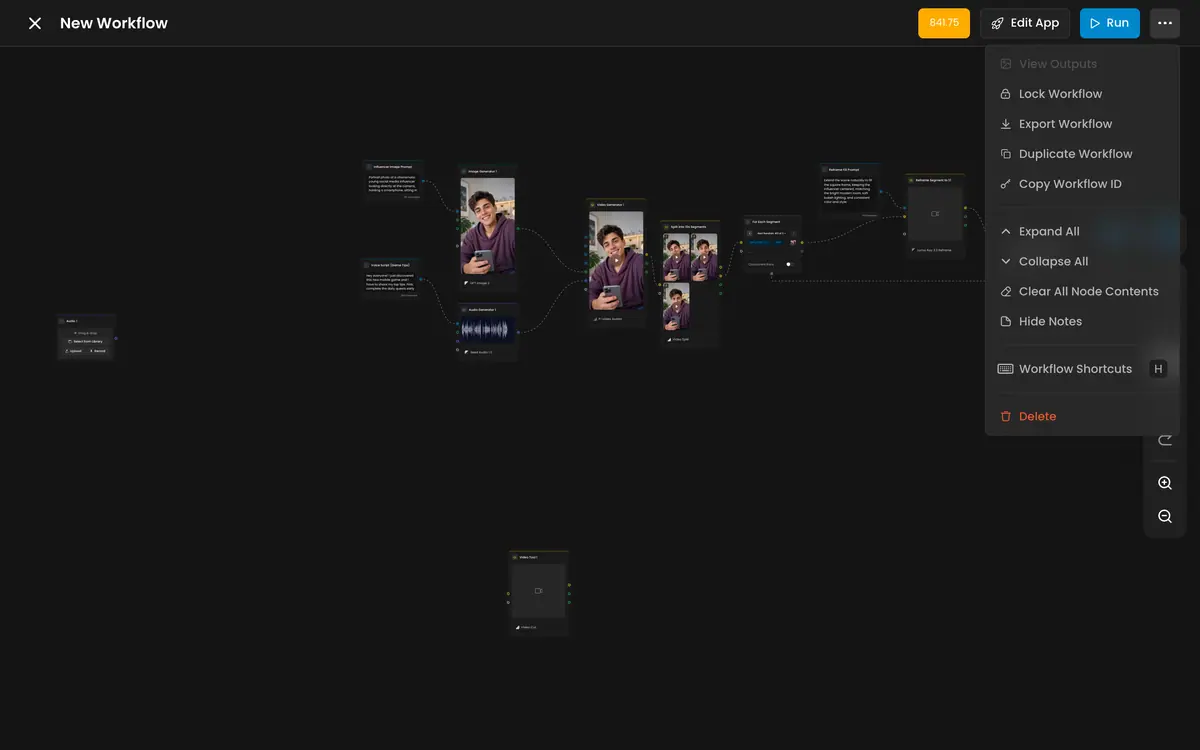
With the Scenario MCP: workflow_run on the App's workflow id with the photo as image1 and the setting as text1 runs it from an agent.
When the run reaches Approval, an agent or a person answers with the workflow_approve or workflow_reject tools; from the API it is PUT /v1/workflows/{workflowId}/user-approval. See Run workflows from code and agents.
Check the result
the App shows exactly two fields with clear names; an empty setting still gives an on-brand result; the wrapper print reads letter for letter; no other text or logo appears; the review message states the check; a new teammate succeeds on the first run; the workflow is locked.
users need to type brand rules into the setting field; a result shows invented menus, prices, taglines or labels; the App delivers without review; the output pin sits before the Approval node; the description does not say what a run costs.
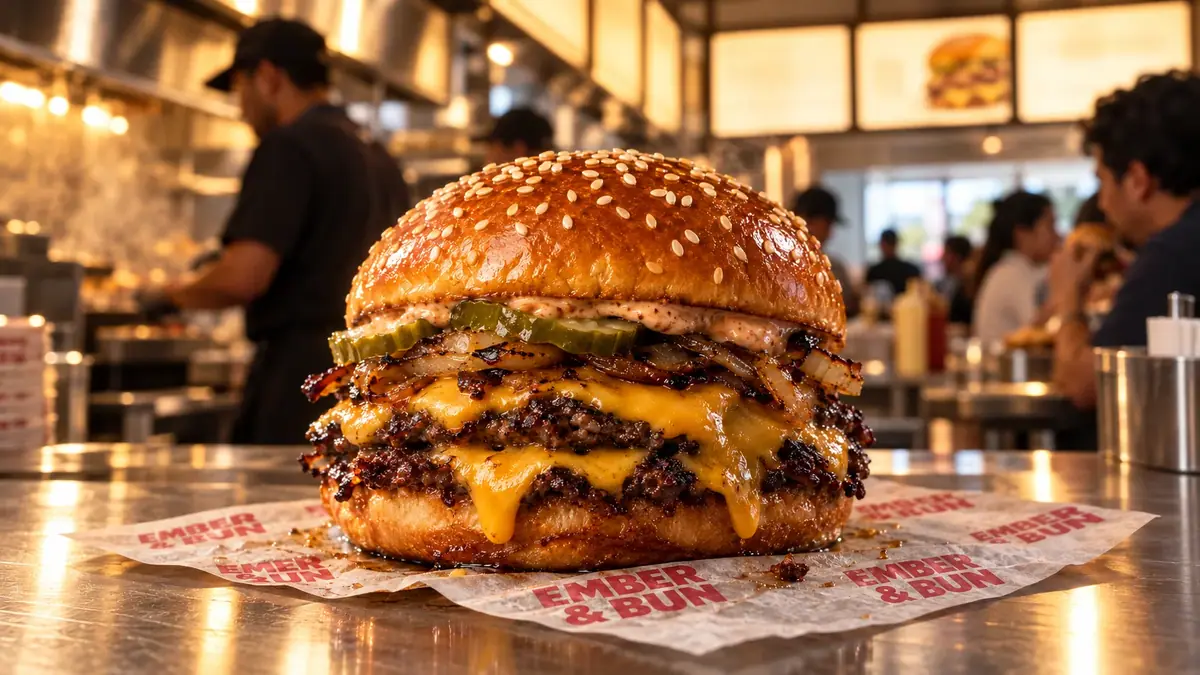
The platform runs are the baseline to beat. They already held the product and its print, which is the hard part. What they could not hold is the rest of the frame: a market scene invites menus, signs and packaging, and the model fills them with words. A menu board with invented prices cannot go on a real menu board.
The team version's value is consistency: the keep-list protects items whose details are harder than this one, the "no other text" rule keeps every market's scene clean, and the approval stops the rare bad one from reaching the library.
1A teammate runs your App, and the result reaches the library before anyone checks it. What went wrong?
Answer: A. When the App skips the review, the output pin sits before the Approval node. Pin the output after it.
2Two results for the same dusk setting. The brief fixes the wrapper print and forbids any other text. Which one can go to the library?
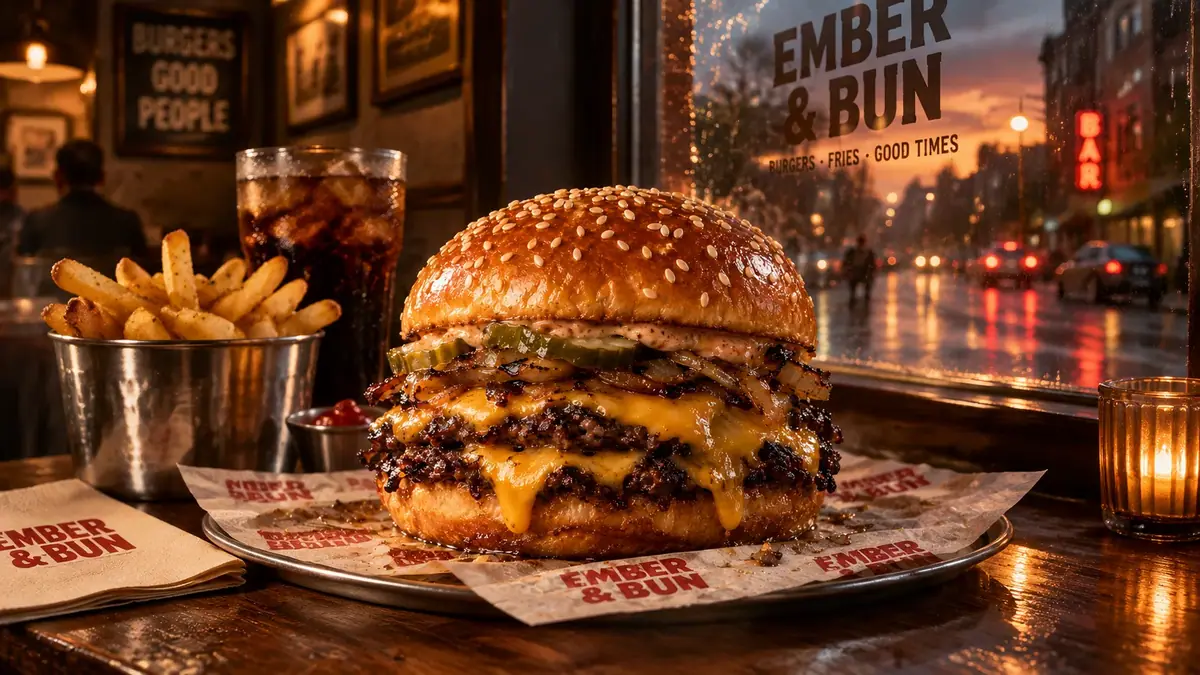
Answer: A. "No other text" is fixed in the brief. Take A's window carries a tagline nobody approved, and the platform prompt does not forbid it. Write the rule into the prompt builder so a typed setting cannot override it.
Make it repeatable
- One owner, many teams. When several teams use Scenario, one person who knows it best builds each team's App, runs a short weekly session on new Apps and models, and takes requests in one channel. See Roll Scenario out to your team.
- One App per repeated step, not one App for everything. Packshots, market scenes, seasonal variants and formats are separate Apps with separate reviews. Chain them only once each is stable.
- Version the rules. When brand rules change, duplicate the App, edit, test, then switch the team over. Keep the old one locked until the new one is approved. Export Workflow gives you a file copy of each version.
- Put the App in the team's instructions. In Project Instructions, add
For market scenes, use the "Ember & Bun market scene" App.so Scenario Agents use it too. See Instructions and memory. - Batch it. For many markets or items, run the workflow from code or an agent once per photo and setting, and review the approvals as they arrive.
- Review the App monthly. Run its test inputs again, compare with the preview, and check whether a newer model should replace the generator (Run a model shoot-out).
Runs and time
| Step | Model | Runs | Kept | Wait |
|---|---|---|---|---|
| Platform Product Studio, three markets | GPT Image 2.5 Sunburst, quality auto | 3 | 1, as the baseline | about 25 s each |
| Rule prompt, tested directly, two markets | GPT Image 2.5 Sunburst, quality auto, hero photo as reference | 2 | 2 | about 30 s and 40 s |
| Duplicate, edit prompts, add Approval | editor | 0 | about 20 min (estimate, not run) | |
| Edit App, descriptions, previews, lock | editor | 0 | about 15 min (estimate, not run) |
The App's cost per run is the cost of its generator; the Approval node adds no generation cost, and a rejection stops the run before any later step is billed.
Read the price from the App's quote before the first run and write that figure into the Long Description.
Variations
- Games: a "prop from sketch" App with the art style fixed in the prompt and an approval before the 3D step.
- Learning: an "illustration for a lesson" App with the course style references fixed inside, so authors only type the subject.
- Personalized content: an App where the rules stay fixed and each run takes one line per recipient or market.
- Agencies: one App per client project, each with that client's rules, shared only in that project.
- Video: an "animate this still" App with an approval on the still before the expensive video step.
- Localization: an App that takes a video and a language, with an approval after the transcript check.
If it breaks
- Users get different results from the same App. Something variable is still in the form. Move it into the graph or give it a default.
- Scenes come back with menus, signs or taglines. The prompt does not forbid other text. Add "no other text and no other logos anywhere", name the surfaces (menu boards, signs, packaging, clothing, bottles), and ask for them blank or out of focus.
- The App skips the review. The output is pinned before the Approval node. Pin the node after it.
- Someone changed the rules. The workflow was not locked. Lock it, and keep exported versions.
- The App is never used. The description does not say what to upload or what comes out. Rewrite the Long Description with one example input and output.
- Results drift after a while. The underlying model changed or a newer one is better. Rerun the App's test inputs and compare with the Output Preview.